> ## Documentation Index
> Fetch the complete documentation index at: https://docs.dialtu.com/llms.txt
> Use this file to discover all available pages before exploring further.
# The agenda
> Views, filters, cards, drag to move, resize, and the appointment detail
**Calendar → Agenda** is the calendar itself. Admins and View-All users see **Live Calendar** — every professional, one column each. View-Own users see **My Calendar**.
## The header band
The title row shows the month, your company name, and three live numbers for the visible range:
| Number | What it is |
| --------------- | ------------------------------------------------------------------------------------------------------------------------- |
| **WSAA** | Autonomous Actions Success Rate — AI-booked appointments that were not cancelled, over all AI-booked appointments in view |
| **Bookings** | Appointments booked today |
| **Reschedules** | Appointments moved today |
The gear icon opens Settings.
## Views and layout
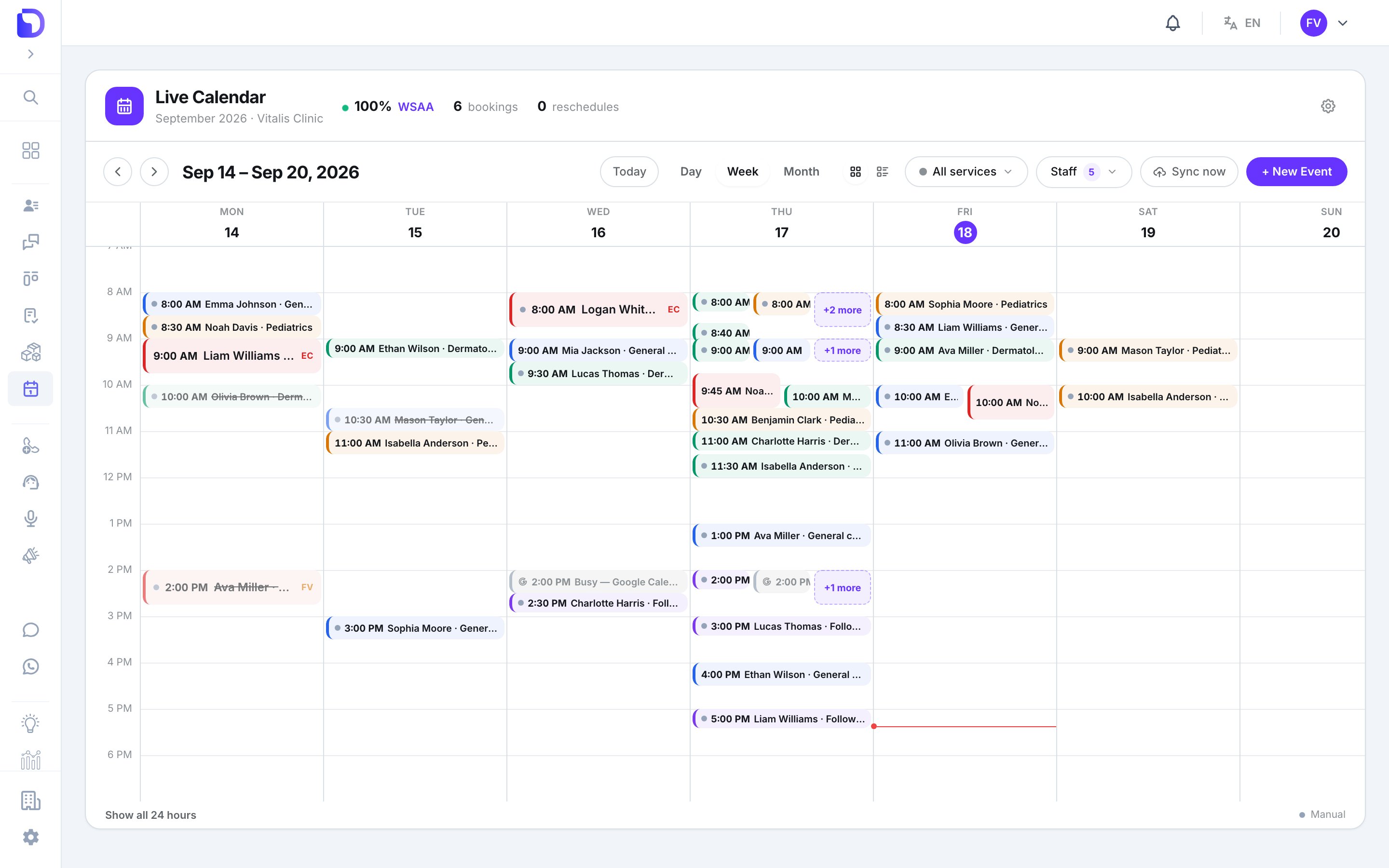 | Control | What it does |
| -------------------------------------------- | ------------------------------------------------------------------------------------------------------ |
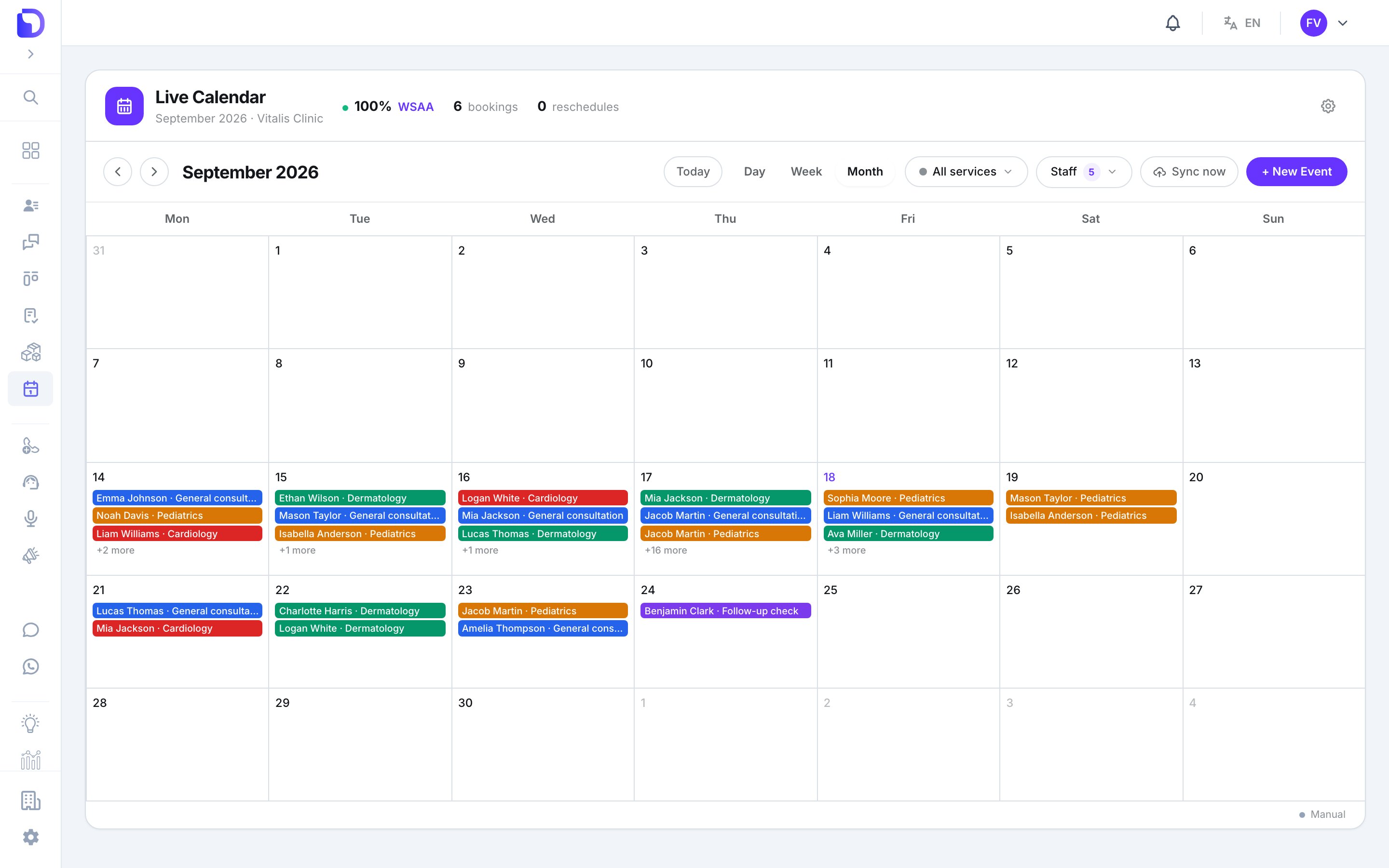
| **Day / Week / Month** | Day shows one column per professional and a 7-day chip strip; Week is a time grid; Month is date cells |
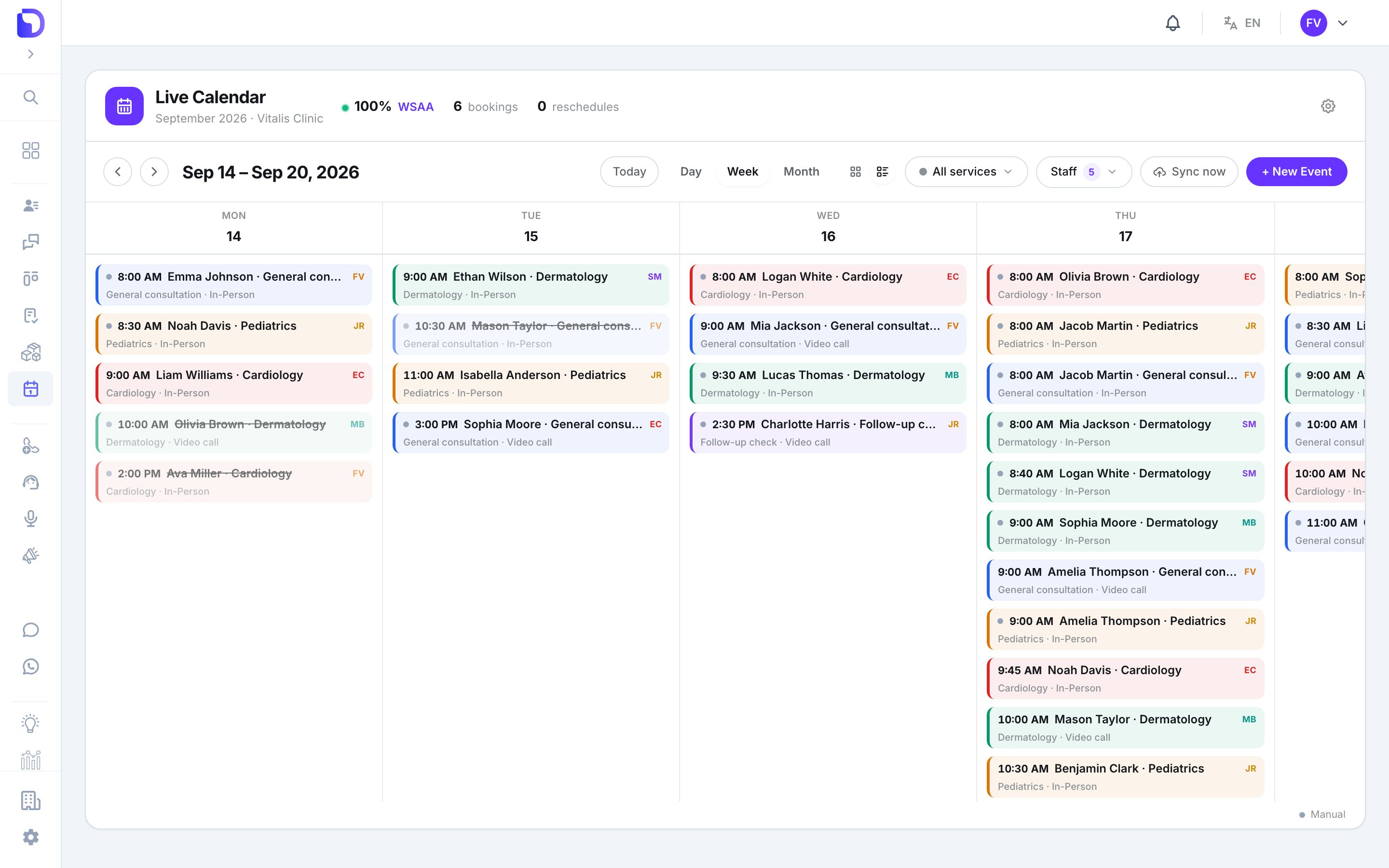
| **Grid / List** toggle | Week and Day can also render as a list of cards. Hidden in Month |
| **Today**, arrows | Jump to today, move one period |
| **Show all 24 hours / Fit to working hours** | Bottom-left. The default fits the grid to working hours plus any appointment outside them |
| Control | What it does |
| -------------------------------------------- | ------------------------------------------------------------------------------------------------------ |
| **Day / Week / Month** | Day shows one column per professional and a 7-day chip strip; Week is a time grid; Month is date cells |
| **Grid / List** toggle | Week and Day can also render as a list of cards. Hidden in Month |
| **Today**, arrows | Jump to today, move one period |
| **Show all 24 hours / Fit to working hours** | Bottom-left. The default fits the grid to working hours plus any appointment outside them |
 Everything you choose is in the URL (`?view=`, `?date=`, `?service=`, `?staff=`), so a link opens the exact same view.
The default view depends on your permission: Admin and View All open **Day**; View Own opens **Week**.
## Filters
Everything you choose is in the URL (`?view=`, `?date=`, `?service=`, `?staff=`), so a link opens the exact same view.
The default view depends on your permission: Admin and View All open **Day**; View Own opens **Week**.
## Filters
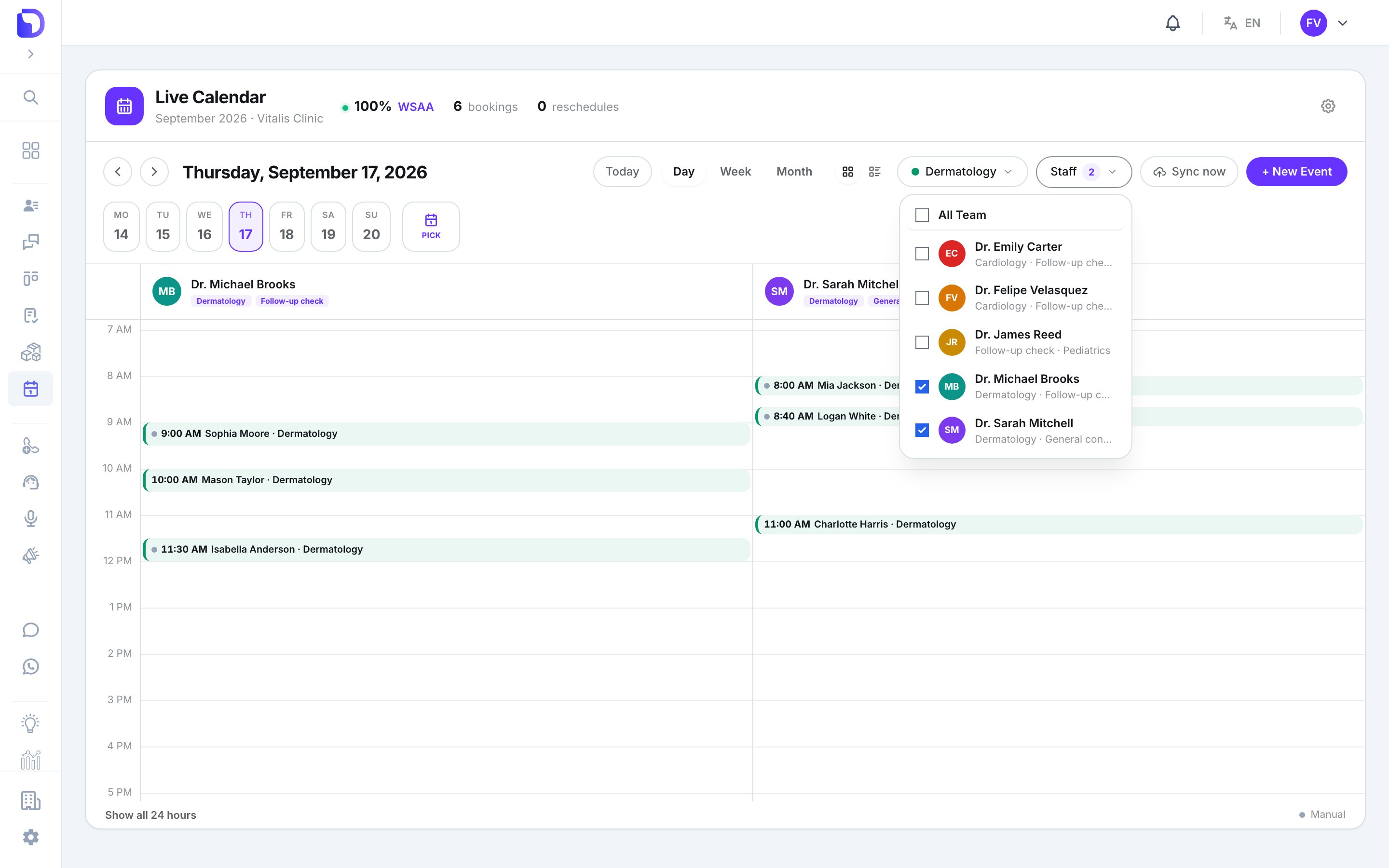 * **All services** — one service at a time, or all.
* **Staff** — tick any number of professionals. Admin and View All only.
View-Own users have no filters: they only ever see their own calendar.
## Reading a card
Each card is painted with its **service's colour**. It shows the start time, the title, and the service and appointment type underneath. On team views a chip carries the professional's initials.
| Marker | Meaning |
| ------------------------------------- | ---------------------------------------------------------------------- |
| Grey dot **Manual** | Booked by hand from the agenda |
| Faded card | **Cancelled** or **No-show** |
| Card reading *Busy — Google Calendar* | Time blocked on the professional's Google Calendar. Not an appointment |
| Overlap badge | The appointment collides with a Google busy span |
| **+N more** | Too many cards in one block — click to list them |
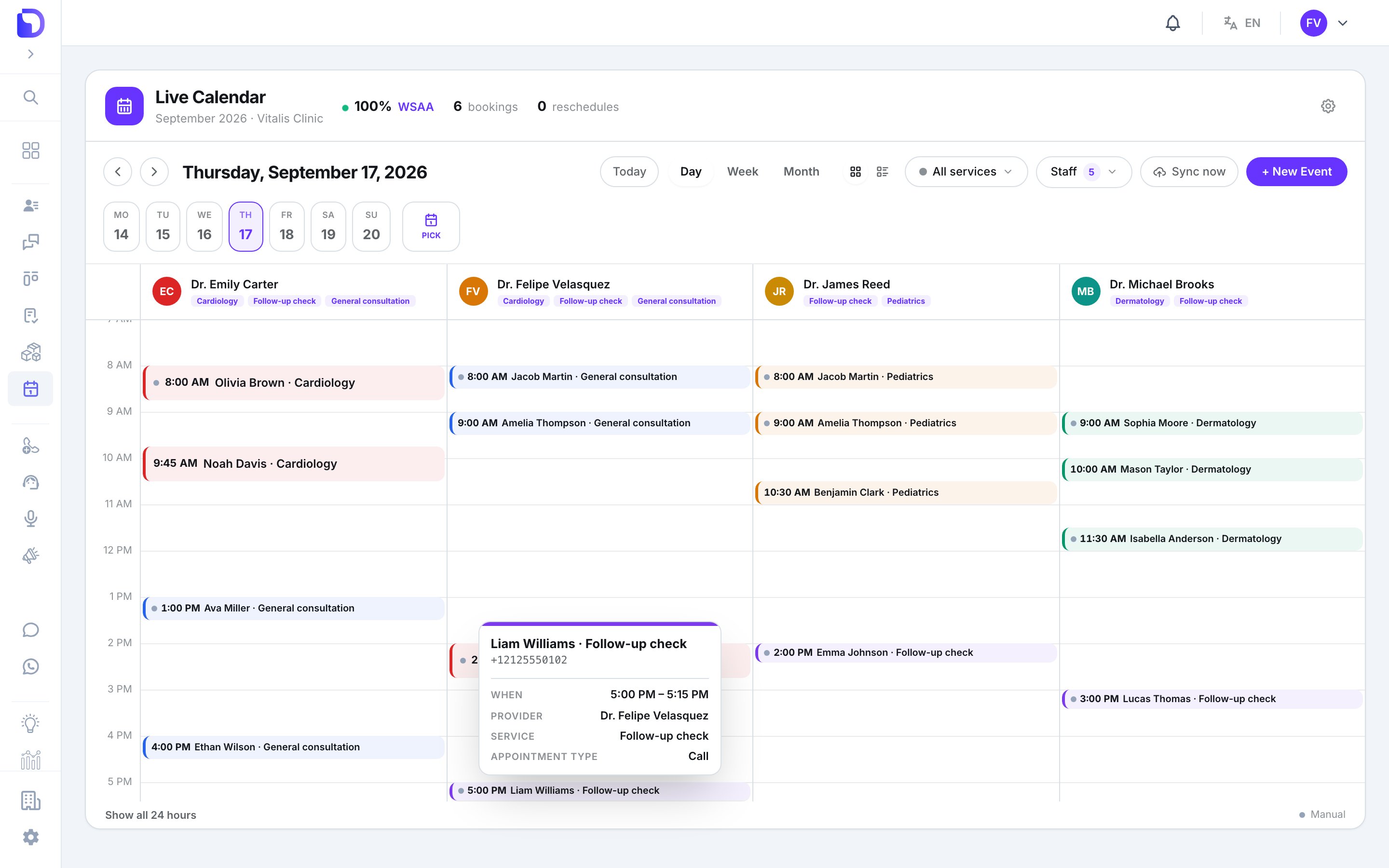
Hover a card for the **When** and **Service** tooltip.
* **All services** — one service at a time, or all.
* **Staff** — tick any number of professionals. Admin and View All only.
View-Own users have no filters: they only ever see their own calendar.
## Reading a card
Each card is painted with its **service's colour**. It shows the start time, the title, and the service and appointment type underneath. On team views a chip carries the professional's initials.
| Marker | Meaning |
| ------------------------------------- | ---------------------------------------------------------------------- |
| Grey dot **Manual** | Booked by hand from the agenda |
| Faded card | **Cancelled** or **No-show** |
| Card reading *Busy — Google Calendar* | Time blocked on the professional's Google Calendar. Not an appointment |
| Overlap badge | The appointment collides with a Google busy span |
| **+N more** | Too many cards in one block — click to list them |
Hover a card for the **When** and **Service** tooltip.
 ## Move and resize with the mouse
In Day and Week grids you can drag a card to a new time, and in Day view to another professional's column. Grab the top or bottom edge to change the start or end.
## Move and resize with the mouse
In Day and Week grids you can drag a card to a new time, and in Day view to another professional's column. Grab the top or bottom edge to change the start or end.
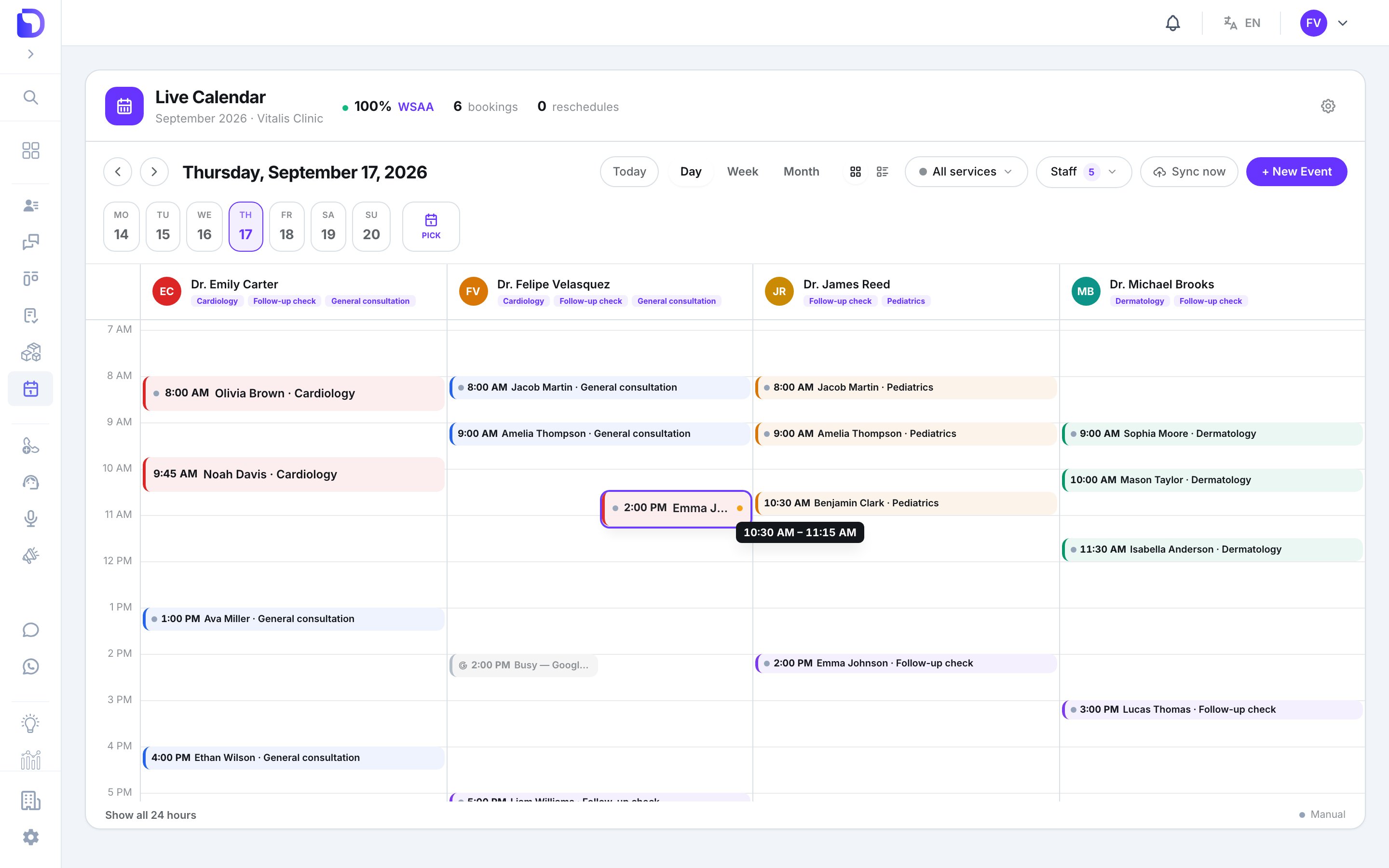
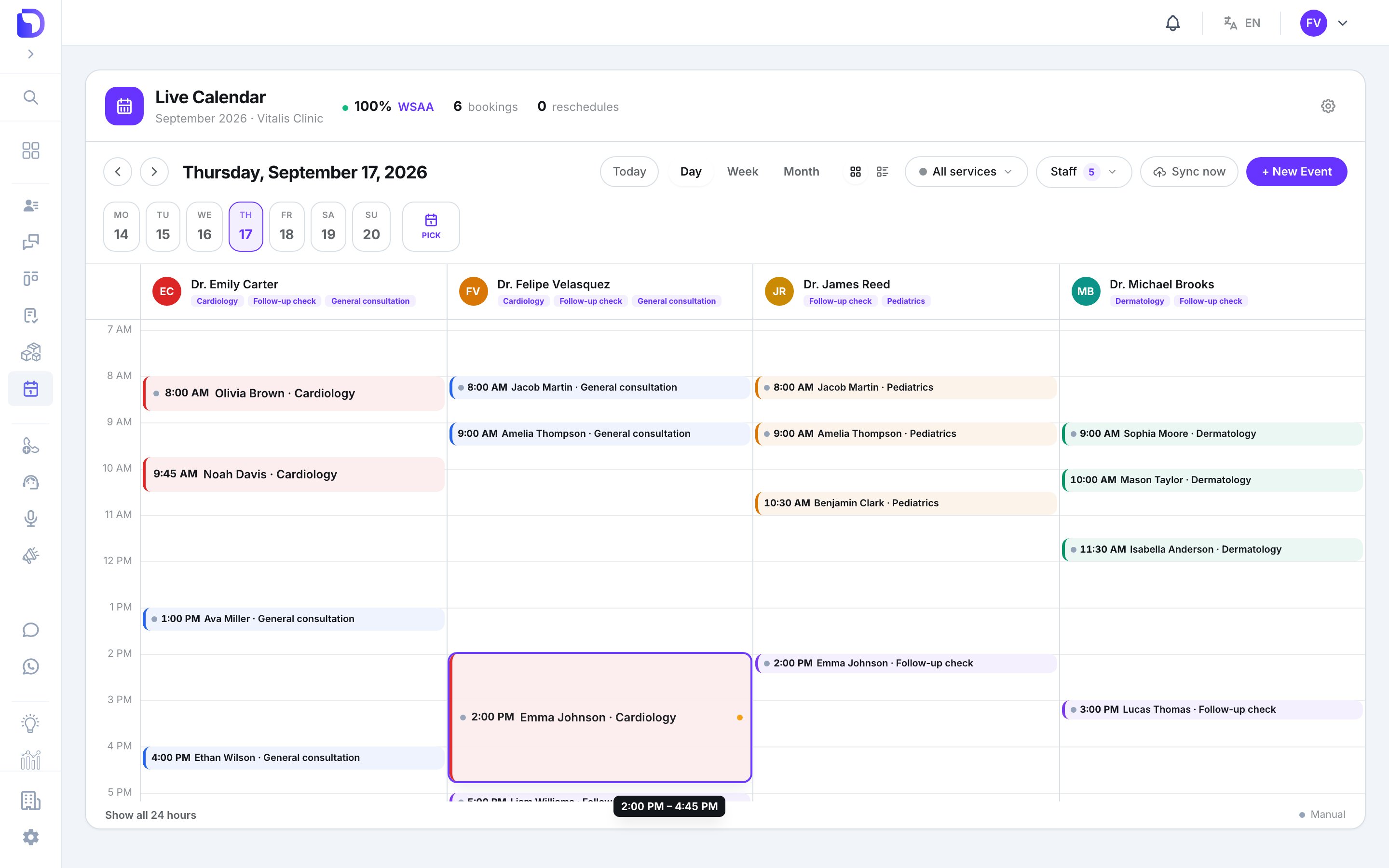 * Snaps to **15 minutes**; minimum duration **15 minutes**.
* Month view only moves the **date**; no resize there.
* Press **Escape** mid-drag to put the card back.
* The card moves immediately; if the backend refuses (the slot was taken, the professional isn't available), it snaps back with the reason.
You can only move a card if you're an Admin or the appointment's own professional: *You can only manage your own appointments.*
## Right-click actions
* Snaps to **15 minutes**; minimum duration **15 minutes**.
* Month view only moves the **date**; no resize there.
* Press **Escape** mid-drag to put the card back.
* The card moves immediately; if the backend refuses (the slot was taken, the professional isn't available), it snaps back with the reason.
You can only move a card if you're an Admin or the appointment's own professional: *You can only manage your own appointments.*
## Right-click actions
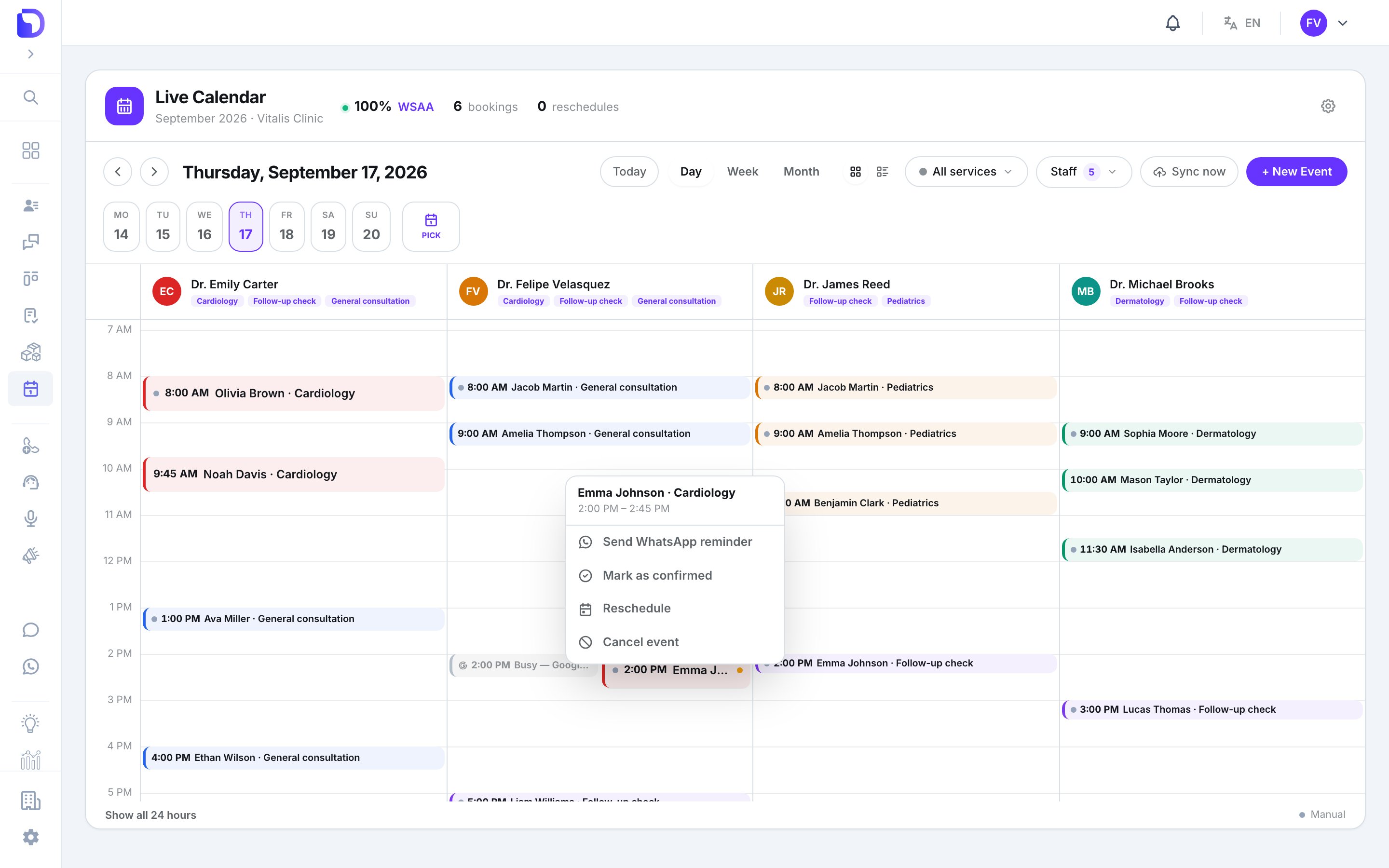 | Action | What it does |
| -------------------------- | ------------------------------- |
| **Send WhatsApp reminder** | Sends the reminder now, by hand |
| **Mark as confirmed** | Status *Booked* → *Confirmed* |
| **Reschedule** | Opens the reschedule flow |
| **Cancel event** | Opens the cancel confirmation |
A closed appointment shows *This appointment is closed.*
## The appointment detail
Click a card.
| Action | What it does |
| -------------------------- | ------------------------------- |
| **Send WhatsApp reminder** | Sends the reminder now, by hand |
| **Mark as confirmed** | Status *Booked* → *Confirmed* |
| **Reschedule** | Opens the reschedule flow |
| **Cancel event** | Opens the cancel confirmation |
A closed appointment shows *This appointment is closed.*
## The appointment detail
Click a card.
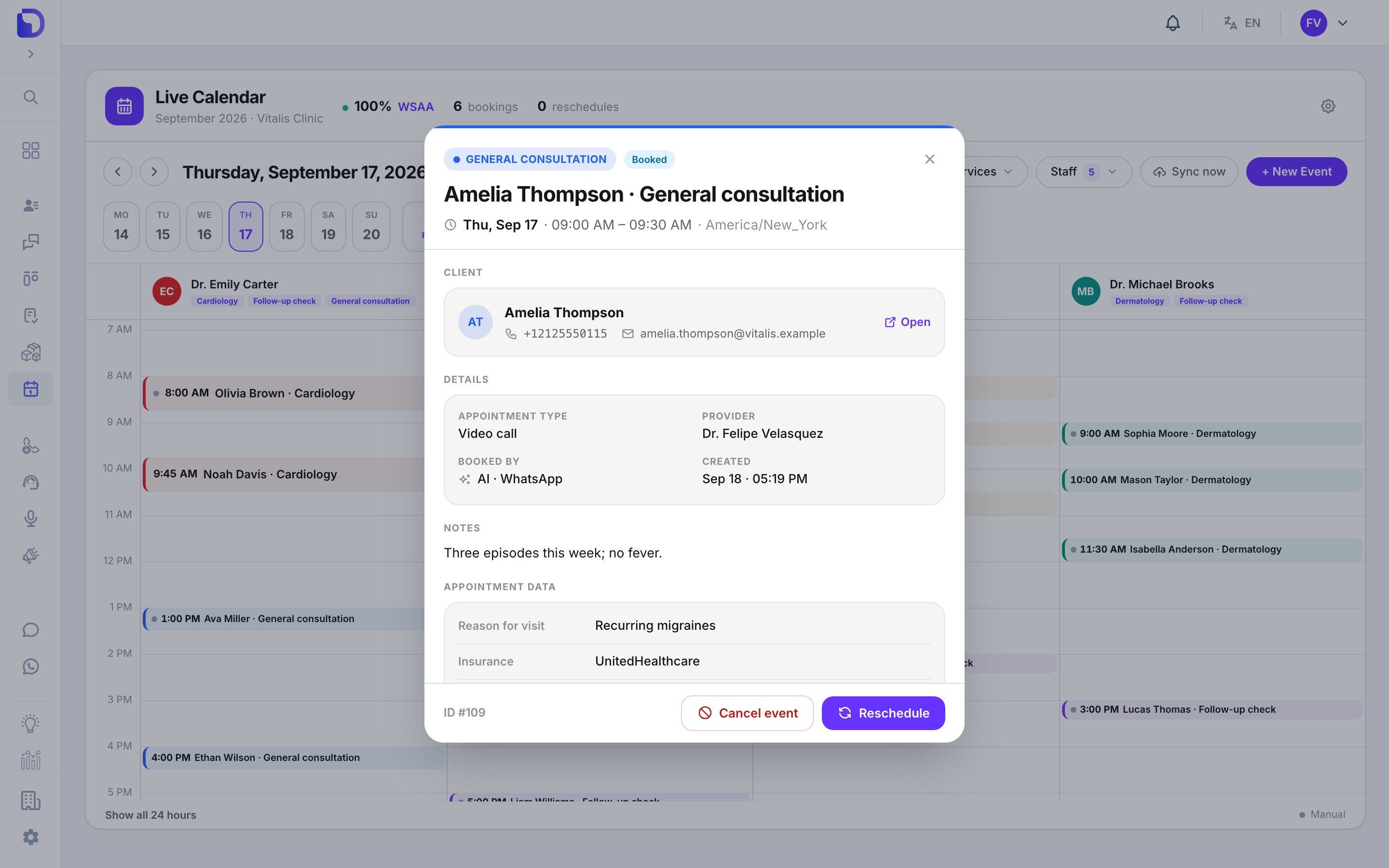 | Block | What's in it |
| --------------------- | ------------------------------------------------------------------------------------------------------- |
| Header | Service chip, status (**Booked / Confirmed / Cancelled / Late cancellation / No-show**), title, when |
| **Client** | Name, phone, email, **Open** → the client's CRM page |
| **Details** | **Appointment Type**, **Provider**, **Booked by** (*Manually*, *AI · WhatsApp*, *Via API*), **Created** |
| **Notes** | What the customer said, when an AI booked it |
| **Appointment data** | The answers to the agent's extra questions, labelled |
| **View conversation** | Only for AI bookings — opens the chat |
### Reschedule
| Block | What's in it |
| --------------------- | ------------------------------------------------------------------------------------------------------- |
| Header | Service chip, status (**Booked / Confirmed / Cancelled / Late cancellation / No-show**), title, when |
| **Client** | Name, phone, email, **Open** → the client's CRM page |
| **Details** | **Appointment Type**, **Provider**, **Booked by** (*Manually*, *AI · WhatsApp*, *Via API*), **Created** |
| **Notes** | What the customer said, when an AI booked it |
| **Appointment data** | The answers to the agent's extra questions, labelled |
| **View conversation** | Only for AI bookings — opens the chat |
### Reschedule
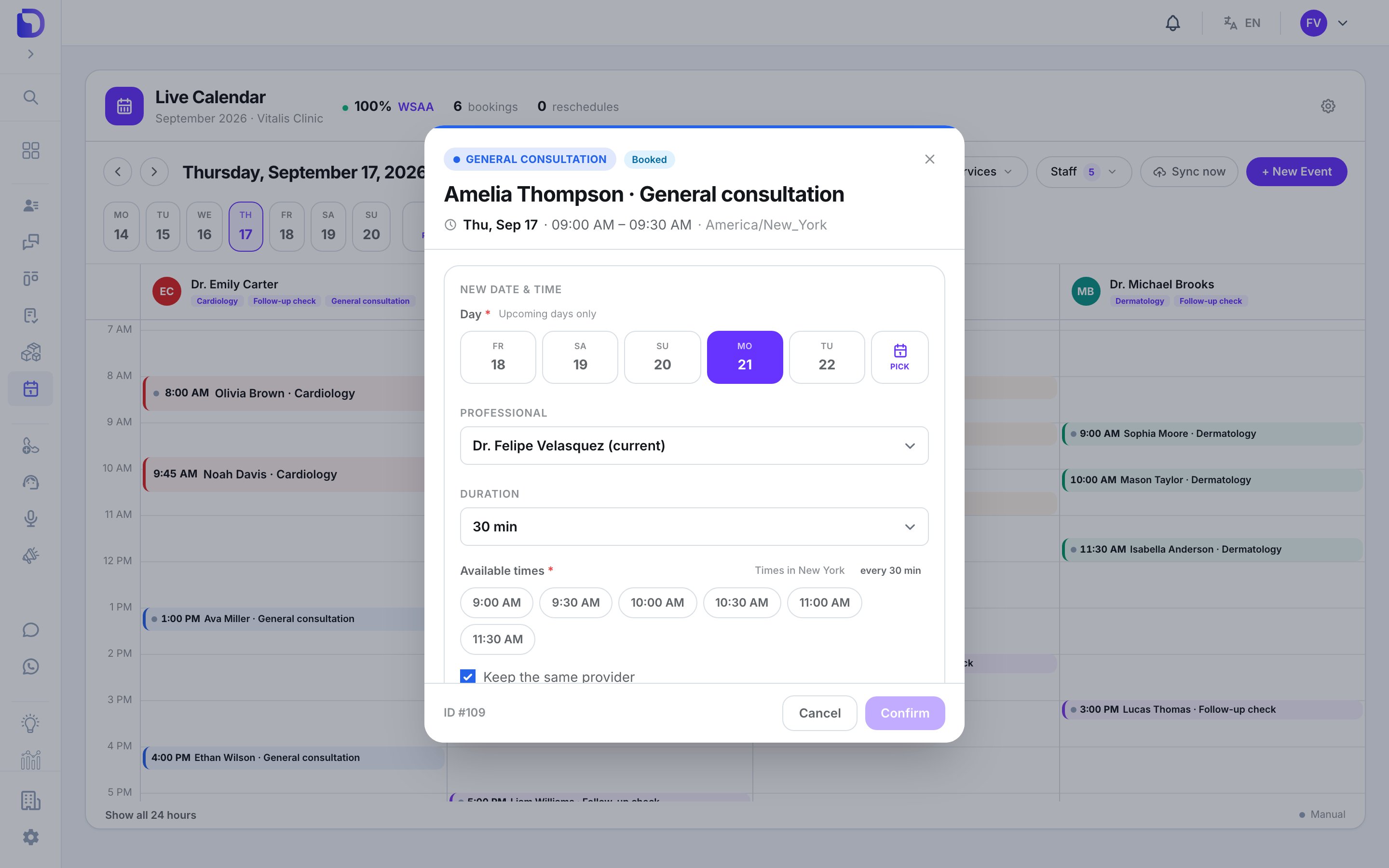 Pick a **New date & time** from the real free slots, optionally another **Professional** (Admin only, members of the same service) and a **Duration** in 15-minute steps up to 4 hours. **Keep the same provider** is on by default; off, the booking moves to any available member of the service if the current one is busy.
### Cancel
Pick a **New date & time** from the real free slots, optionally another **Professional** (Admin only, members of the same service) and a **Duration** in 15-minute steps up to 4 hours. **Keep the same provider** is on by default; off, the booking moves to any available member of the service if the current one is busy.
### Cancel
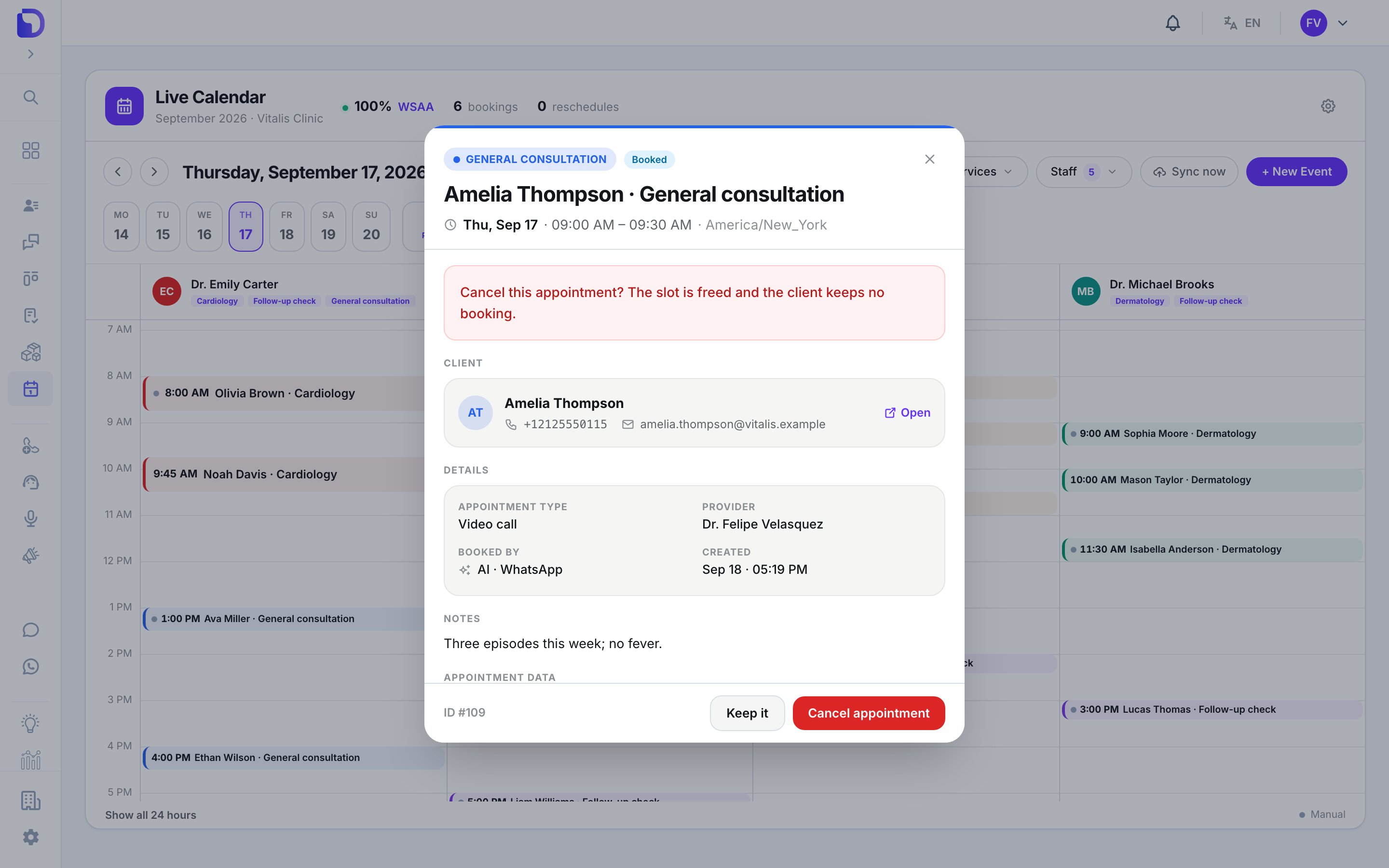 *Cancel this appointment? The slot is freed and the client keeps no booking.* → **Keep it** or **Cancel appointment**. If it's inside the service's late-cancellation window, it's recorded as a **late cancellation**.
## What doesn't exist
* **Editing** title, notes, client or service after booking.
* **Mark as no-show** from the UI (the status exists; only the API sets it).
* **A change history** on the appointment.
* **Printing or exporting** the agenda.
## Next step
The New Event window.
*Cancel this appointment? The slot is freed and the client keeps no booking.* → **Keep it** or **Cancel appointment**. If it's inside the service's late-cancellation window, it's recorded as a **late cancellation**.
## What doesn't exist
* **Editing** title, notes, client or service after booking.
* **Mark as no-show** from the UI (the status exists; only the API sets it).
* **A change history** on the appointment.
* **Printing or exporting** the agenda.
## Next step
The New Event window.