> ## Documentation Index
> Fetch the complete documentation index at: https://docs.dialtu.com/llms.txt
> Use this file to discover all available pages before exploring further.
# Professionals
> Profiles, linking a Dialtu user or not, and personal booking rules
A **profile** is a bookable person: *Dr. Emily Carter*. It carries a timezone, the services they serve, their hours, and optionally the Dialtu user who owns it. **Calendar → Settings → Profiles**.
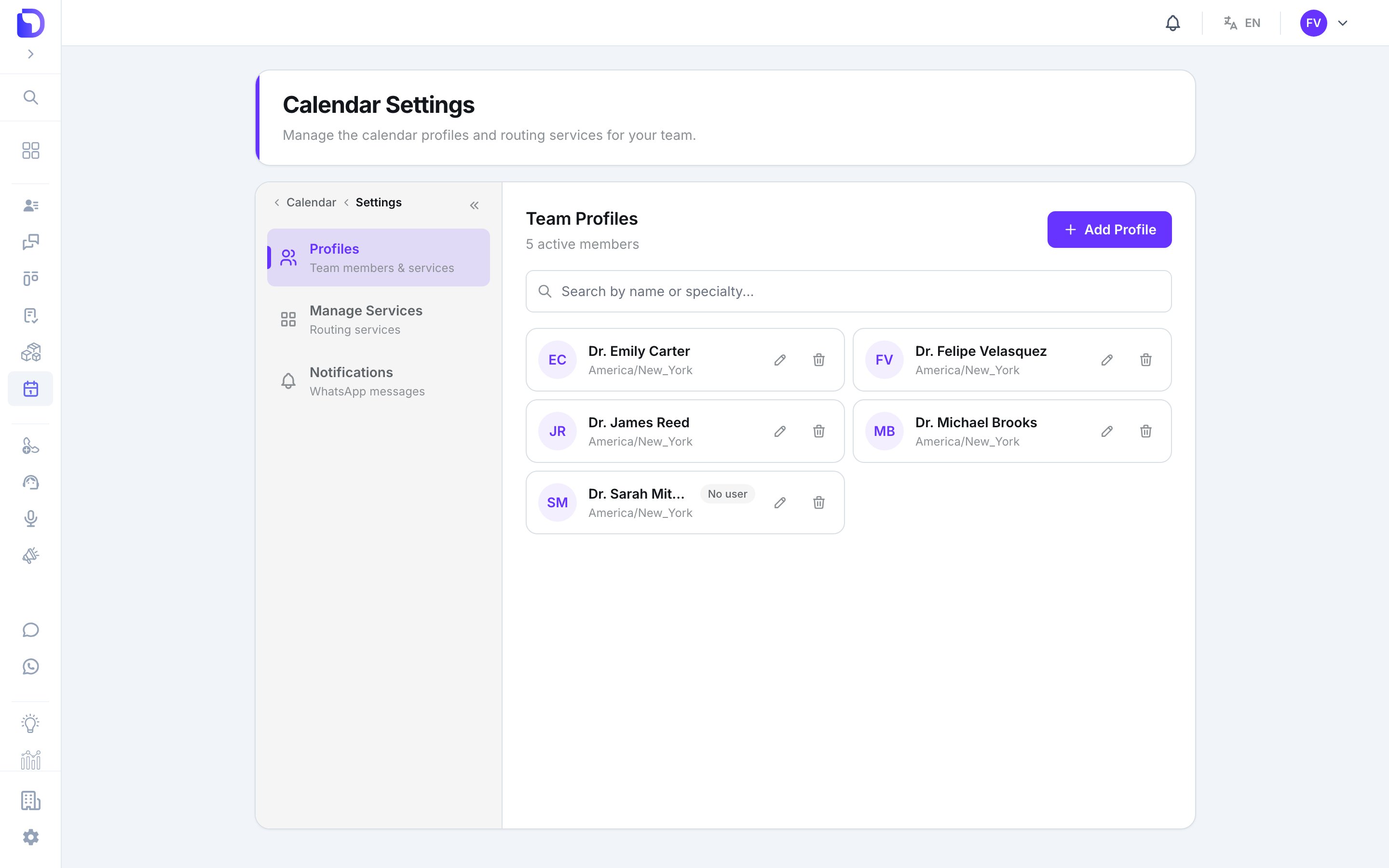 Two badges on the list matter:
| Badge | Meaning |
| ---------------- | ---------------------------------------------------------------------------------------------------- |
| **Not bookable** | Not in any active service — add them to one |
| **No user** | No Dialtu account attached — only admins see and manage this calendar, and it can't sync with Google |
## Identity & location
Two badges on the list matter:
| Badge | Meaning |
| ---------------- | ---------------------------------------------------------------------------------------------------- |
| **Not bookable** | Not in any active service — add them to one |
| **No user** | No Dialtu account attached — only admins see and manage this calendar, and it can't sync with Google |
## Identity & location
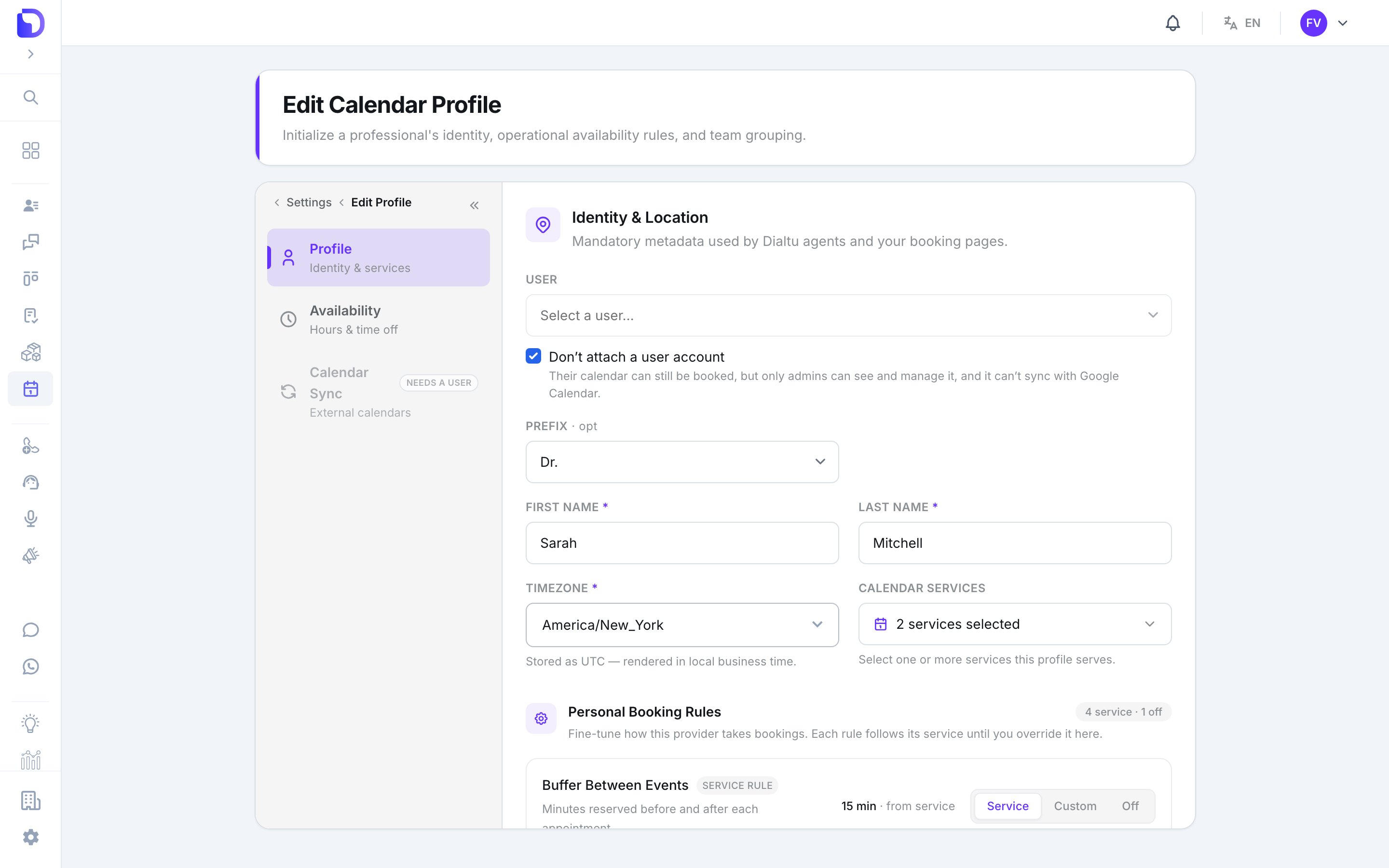
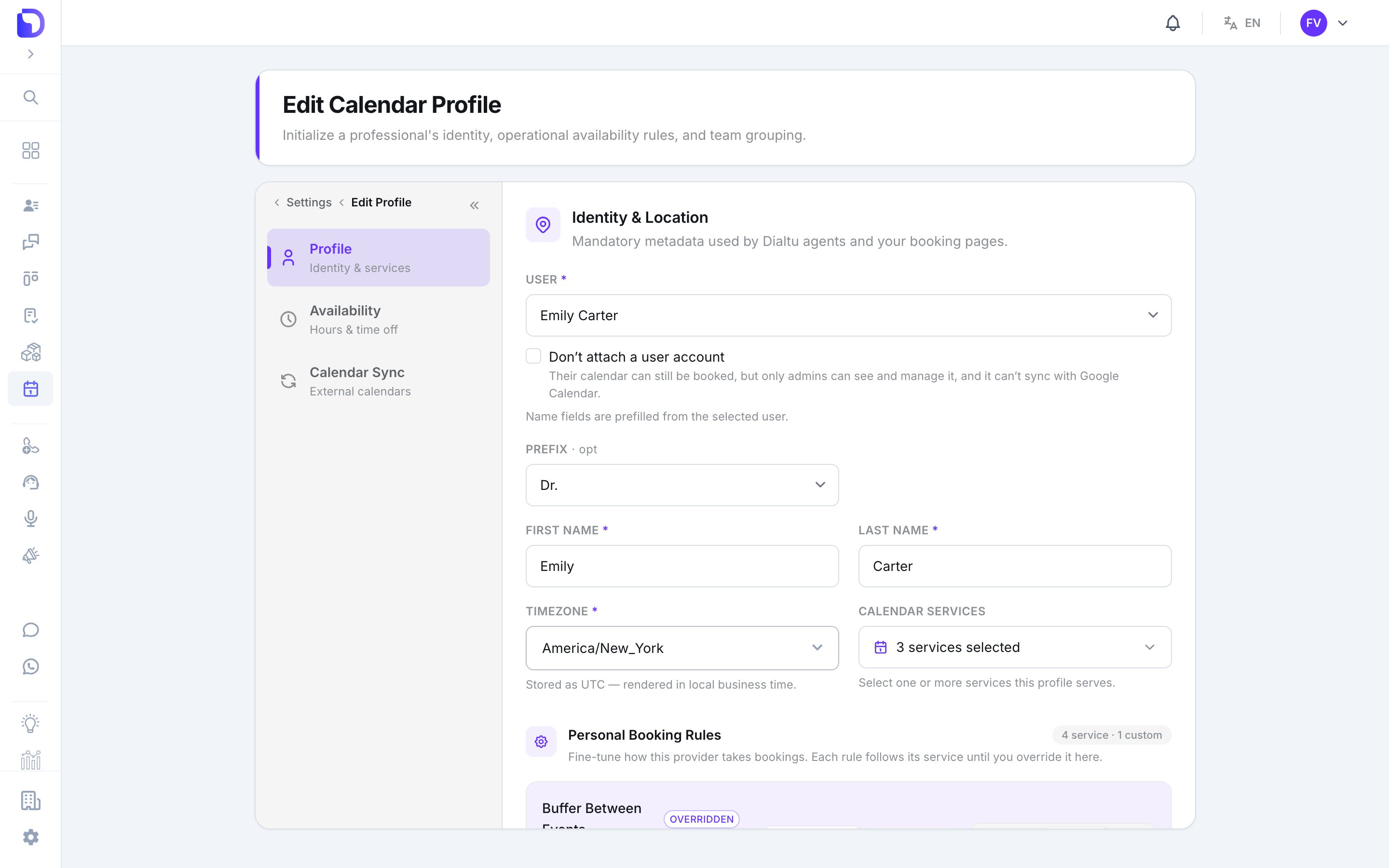 | Field | What it does |
| ------------------------------- | --------------------------------------------------------------------------------------------- |
| **User** | The Dialtu account that owns this calendar. Name fields prefill from it. One profile per user |
| **Don't attach a user account** | A professional without a login — bookable, admin-managed, no Google sync |
| **Prefix** | **Dr.**, **Dra.**, **Lic.**, **Ing.**, none or custom |
| **First Name / Last Name** | Required |
| **Timezone** | Required. Hours and slots are read in this zone; stored as UTC |
| Field | What it does |
| ------------------------------- | --------------------------------------------------------------------------------------------- |
| **User** | The Dialtu account that owns this calendar. Name fields prefill from it. One profile per user |
| **Don't attach a user account** | A professional without a login — bookable, admin-managed, no Google sync |
| **Prefix** | **Dr.**, **Dra.**, **Lic.**, **Ing.**, none or custom |
| **First Name / Last Name** | Required |
| **Timezone** | Required. Hours and slots are read in this zone; stored as UTC |
 ## Calendar services
Save the profile first, then tick the services this person serves. The list **Assigned Calendar Services** shows them; **Remove** takes one away. This is the same membership you see on the service form.
## Personal booking rules
## Calendar services
Save the profile first, then tick the services this person serves. The list **Assigned Calendar Services** shows them; **Remove** takes one away. This is the same membership you see on the service form.
## Personal booking rules
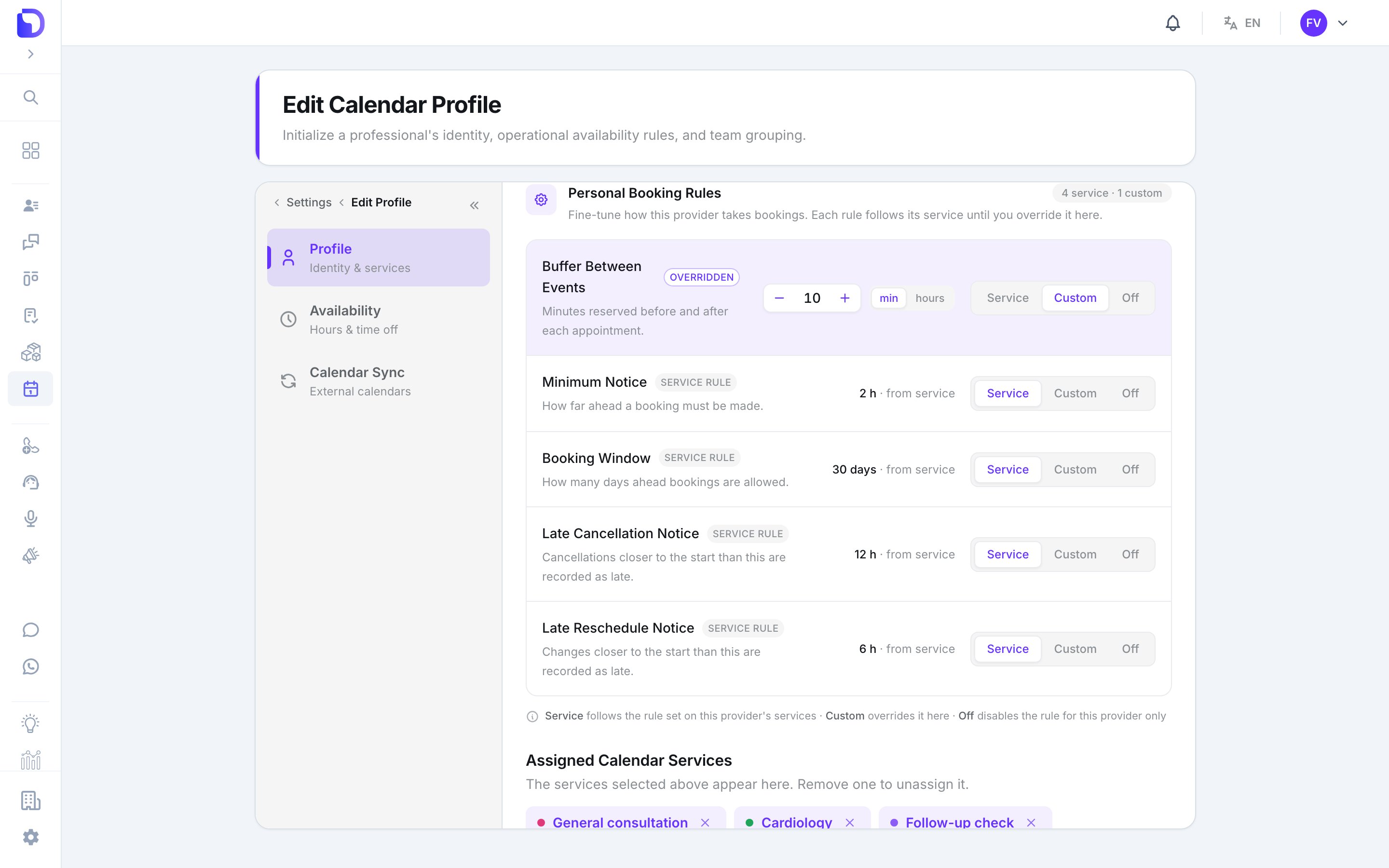 The five service rules again, but per professional. Each has three positions:
| Position | Effect | Badge |
| ----------- | ----------------------------------------------------- | -------------- |
| **Service** | Inherit whatever the service says | *Service rule* |
| **Custom** | This person's own value | *Overridden* |
| **Off** | No limit for this person, even if the service has one | *Off* |
Custom starting values: buffer 10 min, notice 60 min, window 30 days, late cancel 120 min, late reschedule 120 min. Minutes over 60 display as hours.
**Off is stronger than the service.** A cardiologist with *Minimum Notice → Off* can be booked for the next slot even if *Cardiology* requires two hours' notice.
## Deleting a profile
*This will immediately cancel their active slots and remove them from all scheduling teams.* Their past appointments stay on the record.
## What doesn't exist
* **Specialty, photo, bio, phone or email** on the profile.
* **A colour per professional** — colour is per service.
* **Connecting Google on someone's behalf** — each professional connects their own.
## Next step
When this person takes bookings.
The five service rules again, but per professional. Each has three positions:
| Position | Effect | Badge |
| ----------- | ----------------------------------------------------- | -------------- |
| **Service** | Inherit whatever the service says | *Service rule* |
| **Custom** | This person's own value | *Overridden* |
| **Off** | No limit for this person, even if the service has one | *Off* |
Custom starting values: buffer 10 min, notice 60 min, window 30 days, late cancel 120 min, late reschedule 120 min. Minutes over 60 display as hours.
**Off is stronger than the service.** A cardiologist with *Minimum Notice → Off* can be booked for the next slot even if *Cardiology* requires two hours' notice.
## Deleting a profile
*This will immediately cancel their active slots and remove them from all scheduling teams.* Their past appointments stay on the record.
## What doesn't exist
* **Specialty, photo, bio, phone or email** on the profile.
* **A colour per professional** — colour is per service.
* **Connecting Google on someone's behalf** — each professional connects their own.
## Next step
When this person takes bookings.