> ## Documentation Index
> Fetch the complete documentation index at: https://docs.dialtu.com/llms.txt
> Use this file to discover all available pages before exploring further.
# Services
> Duration, colour, allocation strategy, members and booking rules
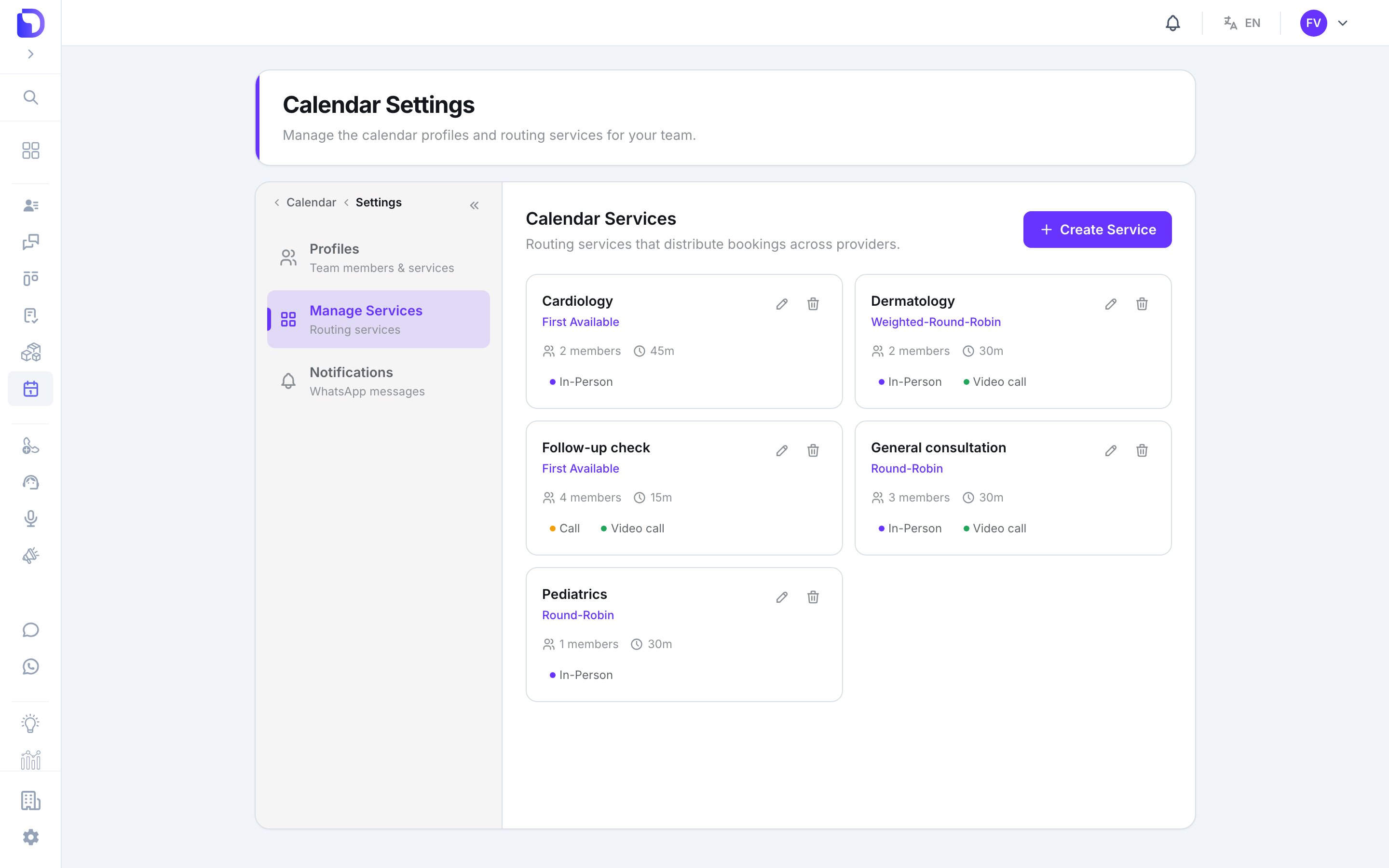
A **service** is what gets booked: *General consultation*, *Cardiology*. It fixes the duration and colour of its appointments, names the professionals who can take them, and decides how bookings are shared out. **Calendar → Settings → Manage Services**.
 ## The service form
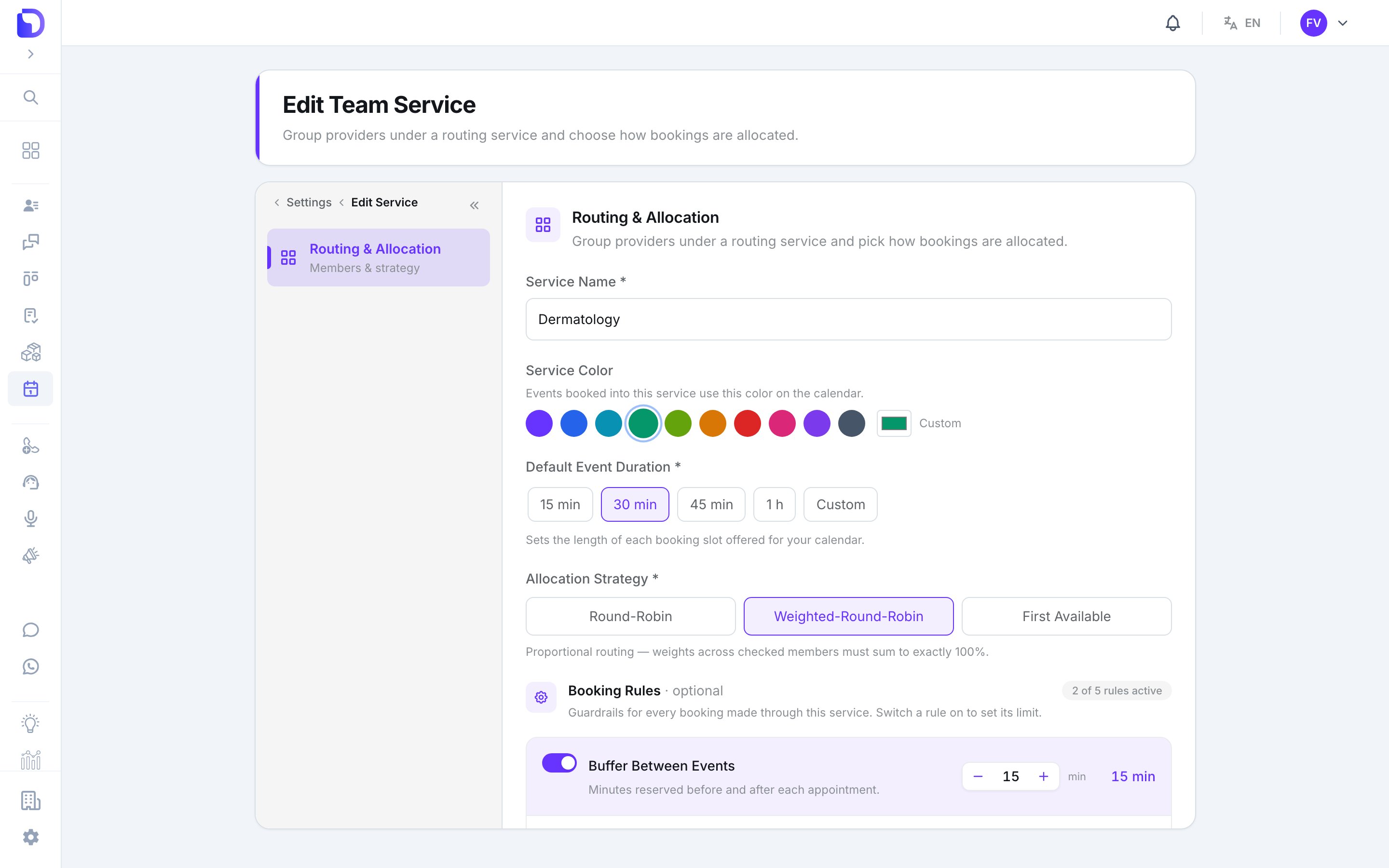 | Field | Options | Default | What it does |
| -------------------------- | --------------------------------------- | ------------ | ------------------------------------------------------------------------------------------- |
| **Service Name** | text | — | Required |
| **Service Color** | 10 presets or **Custom** hex | first preset | Every appointment of this service is painted with it — on the agenda and in Google Calendar |
| **Default Event Duration** | **15 / 30 / 45 / 1 h / Custom** (min 5) | — | The slot length offered when booking |
| **Allocation Strategy** | see below | — | How **Auto-assign** picks a professional |
| **Team Members** | checkboxes | none | The professionals who can be booked for this service |
| **Event Types** | **In-Person**, **Video call**, **Call** | none | Which appointment types this service offers. Optional |
### Allocation strategies
| Strategy | Behaviour |
| ------------------------ | ------------------------------------------------------------------------------------ |
| **Round-Robin** | Fair sequential loop across members |
| **Weighted-Round-Robin** | Each member gets a weight; *weights across checked members must sum to exactly 100%* |
| **First Available** | The earliest open slot wins, whoever holds it |
## Booking rules
| Field | Options | Default | What it does |
| -------------------------- | --------------------------------------- | ------------ | ------------------------------------------------------------------------------------------- |
| **Service Name** | text | — | Required |
| **Service Color** | 10 presets or **Custom** hex | first preset | Every appointment of this service is painted with it — on the agenda and in Google Calendar |
| **Default Event Duration** | **15 / 30 / 45 / 1 h / Custom** (min 5) | — | The slot length offered when booking |
| **Allocation Strategy** | see below | — | How **Auto-assign** picks a professional |
| **Team Members** | checkboxes | none | The professionals who can be booked for this service |
| **Event Types** | **In-Person**, **Video call**, **Call** | none | Which appointment types this service offers. Optional |
### Allocation strategies
| Strategy | Behaviour |
| ------------------------ | ------------------------------------------------------------------------------------ |
| **Round-Robin** | Fair sequential loop across members |
| **Weighted-Round-Robin** | Each member gets a weight; *weights across checked members must sum to exactly 100%* |
| **First Available** | The earliest open slot wins, whoever holds it |
## Booking rules
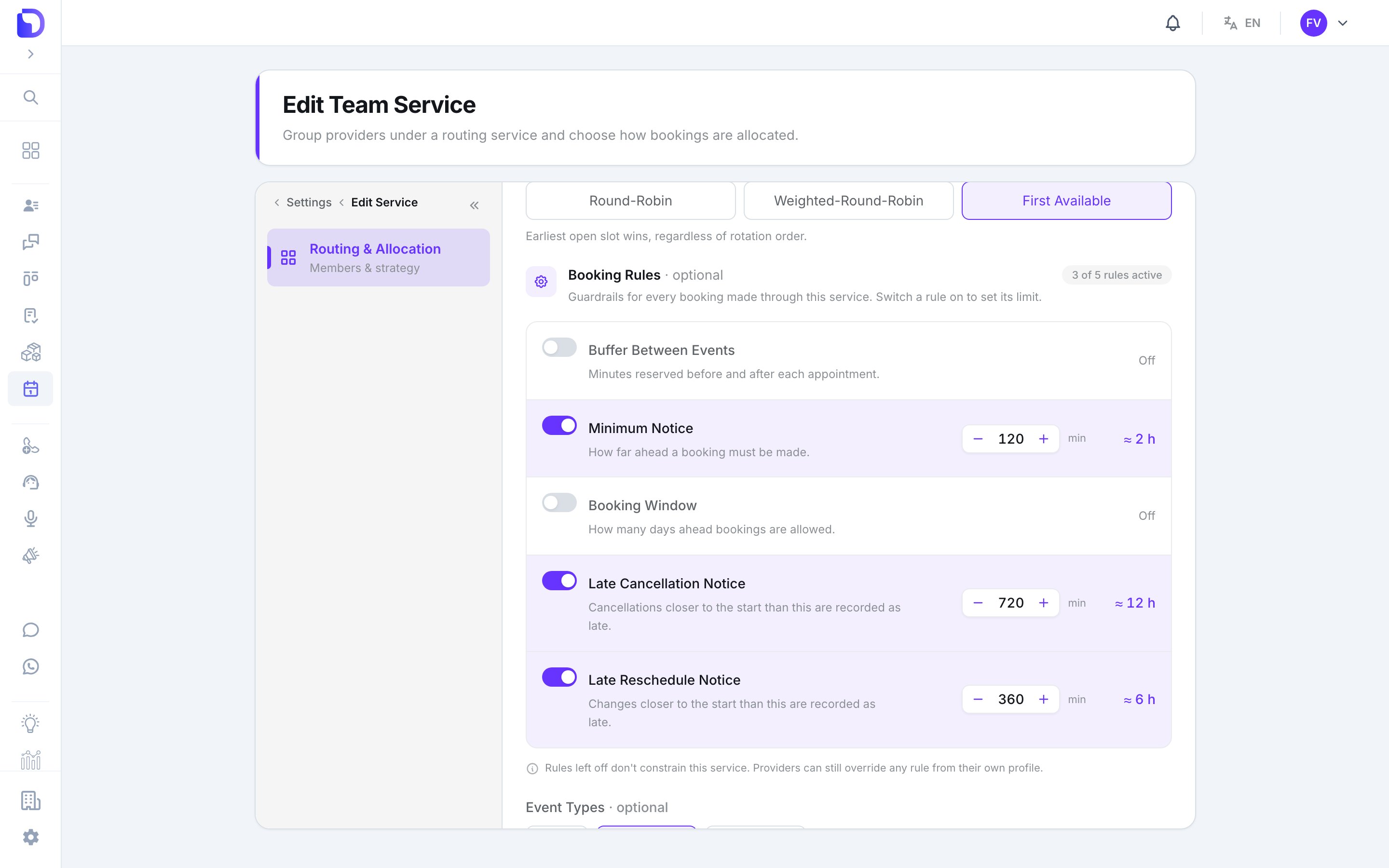 Five guardrails, each with an on/off switch. **All are off on a new service.** Switching one on reveals its limit.
| Rule | Suggested value | What it does |
| ---------------------------- | --------------- | ------------------------------------------------------------- |
| **Buffer Between Events** | 15 min | Gap kept free after each appointment |
| **Minimum Notice** | 60 min | How far ahead a booking must be made |
| **Booking Window** | 30 days | How far into the future slots are offered |
| **Late Cancellation Notice** | 720 min | Cancelling inside this window counts as a *late cancellation* |
| **Late Reschedule Notice** | 360 min | Moving inside this window counts as a *late reschedule* |
A professional can override any rule from their own profile — see [Professionals](/en/calendar/professionals). The service rule is the default; the profile wins.
## Deleting a service
*This removes the service and its provider assignments.* A service with appointments can't be removed — cancel or wait for them first.
## What doesn't exist
* **Price, description, location or category.**
* **Capacity per slot** (group bookings).
* **Service-level hours** — hours live on each professional's availability, per service.
* **Custom event types** — the three types are fixed.
## Next step
Who can be booked, and their personal rules.
Five guardrails, each with an on/off switch. **All are off on a new service.** Switching one on reveals its limit.
| Rule | Suggested value | What it does |
| ---------------------------- | --------------- | ------------------------------------------------------------- |
| **Buffer Between Events** | 15 min | Gap kept free after each appointment |
| **Minimum Notice** | 60 min | How far ahead a booking must be made |
| **Booking Window** | 30 days | How far into the future slots are offered |
| **Late Cancellation Notice** | 720 min | Cancelling inside this window counts as a *late cancellation* |
| **Late Reschedule Notice** | 360 min | Moving inside this window counts as a *late reschedule* |
A professional can override any rule from their own profile — see [Professionals](/en/calendar/professionals). The service rule is the default; the profile wins.
## Deleting a service
*This removes the service and its provider assignments.* A service with appointments can't be removed — cancel or wait for them first.
## What doesn't exist
* **Price, description, location or category.**
* **Capacity per slot** (group bookings).
* **Service-level hours** — hours live on each professional's availability, per service.
* **Custom event types** — the three types are fixed.
## Next step
Who can be booked, and their personal rules.