> ## Documentation Index
> Fetch the complete documentation index at: https://docs.dialtu.com/llms.txt
> Use this file to discover all available pages before exploring further.
# What is Dialtu
> AI-powered sales automation platform
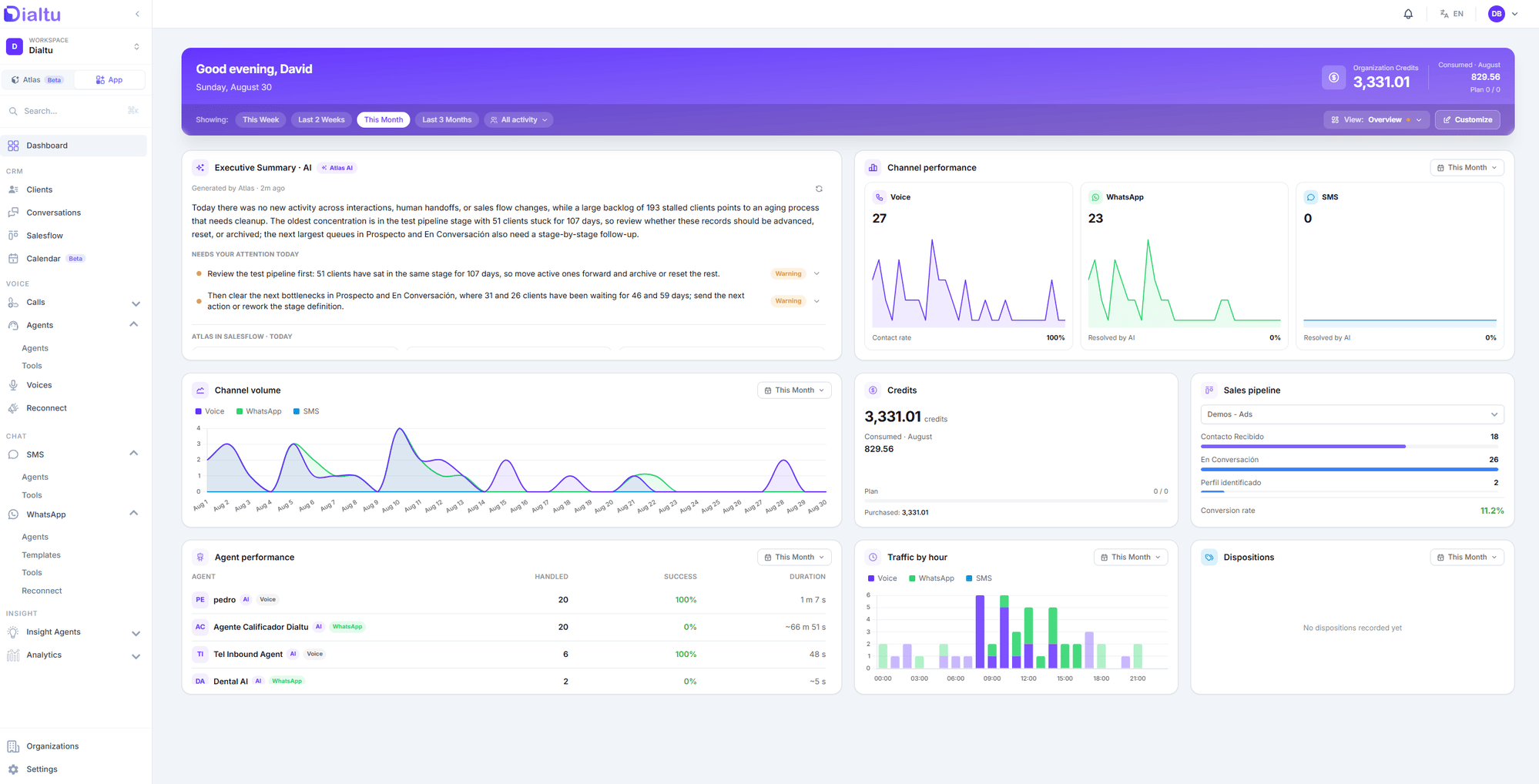
Dialtu is an AI-native platform that automates your outreach and every inbound conversation across **voice, WhatsApp, and SMS** — with a built-in CRM, sales pipeline, and analytics.
Instead of stitching together five separate tools, a single AI handles every channel, qualifies each lead, books meetings, and keeps your pipeline current without anyone updating it by hand.
 ## How it works
Link your phone number, WhatsApp, and SMS, and connect your calendar and CRM. No code.
Dialtu answers every call and message, qualifies each lead, and books meetings — 24/7.
Your pipeline fills itself. You step in only when a deal needs a human.
## What you can do with Dialtu
Voice, WhatsApp, and SMS agents that call, write, and reply in seconds — inbound and outbound, 24/7.
Your sales process as stages, with an orchestrator that listens to every conversation and moves each lead through the pipeline for you.
Connect WhatsApp, SMS, and telephony. One AI runs them all, with shared history.
Give your agents real actions: book appointments, query your CRM, call your API. Connect Salesforce, HubSpot, Zapier, Make, and n8n.
Your AI remembers every customer — history, preferences, and context — no matter which channel they write from.
Agents that analyze every conversation and extract sentiment, outcomes, and the KPIs you define.
**Customer memory** and **Insight agents** are already available in the platform; their documentation is on the way.
## Next step
Connect WhatsApp and get your first AI agent running in about 15 minutes.
## How it works
Link your phone number, WhatsApp, and SMS, and connect your calendar and CRM. No code.
Dialtu answers every call and message, qualifies each lead, and books meetings — 24/7.
Your pipeline fills itself. You step in only when a deal needs a human.
## What you can do with Dialtu
Voice, WhatsApp, and SMS agents that call, write, and reply in seconds — inbound and outbound, 24/7.
Your sales process as stages, with an orchestrator that listens to every conversation and moves each lead through the pipeline for you.
Connect WhatsApp, SMS, and telephony. One AI runs them all, with shared history.
Give your agents real actions: book appointments, query your CRM, call your API. Connect Salesforce, HubSpot, Zapier, Make, and n8n.
Your AI remembers every customer — history, preferences, and context — no matter which channel they write from.
Agents that analyze every conversation and extract sentiment, outcomes, and the KPIs you define.
**Customer memory** and **Insight agents** are already available in the platform; their documentation is on the way.
## Next step
Connect WhatsApp and get your first AI agent running in about 15 minutes.