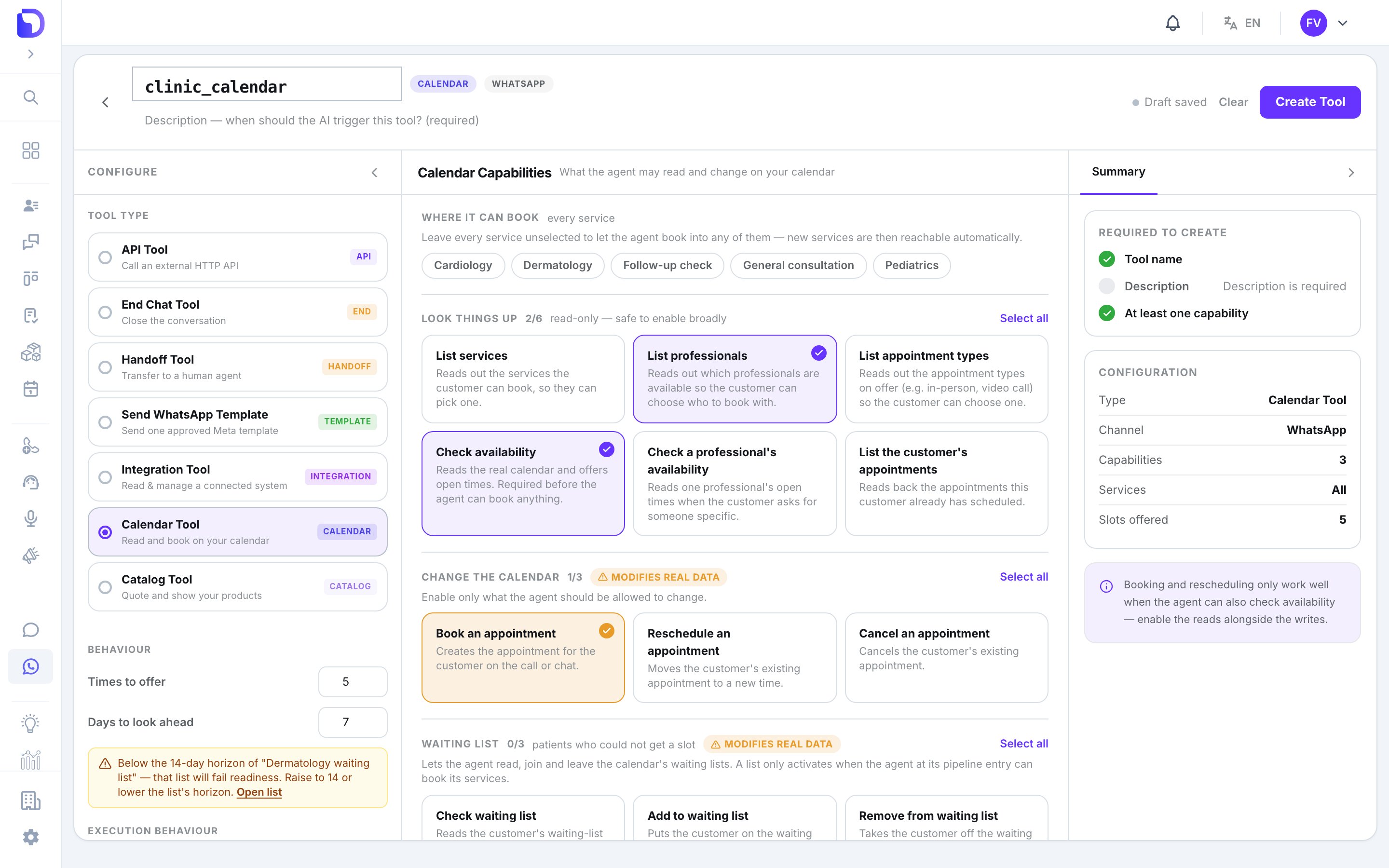
A Calendar Tool gives a WhatsApp, SMS or voice agent (Aurora engine) a window onto the calendar. The agent reads real free slots — it never invents them — and books, moves or cancels on behalf of the customer it’s talking to. Create it from the channel’s tool library: Chat → WhatsApp → Tools, Chat → SMS → Tools, or the voice agent’s tools page.
New tool creation screen named clinic_calendar with the Tool Type list (API Tool, End Chat Tool, Handoff Tool, Send WhatsApp Template, Integration Tool, Calendar Tool selected, Catalog Tool), Calendar Capabilities with List professionals, Check availability and Book an appointment checked, Days to look ahead 7 with a warning about the 14-day 'Dermatology waiting list' horizon, and a 'Required to create' checklist.

Selecting the Calendar Tool type

Capabilities
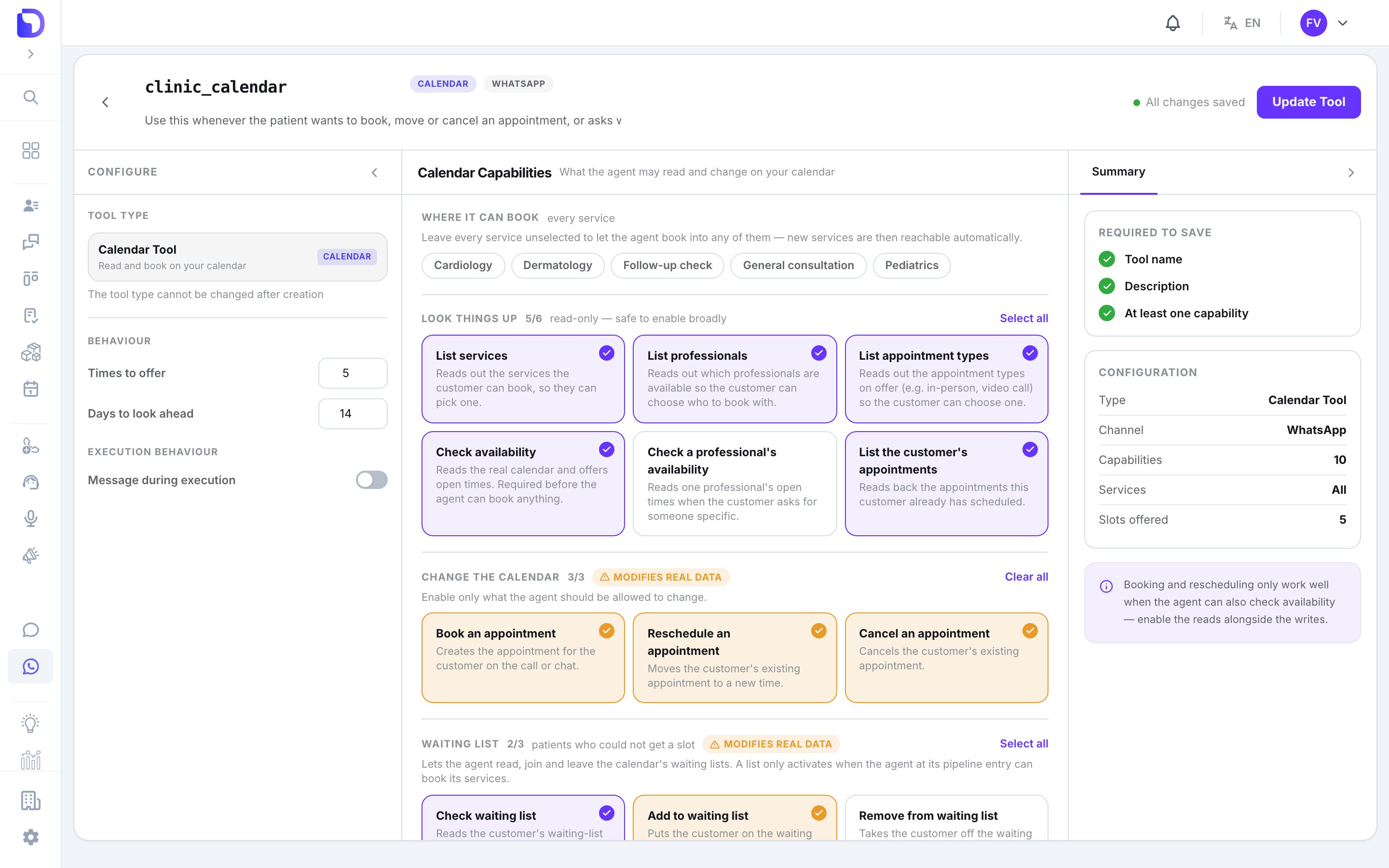
clinic_calendar Calendar Tool editor (CALENDAR, WHATSAPP) showing 'Calendar Capabilities' with 'Where it can book' service chips, 'Look things up 5/6' cards (List services, List professionals, List appointment types, Check availability, List the customer's appointments checked), 'Change the calendar 3/3' (Book, Reschedule, Cancel), 'Waiting list 2/3', Behaviour fields Times to offer 5 and Days to look ahead 14, and a Summary sidebar.

Choosing what the agent can do on the calendar

Tick what this agent may do:
Booking and rescheduling only work well when the agent can also check availability. Keep those together.
The agent only ever touches the calling customer’s own appointments, matched by phone. Booking rules apply exactly as they do for a human.

Behaviour

On the right rail:
If a waiting list this agent feeds has a longer horizon than Days ahead, the rail warns you.

Event title and extra questions
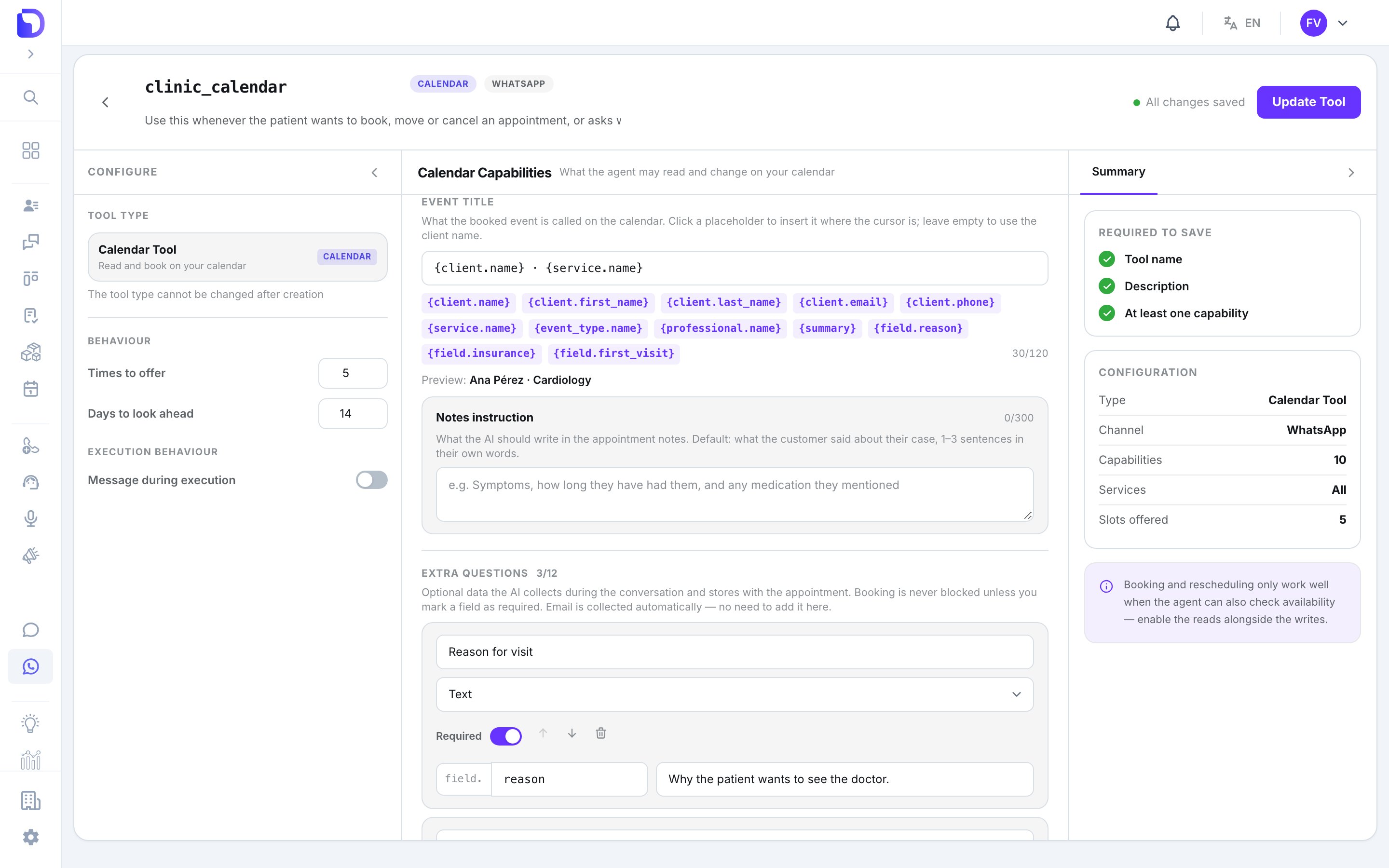
clinic_calendar tool editor 'Event title' section with the template 'client.name · service.name', placeholder chips such as client.first_name, service.name, professional.name and field.reason, a preview reading 'Ana Pérez · Cardiology', an empty Notes instruction box, and the first Extra question 'Reason for visit' below.

Event title template and notes instruction

Event title — a template rendered into every appointment the agent books, up to 120 characters. Placeholders: {client.name} (default), {client.first_name}, {client.last_name}, {client.email}, {client.phone}, {service.name}, {event_type.name}, {professional.name}, {summary}, and {field.<key>} for each extra question. Summary instruction tells the agent what to put in {summary}; Notes instruction what to write in the appointment’s notes (default: what the customer said, in 1–3 sentences).
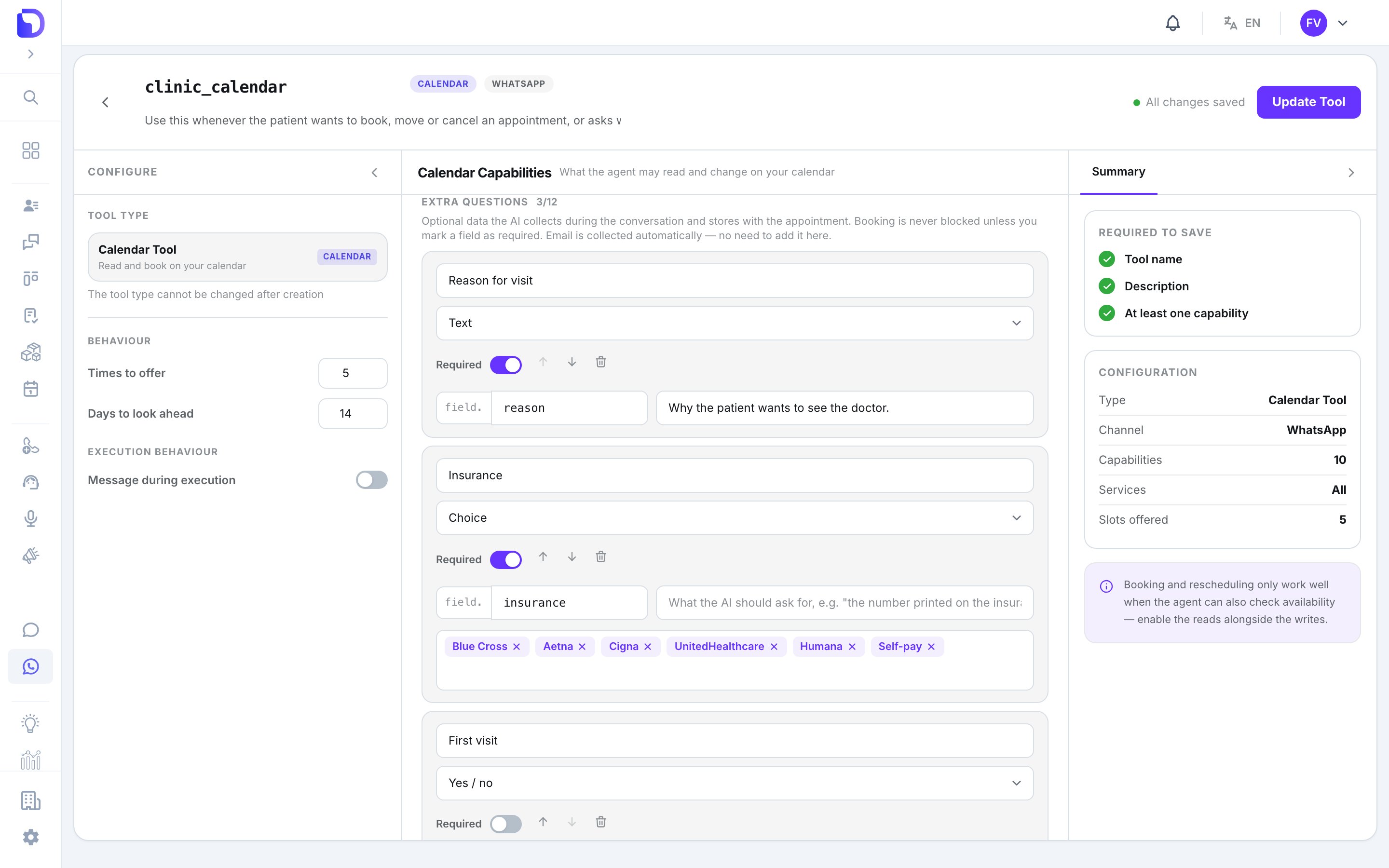
clinic_calendar tool editor scrolled to 'Extra questions 3/12' showing three intake fields: 'Reason for visit' (Text, required, field.reason, 'Why the patient wants to see the doctor.'), 'Insurance' (Choice, required, field.insurance, options Blue Cross, Aetna, Cigna, UnitedHealthcare, Humana, Self-pay) and 'First visit' (Yes / no, optional).

Intake questions the agent collects

Extra questions — up to 12 fields the agent collects before booking: Answers appear on the appointment under Appointment data, and the booking is marked AI · WhatsApp (or SMS / call) with a View conversation link.

What doesn’t exist

  • Atlas building calendar tools — Atlas can attach an existing one, not create it.
  • A calendar tool on the Solara voice engine.
  • Booking for a different phone number than the one in the conversation.

Next step

Troubleshooting

When a booking doesn’t land.