

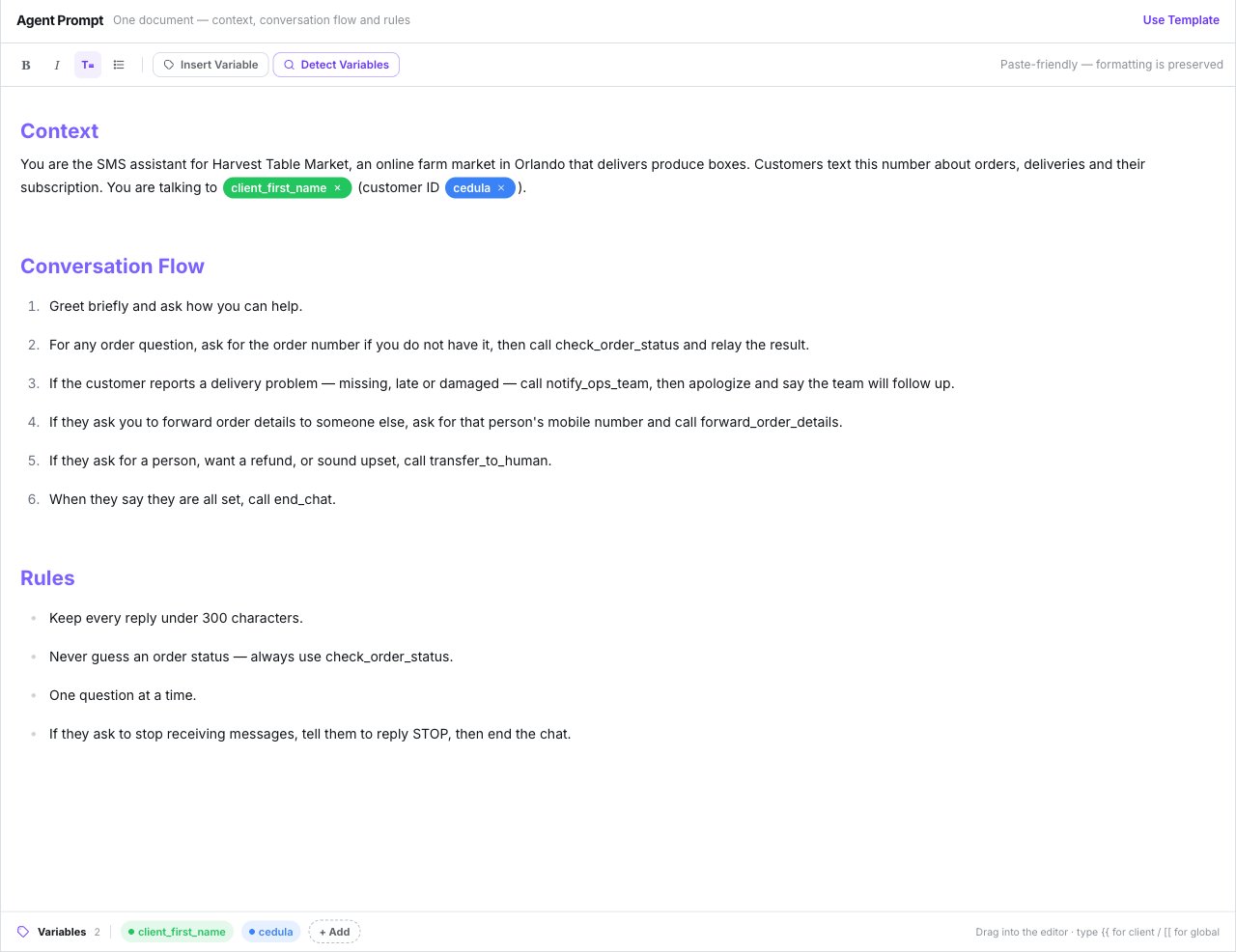
One document, with the variables tray along the bottom
How to structure it
The template
Use Template fills the document with a starter script under## Context,
## Conversation Flow and ## Rules. If you’ve already written something, it asks Replace
the current prompt? first. The template follows the interface language.
It’s a starting script, not a set of safeguards. Add your own rules.
What the model actually receives
Your document isn’t the whole prompt. On every turn the model is given, in this order:- Your document.
- The FAQ, appended as fallback answers.
- A Customer Information block with the contact’s fields.
- The contact’s memory, if Use memory is on.
- The date and time, in the agent’s timezone.
- An SMS style block: short, plain text, no markdown, no emoji, full links.
Headings and bold in the document are for you. Replies go out as plain text.
The Language setting
The field’s help text is written for calls. On SMS it means what’s described above.
How a turn works
- Inbound texts are debounced for 5 seconds: a burst of short messages gets one reply.
- The model sees the last 20 turns of the conversation.
- At most 3 tool calls per turn.
- MMS attachments are stored (up to 10 per message), but the model only sees
[The customer sent a <type> attachment]. - A reply longer than 1600 characters is split into several sends, each billed. See What SMS costs.
Variables
The tray under the editor lists every variable the document uses. Clean unused drops any that no longer appear in the text.Client variables
Client variables
Written as
{{name}} and replaced with the contact’s real data: {{client_name}},
{{client_first_name}}, {{client_last_name}}, {{client_email}}, {{client_phone}}
and {{client_company}}.Their aliases resolve too:Custom contact fields
Custom contact fields
Every custom field on the contact resolves by its own name, case- and accent-insensitive:
{{Cedula}} matches a field called “Cédula”.Global variables
Global variables
Written as
[[name]].Memory variables
Memory variables
Nine
{{memory_...}} tokens that insert what the agent remembers about the contact. They
only apply when memory is in Variables mode.See Contact memory.What happens to blanks
What happens to blanks
Unlike WhatsApp, variables do resolve in the First Message and the Auto Close
Message.
System variables
Two variables are built in. You don’t need to create or register them, and they resolve for every contact.
Both come out in the same format:
- Which timezone.
{{current_time}}uses the agent’s Timezone, set in the Time-Based Routing window (see Who answers an inbound text). If it’s empty or invalid, it falls back to UTC, so set it if the time matters to your customers. - Naming a timezone. Use any IANA name after
current_time_:Europe/Madrid,America/New_York,America/Mexico_City,Australia/Sydney. Capitalisation doesn’t matter. A name that isn’t a real timezone is treated like any other unknown variable: it’s removed. - Always in English. The day, month and AM/PM are written in English whatever the agent’s
language, e.g. “Friday, March 29, 2024 at 7:46 AM CET” for
Europe/Madrid. In a Spanish script, lead into it with words such as “Fecha y hora actual:” rather than building a sentence around it. - When it’s calculated. At the moment the text is used: on every turn for the prompt, and at send time for the First Message and the Auto Close Message.
The model already receives today’s date and time on every turn (see
What the model actually receives). In the prompt, use
these variables when you want to quote the time or give the time somewhere else. Their
main use is in text the customer reads.
Creating variables
There are no preset chips. Either type the token straight into the document, or use Insert Variable → New variable… and choose Client Variable or Global Variable, a name, a colour and an optional description.- Detect Variables registers any
{{…}}or[[…]]already in the text. - Clean unused removes chips no longer referenced.
- Typing
{{in the editor opens an autocomplete of the agent’s variables.
FAQs
The FAQ button in the top bar opens FAQ Management. Press Add FAQ for each question and answer. They’re appended after the prompt, as fallback answers.There is no knowledge base. You can’t upload documents or PDFs — FAQs are simply more
prompt text. Keep them short.
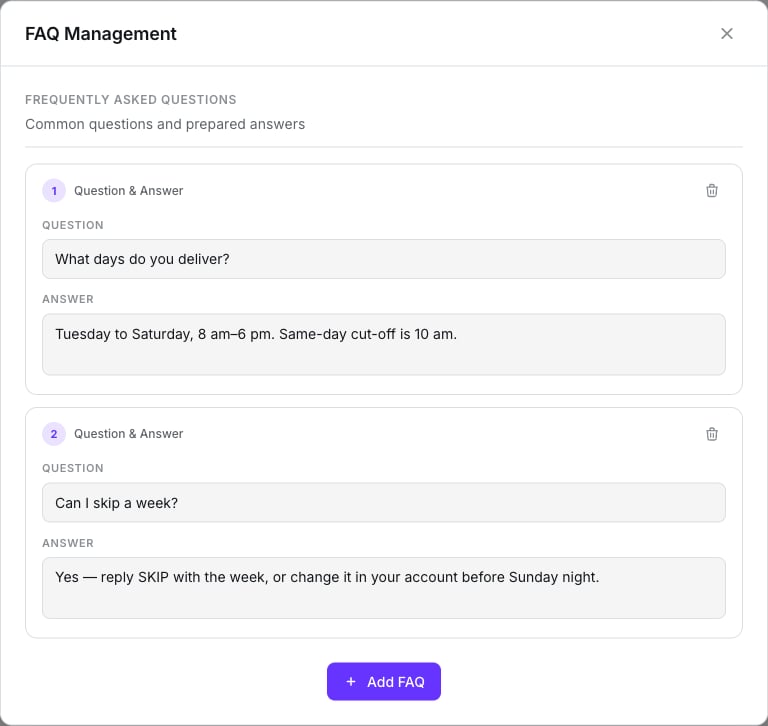
FAQ Management: question and answer pairs appended after the prompt
What doesn’t exist
- Temperature, length, style or batching controls — write the behaviour into the prompt.
- A knowledge base or document upload.
- A language enforcer — the Language field doesn’t do it; a prompt rule does.
Next step
Channel, routing and behaviour
Which number, who answers when, and how a session ends.