

Language and voice
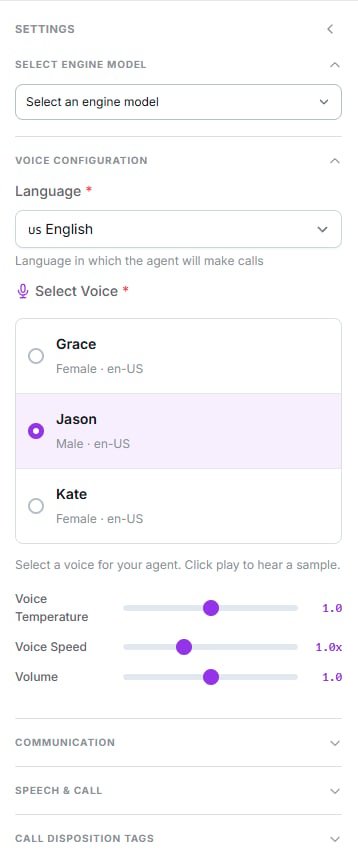
Language, voice and the three advanced sliders
Language
Four options: English, Spanish (Latin America), Spanish (Spain) and Multilingual. Multilingual lets the agent switch language to match the caller. Use it only if you need it — an agent with a fixed language usually sounds more consistent.The voice
The list is filtered by the chosen language, and each card shows the gender and lets you play a sample.Premium voices aren’t marked in this selector. Some voices cost an extra 2.5 credits per minute, but that only shows in the Voices module, not here. If cost matters, check the voice there before assigning it.The price in the top bar does include the surcharge, but without breaking it out.
Advanced controls
Three sliders, all defaulting to 1.0:Communication: number and schedule
The number
Chosen in the Communication group. One agent can hold several numbers, and one number can serve several agents.Inbound agent
Turn on Inbound Agent for it to receive calls. Doing so clears the selected number and reloads the list, because the eligible numbers change.Time-based routing
Inbound agents only. Defines the windows it covers, with up to 4 ranges per day.A paused agent takes no calls, not even as the number’s default agent.
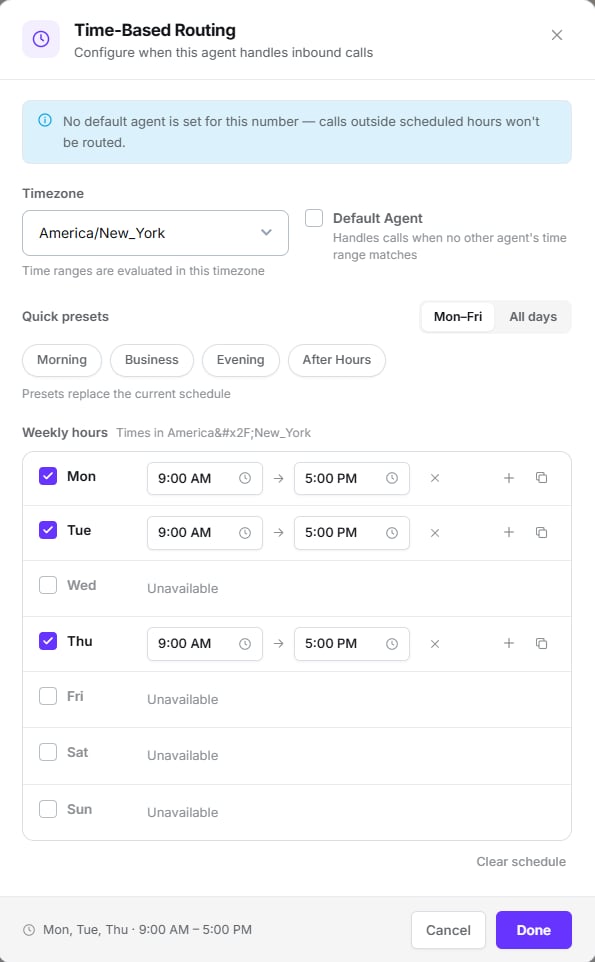
Time-based routing, with ranges per day
Speech & Call
The fourth settings group.
Turning on voicemail detection lets you pick an action:
- Leave Static Message — a fixed text you write.
- Generate from Prompt — the AI drafts the message from your instruction.
- Hang Up — disconnects without leaving anything.
The helper text on these toggles disappears once you turn them on. If you need to re-read what one does, switch it off for a moment.
AI Features
The AI Features button in the top bar. This is what the agent does after hanging up.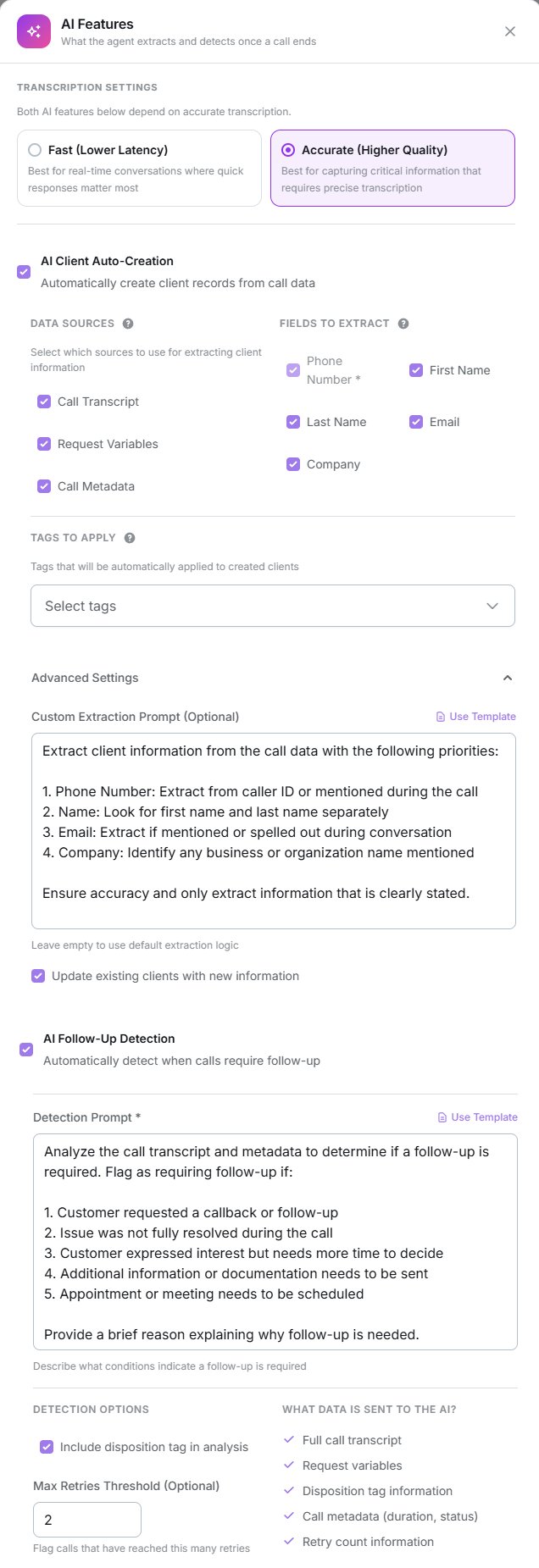
AI Features: transcription, client auto-creation and follow-up detection
Transcription
The other two features depend on the quality of this transcription.
AI client auto-creation
Off by default. When enabled, it extracts data from the call and creates the contact record.- Sources: transcript (on), request variables (on), call metadata (off).
- Fields: phone always; first and last name on; email and company off.
- Tags: you can apply tags to created contacts, and optionally to updated ones.
- Advanced: a custom extraction prompt, and permission to update existing contacts.
AI follow-up detection
Off by default. Analyses the call and flags whether it needs follow-up. It requires a detection prompt describing what conditions justify one. You can include the disposition tag in the analysis and set a retry threshold.Disposition tags
The fifth settings group. These are the categories each call is classified into when it ends — Interested, No answer, Call back — and they’re classified by Dialtu’s own AI, not the provider’s.- They are account-wide templates: creating or editing one affects every agent, and they save instantly, without waiting for you to save the agent.
- Each has a type:
Standard,RetryorNo Answer. - The Analysis Prompt (max 500 characters) is optional but significantly improves accuracy: describe when the tag applies.
- A tag can be marked as the default for not-connected calls, and there can only be one per type.
Next step
Tools
Give the agent real actions during the call.