

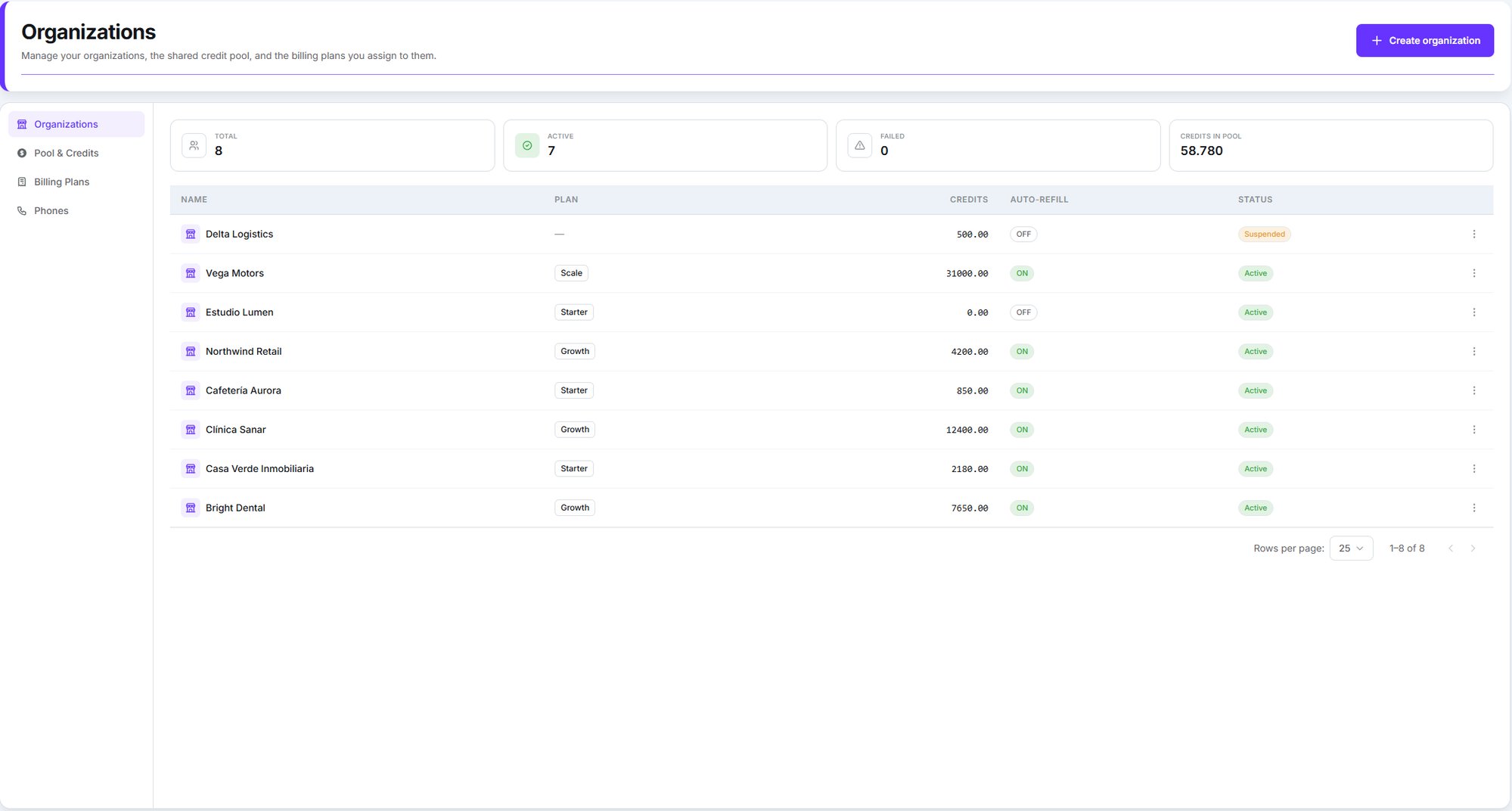
The Organizations page, with its four tabs down the left
The two levels
Your account
Where you work, and where you manage everything below. Your credits, your plans, your
branding, your phone numbers.
An organization
One client. Its own users, its own plan, its own credit allowance, its own data.
Becoming a whitelabel partner is not self-serve. Dialtu sets it up for you: your own
database, your own login page, and your branding. Talk to your Dialtu contact to get started.Once you’re set up, creating organizations is entirely your own — no request needed.
What’s separated
Each organization’s data is separated by the database itself, not by filtering in the app. Contacts, conversations, calls, agents, pipelines, phone numbers and users belonging to one organization are invisible from another.A client of yours cannot see another client. They can’t see you, either — and they never see
that Dialtu is underneath.
What’s shared
Three things cross the boundary, and each surprises people:Concurrent calls are one pool for everyone
Concurrent calls are one pool for everyone
Your Dialtu plan sets a ceiling on simultaneous calls, and every organization draws from
it, plus your own workspace.Per-organization limits are sub-limits within that ceiling, and you’re allowed to
oversubscribe them deliberately. Setting four organizations to 10 concurrent calls each
does not give you 40 lines.
Credits come from one prepaid pool
Credits come from one prepaid pool
You hold a single pool. Each organization gets an allowance — a spending ceiling — and the
pool is only drawn down as they actually consume.See Credits and the shared pool.
Phone numbers live in your pool
Phone numbers live in your pool
Numbers belong to you and are assigned to an organization, or pulled back. Deleting an
organization does not release its number.
Where everything lives
The Organizations page has four tabs: Organizations, Pool & Credits, Billing Plans
and Phones.
The menu is only visible from your own workspace, and only with the right permissions. People
inside an organization never see it — or the Customization settings.
What’s in this section
Create and manage organizations
The wizard, the row actions, and switching between workspaces.
Credits and the shared pool
Topping up, granting allowances, and what happens when either runs out.
Billing plans
Build what you sell and set your margin.
Branding
Logo, colours, and the login page.
Domains
Your own web address, and sending email as you.
People and access
Inviting users, roles, and belonging to more than one organization.
Phone numbers
Assigning numbers to organizations and taking them back.
Troubleshooting
The things that actually go wrong, and what to do.