

The agent is Active.
Its Agent Type is Outbound.
It has a First Message.
It has a phone number bound.
The contact has a usable phone number.
Your plan and credit balance allow SMS chat.
Start an SMS chat by hand
Open the contact under CRM → Conversations and pick the SMS tab. With no open session, the composer shows an opening-message box, a Schedule button and Start SMS Chat.
No open session: write an opener, schedule it, or start now
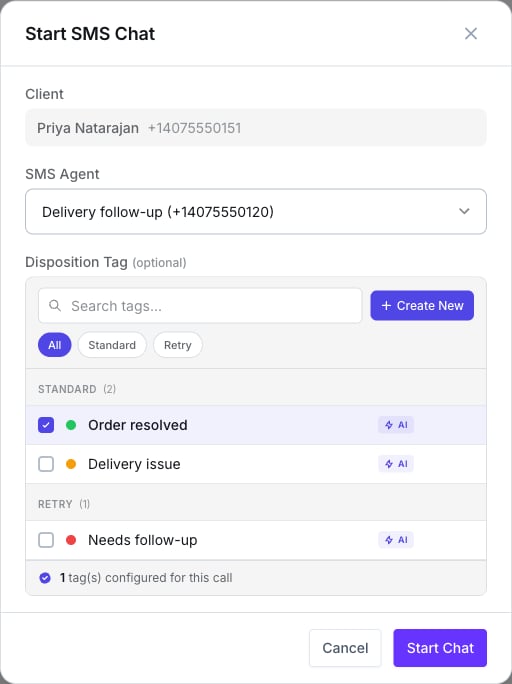
Pick the outbound agent and an optional disposition tag
The picker lists every outbound SMS agent on the account, not only Lumina ones. Pick yours by
name.
Why a start can fail
Replies come back to the same agent
The open session owns the customer-and-number pair. A reply reaches this agent even outside its hours, and even if the number has no inbound agent at all.Schedule an SMS chat
Schedule opens Schedule an SMS chat: the client, the SMS Agent, an Opening message, a Timezone, and When should the chat start? — a date and time picker with a countdown (“Will execute in 1 day, 2 hours”). The scheduler fires every minute, so expect a delivery window of about a minute around the chosen time.- The time must be at least 5 minutes ahead.
- The contact must have a phone number.
- At fire time the same checks as a manual start run, and the chat fails if the contact has any open SMS session by then.
- Pending chats can be rescheduled or cancelled from the Scheduled SMS chats button in the composer.
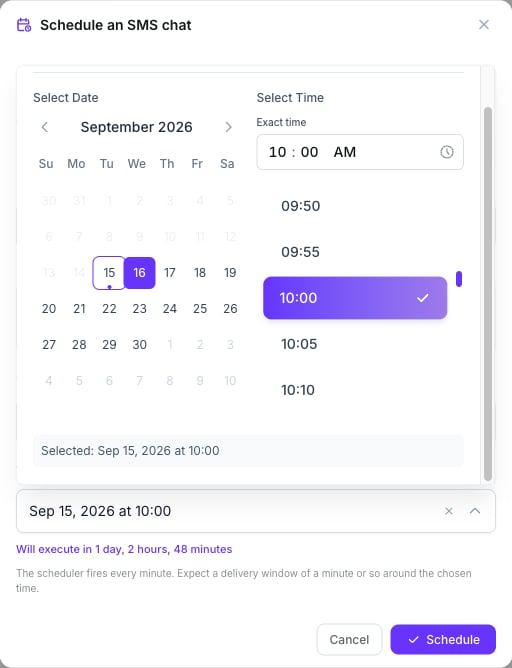
Agent, opening message, timezone, and a start time at least five minutes out
From Salesflow: the Send SMS Chat action
Add a Send SMS Chat action to a sequence and press Configure SMS Chat.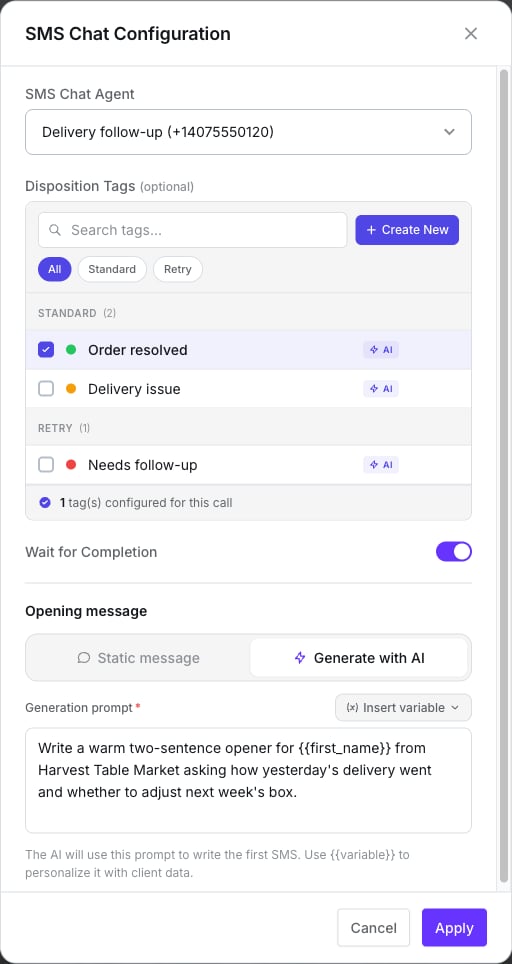
Agent, tags, wait, and an AI-generated opener
The conversation’s credits are charged when the session closes, not when the action runs.
Salesflow action reference
Every action a sequence can run.
Salesflow entries and stage triggers
A pipeline can also react to SMS conversations. The input-node source SMS Chat enters a contact:- on start — any new session, inbound or outbound;
- on resolved — when a session closes.
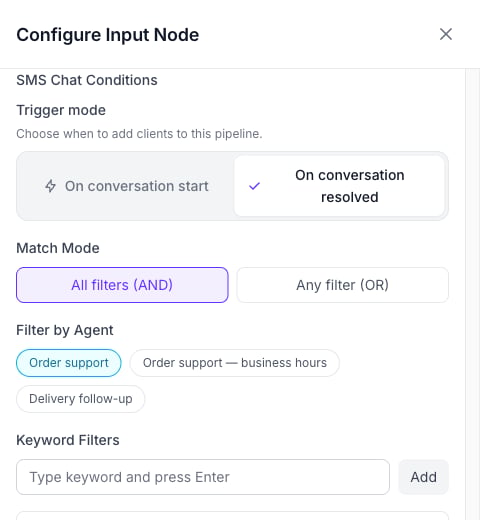
An SMS Chat entry: on resolved, filtered to one agent
Input nodes
How contacts enter a pipeline.
What doesn’t exist
- A bulk or campaign send screen for Lumina — use a pipeline.
- A retry setting on the action.
- Starting a chat from the client page — it’s done from Conversations.
Next step
Compliance and opt-outs
Before you text anyone: opt-outs and registration.