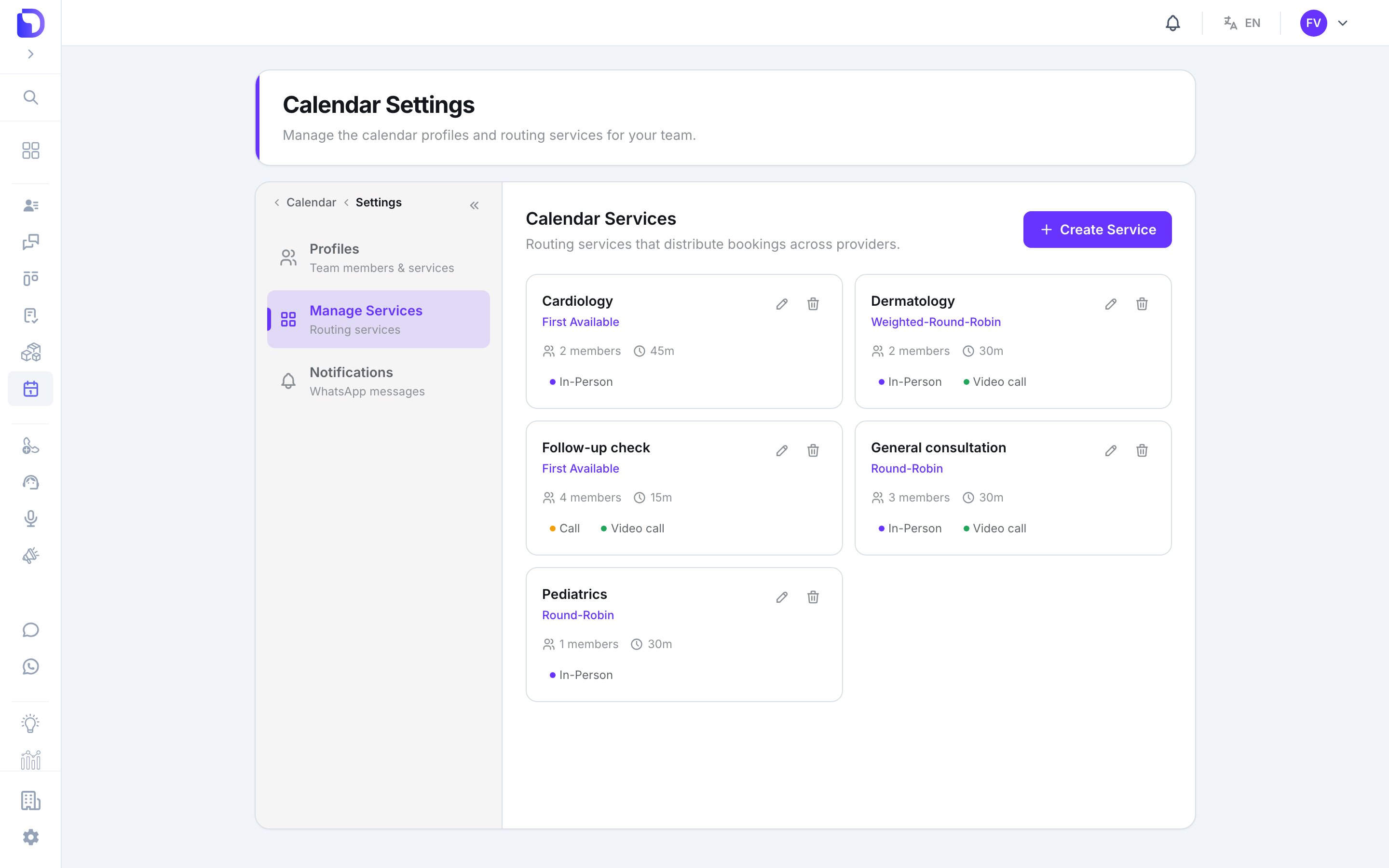
A service is what gets booked: General consultation, Cardiology. It fixes the duration and colour of its appointments, names the professionals who can take them, and decides how bookings are shared out. Calendar → Settings → Manage Services.
Calendar Settings 'Calendar Services' page with a Create Service button and cards for Cardiology (First Available, 2 members, 45m, In-Person), Dermatology (Weighted-Round-Robin, 2 members, 30m, In-Person, Video call), Follow-up check (First Available, 4 members, 15m, Call, Video call), General consultation (Round-Robin, 3 members, 30m) and Pediatrics (Round-Robin, 1 member, 30m).

Routing services configured for the clinic

The service form
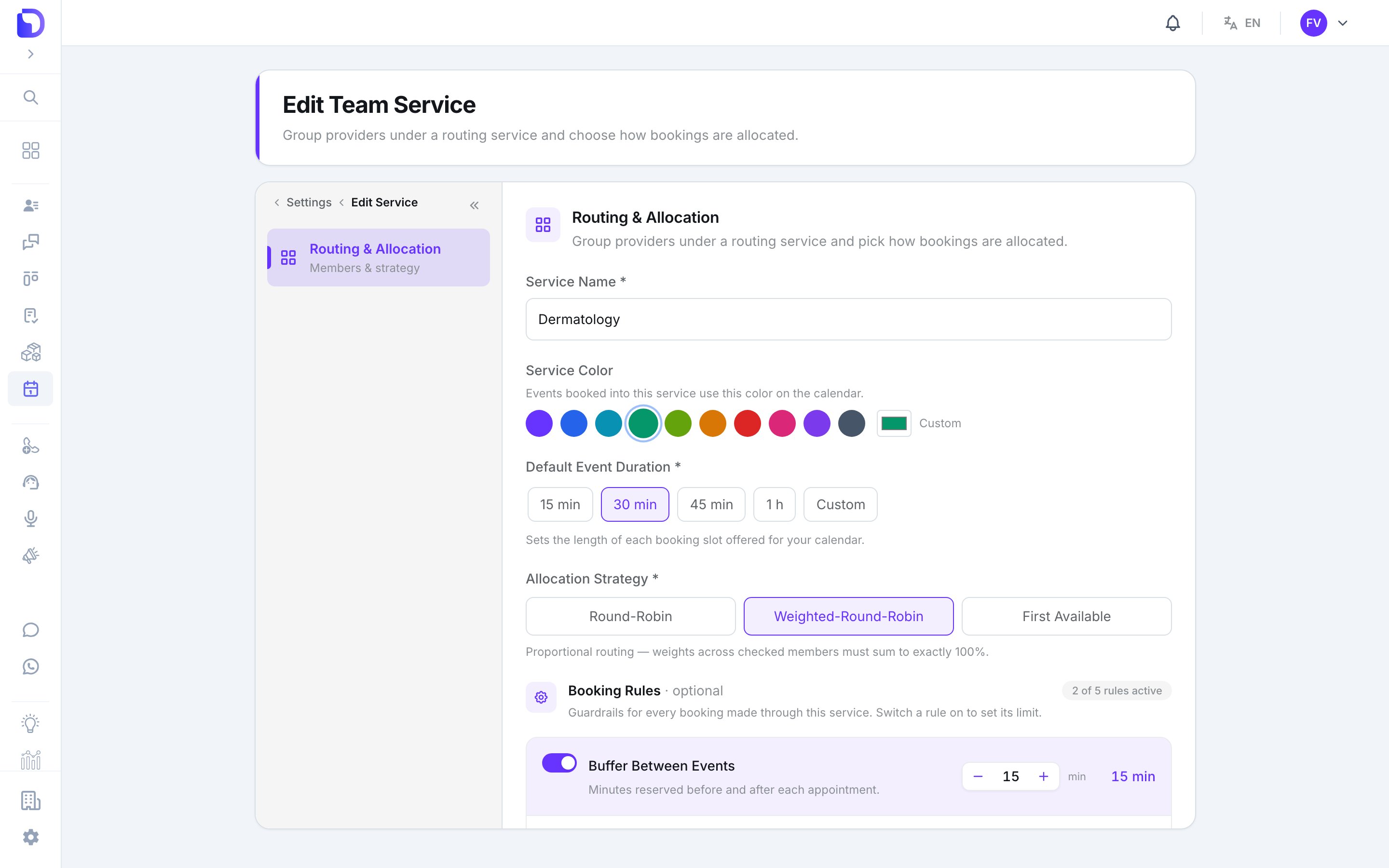
Edit Team Service 'Routing & Allocation' form for Dermatology with a Service Color palette (teal selected), Default Event Duration 30 min, Allocation Strategy Weighted-Round-Robin selected, and the Booking Rules section (2 of 5 rules active) starting with Buffer Between Events 15 min.

Editing a routing service's allocation

Allocation strategies

Booking rules
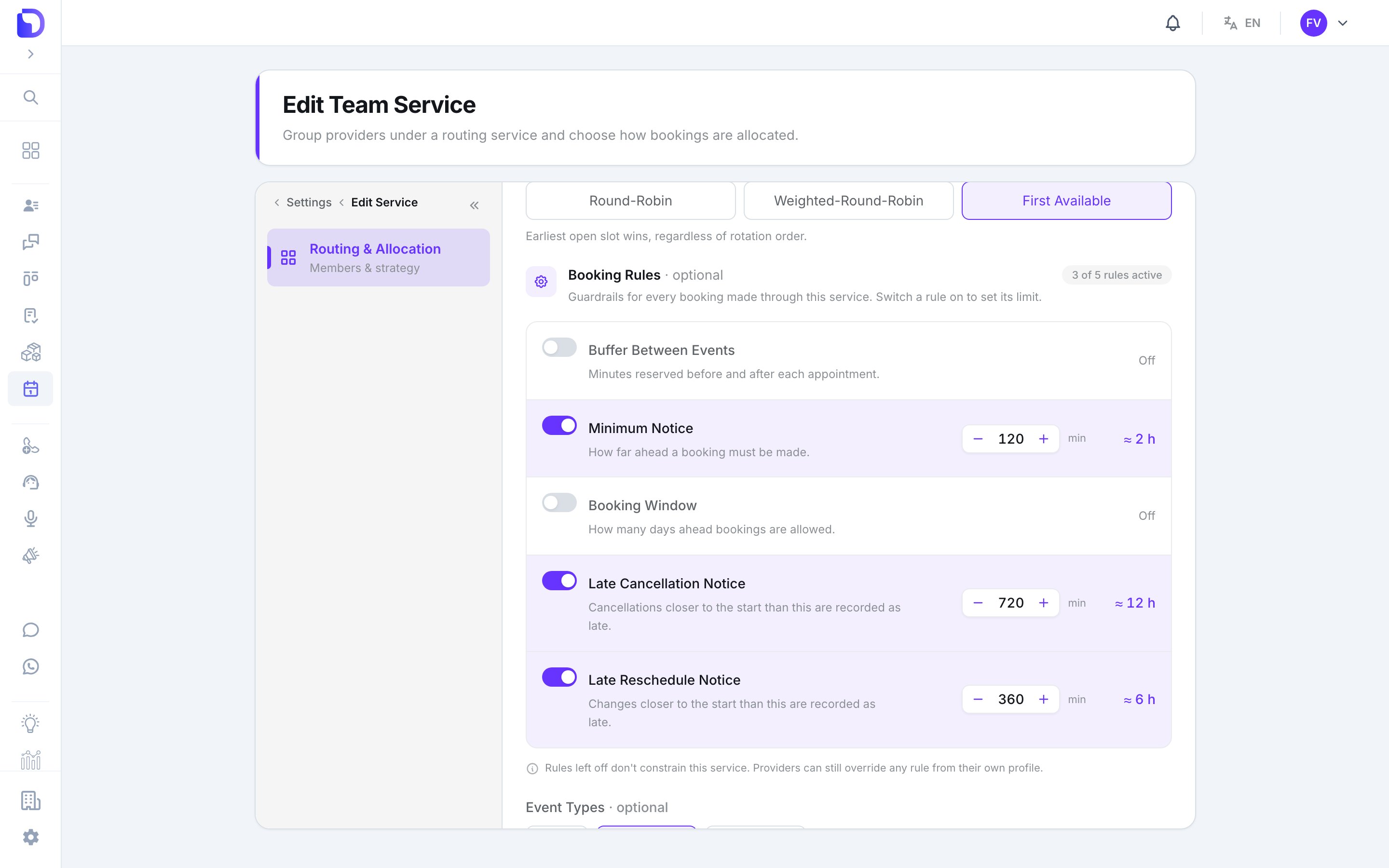
Edit Team Service page on the Routing & Allocation section with the First Available strategy selected and the Booking Rules block (3 of 5 rules active) listing Buffer Between Events Off, Minimum Notice 120 min (≈ 2 h), Booking Window Off, Late Cancellation Notice 720 min (≈ 12 h) and Late Reschedule Notice 360 min (≈ 6 h), plus the note that providers can override any rule from their own profile.

Service-level booking rules with three active

Five guardrails, each with an on/off switch. All are off on a new service. Switching one on reveals its limit.
A professional can override any rule from their own profile — see Professionals. The service rule is the default; the profile wins.

Deleting a service

This removes the service and its provider assignments. A service with appointments can’t be removed — cancel or wait for them first.

What doesn’t exist

  • Price, description, location or category.
  • Capacity per slot (group bookings).
  • Service-level hours — hours live on each professional’s availability, per service.
  • Custom event types — the three types are fixed.

Next step

Professionals

Who can be booked, and their personal rules.