

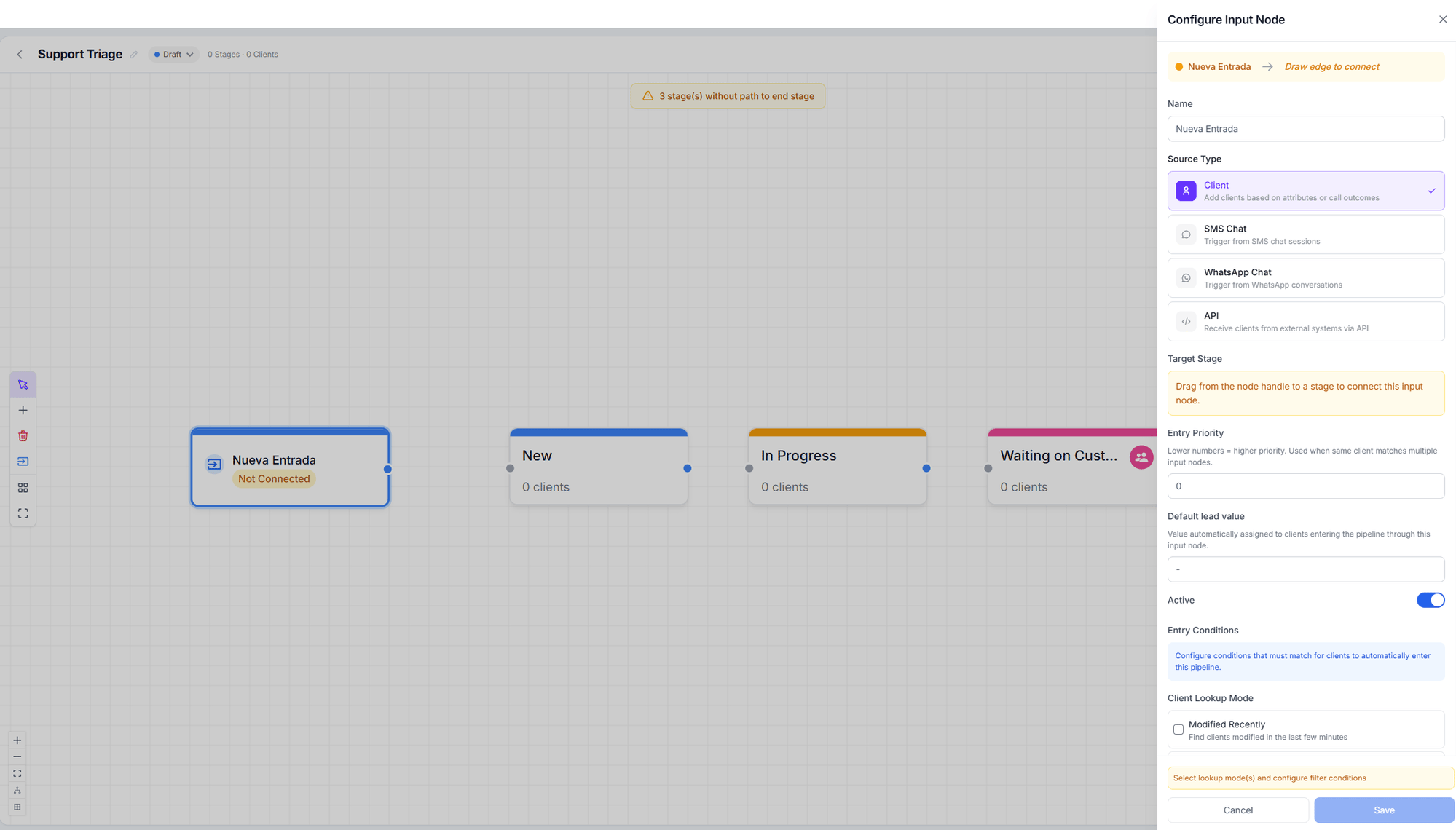
Configuring an input node
The five sources
Chat and call nodes are evaluated when the conversation ends, not on every message.
Processing runs every minute, so the card can take up to ~1 minute to appear on the board.
Entry conditions by source
WhatsApp Chat
WhatsApp Chat
- Trigger mode — On conversation start or On conversation resolved.
- Filter by agent — “Only enter customers when the chat is handled by these agents (leave empty for all)”.
SMS Chat
SMS Chat
- Trigger mode — on start or on resolve. On start fires for inbound and outbound sessions alike; on resolve fires when the session closes.
- Filter by agent.
- Keyword filters.
- Match mode — all filters (AND) or any (OR).
Client
Client
First you choose the Lookup mode: Recently created, Recently modified, or both.
Then a Filter mode, which are mutually exclusive:
- Insight agent — the customer was processed by any of the data-extraction agents you pick.
- Client properties — Client tags (with has at least one or has all), Email (any / required / no email), and Client name.
API
API
No conditions: what you send, enters. The panel shows you the Endpoint, how to
authenticate with your API key, and the Request body with every accepted field
(
phone_number, client_id, first_name, last_name, email, company, timezone,
area_code, data, update).If the node is inactive, the API rejects requests.Call outcome
Call outcome
The same conditions as a static call transition: disposition tags, answered by, status,
duration, requires follow-up, who ended the call, and direction.
Entry priority
When the same customer matches several nodes, the lowest number wins: lower priority number = higher priority. Within one pipeline a customer enters through one node only. But a customer can enter several pipelines in the same pass.Re-entry policy
Controls what happens to someone who was already in the pipeline:- Allow removed clients to re-enter — the ones you took out by hand.
- Allow completed clients to re-enter — the ones who reached the end.
- Cooldown — how long they must wait before coming back.
On WhatsApp and SMS nodes, the labels in this block appear in English even in the Spanish
interface, due to a translation bug. They work the same.
Default lead value
Default lead value assigns an amount to customers entering through this node. It only applies if the customer has no value yet — it never overwrites an existing one.Overriding assignment
By default the pipeline’s assignment strategy is used. With Assignment override you can give this node its own strategy, and with Team assignment restrict distribution to certain members. See Lead assignment.Next step
Transitions
Customers are coming in. Now define how they move.