

WhatsApp channel
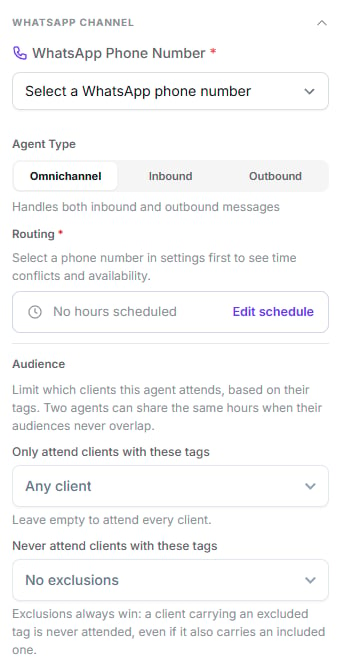
Number, agent type, routing and the audience filters
Number and type
The WhatsApp phone number is required, and Agent Type decides what it can do:Routing
Required for inbound and omnichannel agents. Two ways:- Default — handles every message on the number that no other agent covers.
- Weekly schedule — covers only the ranges you define, up to 4 per day.
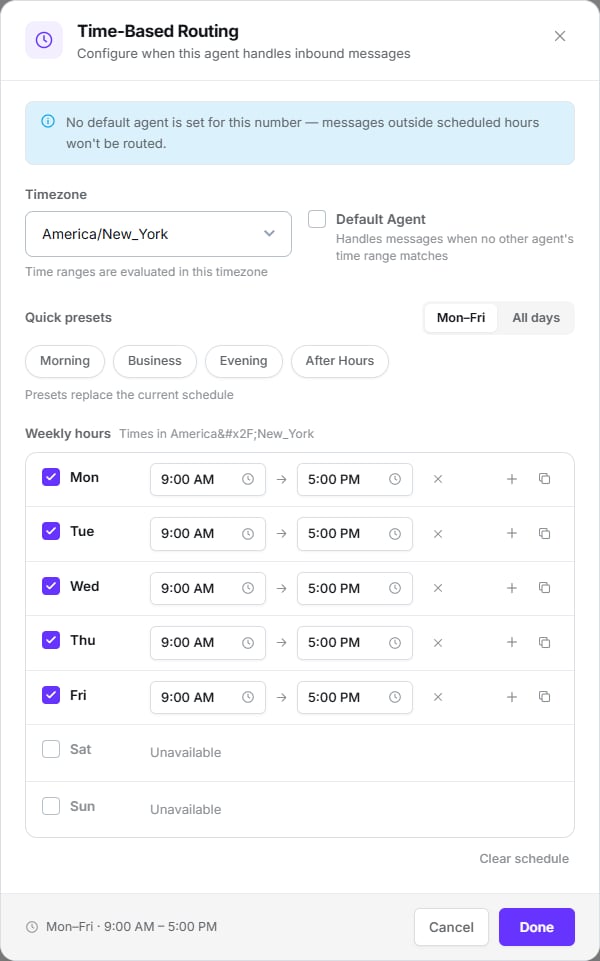
Time-based routing: timezone, presets and one row per day
Times always display in 12-hour format with
AM/PM, including in Spanish.Audience
Limits which customers this agent serves, based on their tags:Variables are not substituted in the message for unattended customers. Use fixed text.
Conversation behaviour
The third settings group. Defines how the agent writes.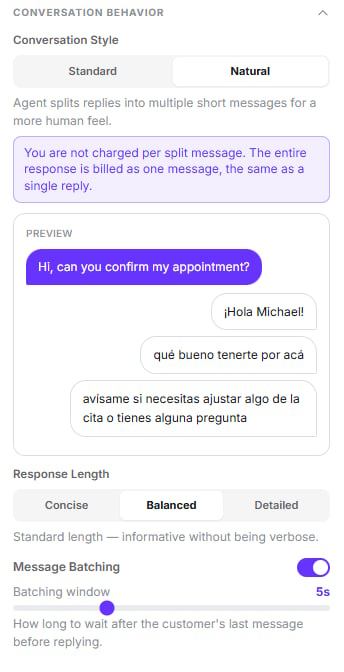
Style, length and batching, with a live preview of the Natural style
Conversation style
Picking Natural shows a preview of how the conversation looks once the reply is split.
Natural style doesn’t cost more. You aren’t charged per split message — the reply is
billed, not the pieces. The editor says so under the selector.
Response length
Concise, Balanced or Detailed. On WhatsApp, Concise or Balanced usually work better — long blocks read badly on a phone.Message batching
On by default. When a customer sends several messages in a row, the agent waits for them to finish instead of answering each line separately. The batching window sets how many seconds it waits after the customer’s last message. Default 5 seconds.Disposition tags
They classify the conversation when it closes. You’ll find them at the bottom of the Follow-up & Engagement group, behind Manage — not in a group of their own. Each tag carries a name, a colour, and an analysis prompt: the criteria sent to the model when it classifies the conversation.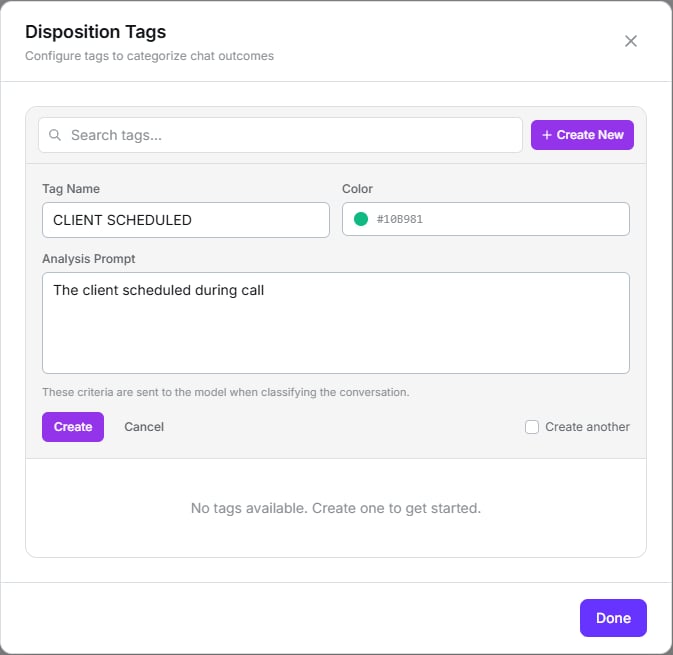
Creating a tag: name, colour and the criteria the model classifies against
On WhatsApp only the Standard type is available. Retry and No Answer are call-specific
and don’t appear here.
Next step
Contact memory
What the agent remembers between conversations.