

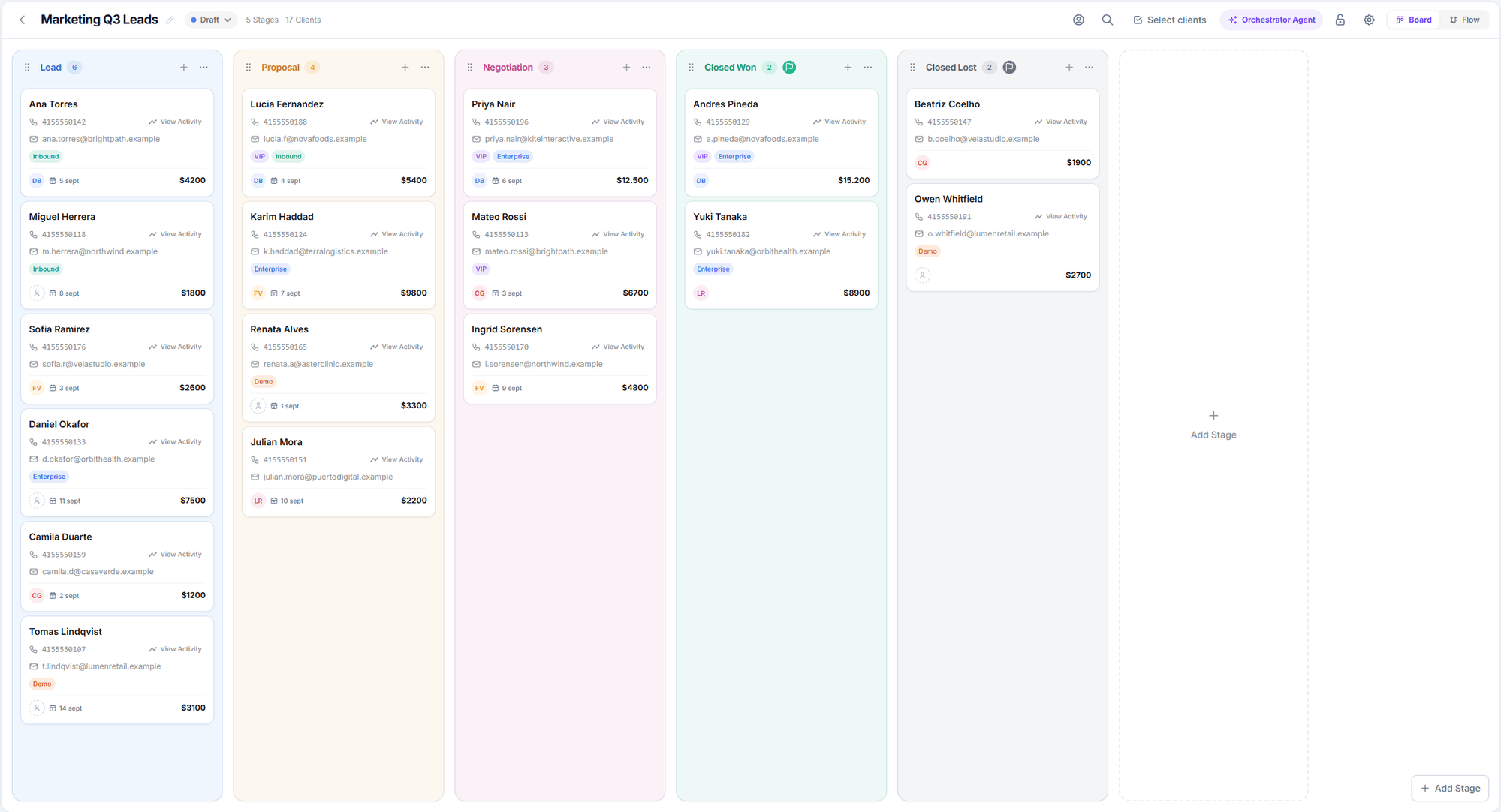
A Salesflow pipeline in Board view
A lead’s journey
1
It enters
An input node detects the customer — a call ended, a WhatsApp chat was resolved, a contact was created, a record arrived via API — and places them in a stage.
2
It gets an owner
If you configured an assignment strategy, Salesflow distributes the lead across your team members at that moment.
3
It moves
Every time a conversation ends, the transitions leaving its stage are evaluated. Static ones first (exact rules), and if none match, the orchestrator AI decides.
4
It triggers automations
On arriving in a stage — or on sitting still too long — that stage’s events launch sequences: call, send a WhatsApp, wait, tag, move.
5
It finishes
On reaching a final stage it’s marked won or lost, and after a few days it becomes completed.
Vocabulary
Worth pinning down these terms before going further — they’re used throughout this section and in the interface.In older documentation and some internal documents you’ll see the words funnel and board. The correct term, and the one the interface uses, is pipeline.
Two views of the same pipeline
Board
The Kanban view: one column per stage, one card per customer. This is the day-to-day view — where you work leads and move them by hand.
Flow
The diagram: stages, input nodes, and the arrows between them. This is the design view — where you define how the pipeline works.
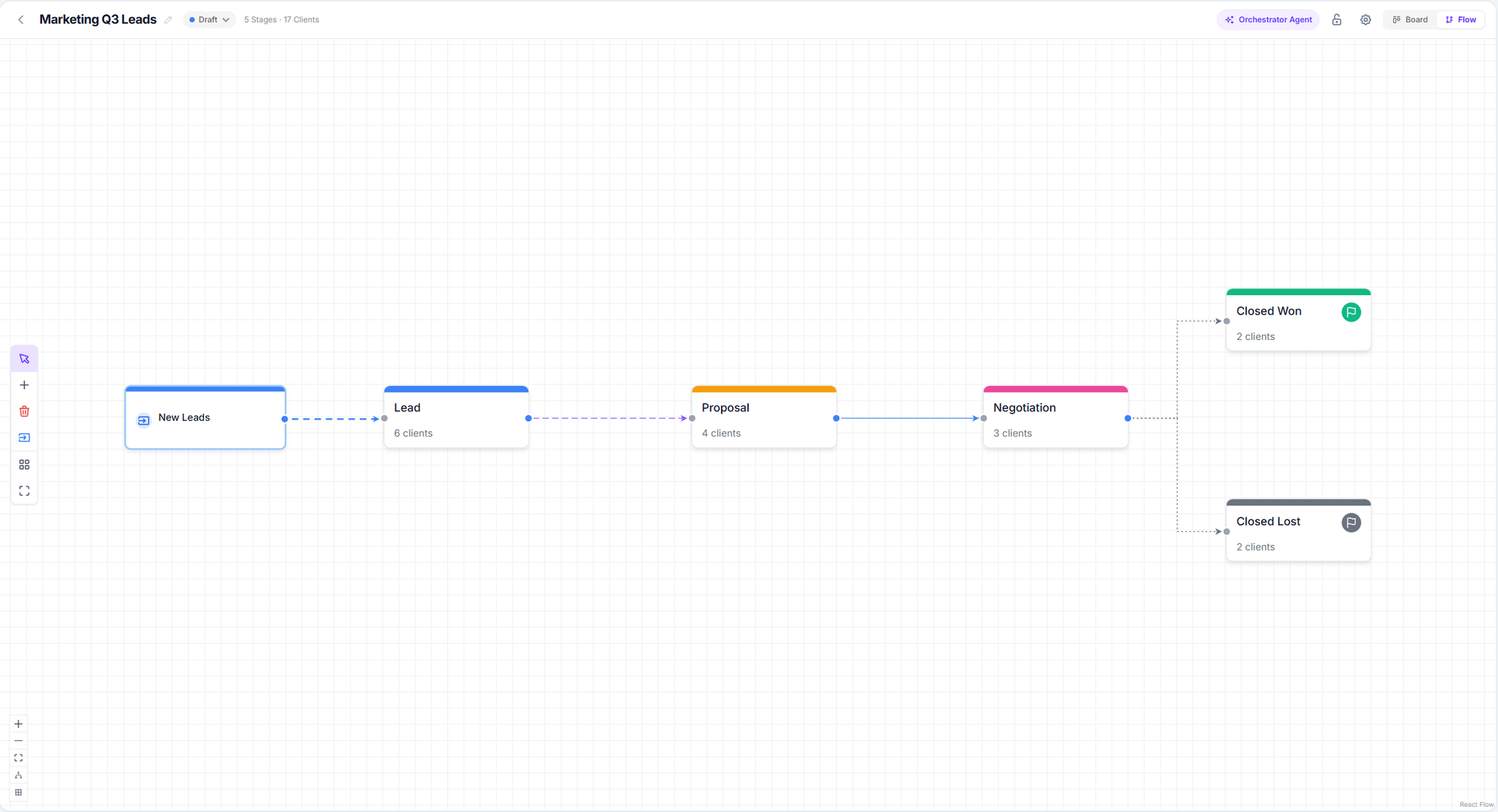
The Flow view: this is where you design the pipeline
What to read next
Create your first pipeline
From zero to a working pipeline, step by step.
Stages
Stage types, colors, closing, and archiving.
Input nodes
How customers enter and with which filters.
The orchestrator
The AI that moves leads for you.