

Two balances, not one
This is the part everyone gets wrong, so it’s worth getting straight before anything else.
Every piece of usage produces two entries: the organization’s allowance drops at your
retail price, and your pool drops at Dialtu’s wholesale price. The gap between them is your
margin. That applies to every channel — calls, SMS, WhatsApp and Messenger AI messages, Atlas,
Insight, Salesflow, contact memory, and test conversations started over MCP or the API.
Your organizations are funded by your pool and their allowance only. Your personal
credits — the balance of your own workspace — never pay for their usage, and running out of
personal credits never blocks them.
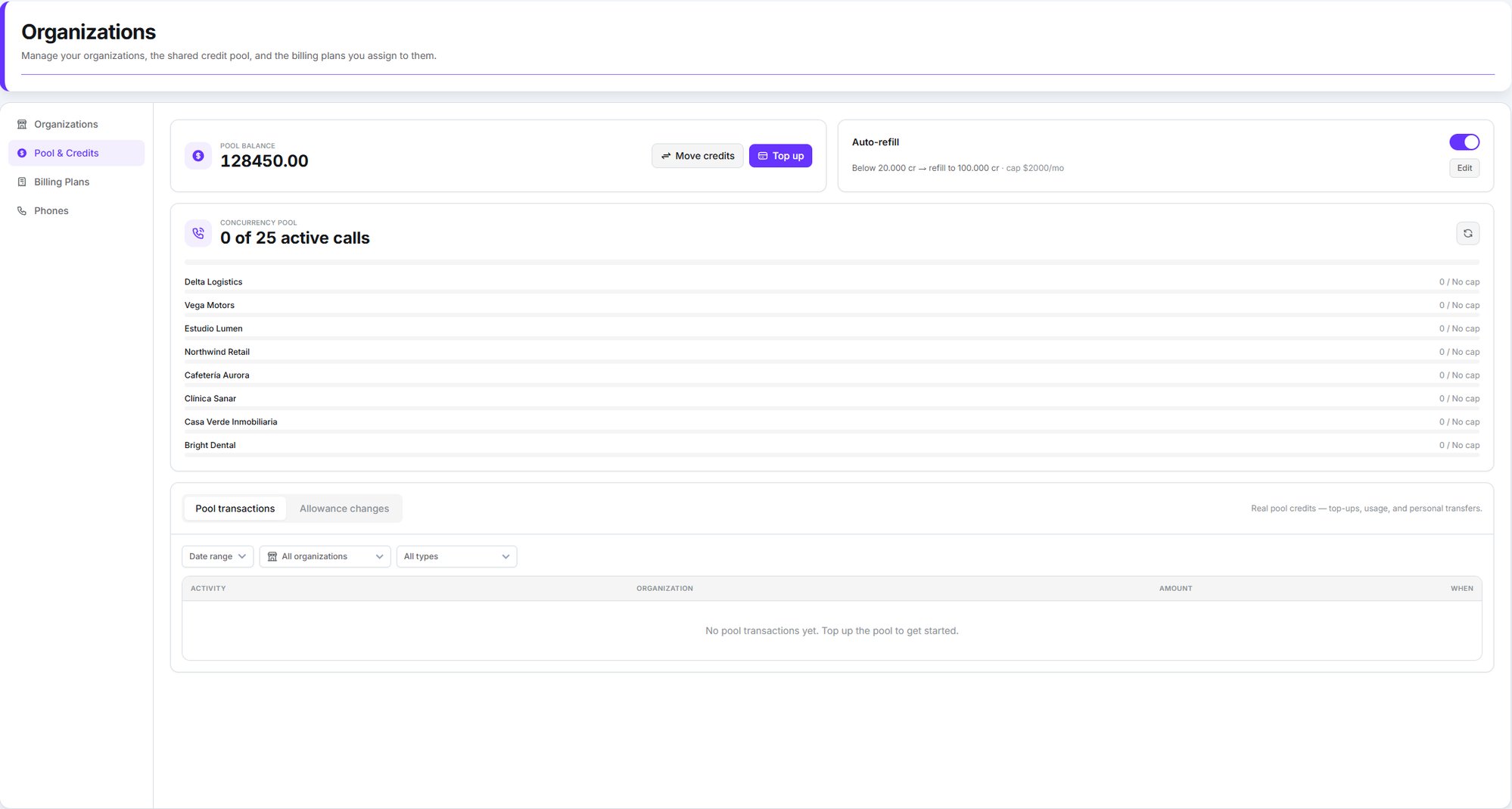
Pool balance, auto-refill, the shared concurrency pool, and the activity feed
Topping up your pool
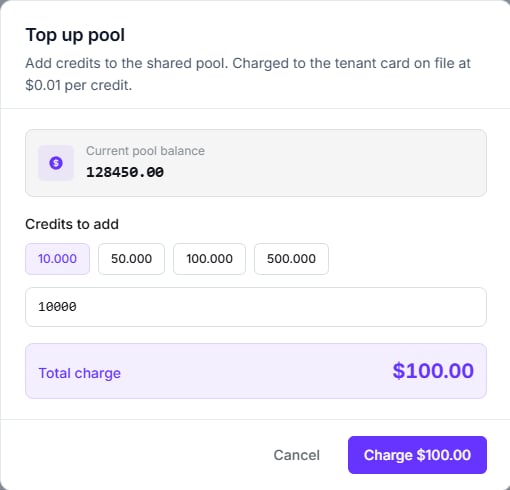
Organizations → Pool & Credits → Top up. Credits cost $0.01 each, and you can buy between 100 and 5,000,000 at a time — with preset chips for 10,000, 50,000, 100,000 and 500,000. The charge goes to your card on file, and the pool is credited once Stripe confirms the payment, usually in under five seconds.If your card asks for 3-D Secure, you’ll get the challenge inside the modal. And if the
confirmation is slow, the modal closes with “Payment captured — the pool balance will update
shortly”: the money is taken and the credits follow. Don’t pay twice.
Bank transfer is also possible, but it isn’t self-serve — contact Dialtu and the credits are
applied to your pool manually.
Auto-refill
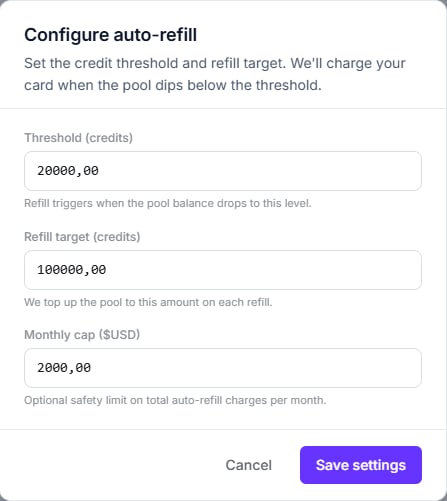
So the pool never runs dry mid-conversation, set an automatic top-up:
The threshold must be lower than the target, and both have to be set. Once the monthly cap
is reached, the charge is skipped and an Auto-refill capped entry appears in your activity
feed — worth watching for, because from that point the pool only goes down.
Saving the configuration dialog switches auto-refill on, whatever the toggle on the card
was showing. To turn it off, use the toggle rather than the dialog.
Moving your own credits in
If you already hold credits on your personal balance, Move credits shifts them between that balance and the pool, in either direction. It’s a transfer of credits you already own, so there’s no charge and no card involved.Giving an organization credits
From the Organizations tab, the menu on each row offers three actions:Grant allowance
Raise the ceiling by an amount you choose.
Refill allowance
Same thing, pre-filled with the plan’s monthly amount.
Reduce allowance
Lower the ceiling. Can’t go below what they’ve already got left.
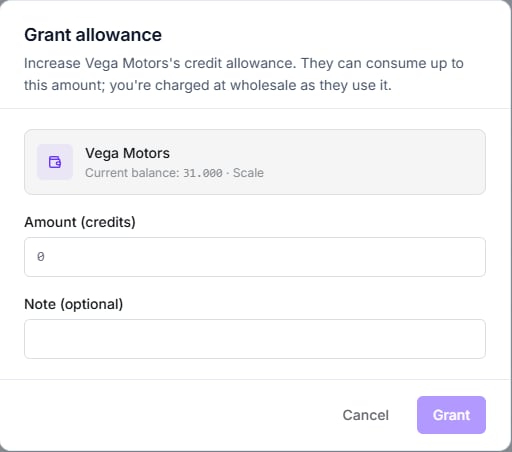
Grant — raise the ceiling by any amount
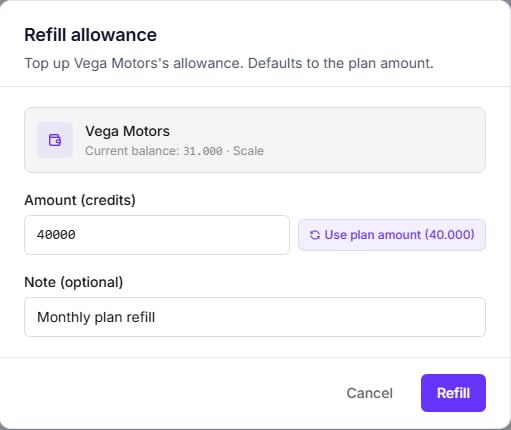
Refill — the same thing, pre-filled from the plan
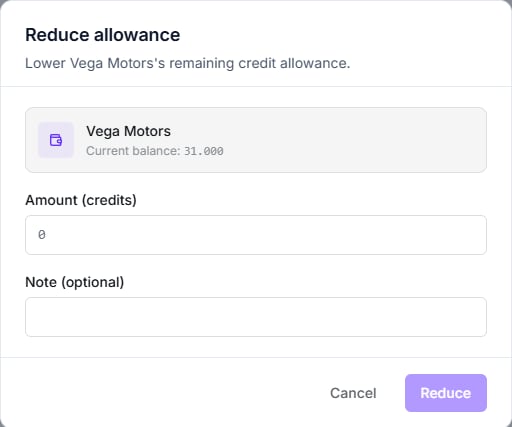
Reduce — capped at what they have left
The monthly reset
If an organization has Auto-refill monthly switched on, a plan assigned, and an active status, its allowance is reset to the plan’s included credits each cycle. Organizations that are suspended, or have no plan, are skipped by the reset entirely.When credits run out
An organization hits zero
An organization hits zero
New AI work stops for that organization. Before anything that costs credits starts — voice
calls, SMS chats, WhatsApp and Messenger AI replies, Atlas, Insight agents and briefs, Salesflow’s
orchestrator and contact-memory regeneration — Dialtu checks two things: that their
allowance covers the retail price you set, and that your pool covers Dialtu’s wholesale
price — the figure shown as Your cost in your plans.
If either falls short, the work is refused with Insufficient credits.WhatsApp and Messenger AI replies are paused, not dropped. No AI reply is generated or sent; the
conversation stays with the AI and picks up again on the customer’s next message once there
are funds. Messages written by your team, and templates, are never blocked by this.The balance can dip slightly negative if a job was already in flight. To restore service,
grant or refill their allowance — or wait for the monthly reset.
Your pool hits zero
Your pool hits zero
Your organizations stop starting new work — exactly as if their own allowance had run
out, even when it still has room. Every check above also asks whether your pool can cover
Dialtu’s wholesale price (Your cost), not the retail price the organization pays; when it
can’t, the call, chat or AI reply is refused or paused
with Insufficient credits. If your account has an overdraft configured, the pool can
go below zero down to that limit before organizations are stopped.Your personal credits are never used to fill the gap. To put them to work, move them into
the pool with Move credits.Work already in progress — a call that’s already connected, for example — finishes, and can
push the pool below zero. That usage is recorded as Usage — pool exhausted in your
activity feed, and the amount is owed.When your pool can’t cover usage, the insufficient-credits email goes to the users of your
own workspace — never to your organizations’ users. It carries your brand, is written in
your workspace’s content language (Spanish or English, from its localization settings;
Auto sends English), and arrives at most once every 24 hours — so treat the first one as
the warning. For now it’s sent from Dialtu’s address. Auto-refill is how you avoid getting
here.
Reading the activity
The Pool & Credits tab carries two separate feeds, and the distinction matters:
Both filter by date range, by organization, and by what produced the charge — Voice, SMS,
WhatsApp, Atlas, Insight, Salesflow AI, or top-ups and transfers. Usage is grouped per
organization per day, with a breakdown by feature.
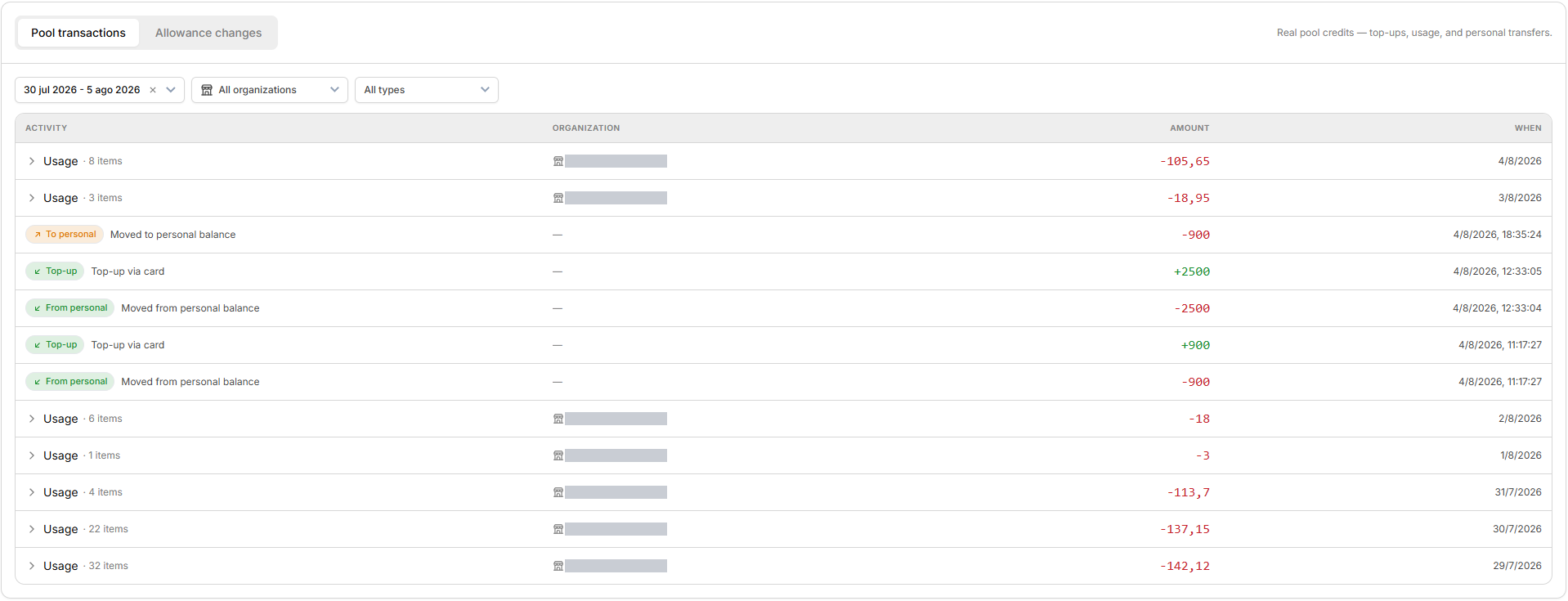
Top-ups, personal transfers and usage, grouped per organization per day
A Usage row is a whole day’s consumption for one organization, collapsed. The arrow on the
left expands it into a per-feature breakdown. Rows with a dash in the organization column are
pool-level movements that belong to no single client — top-ups and transfers to and from your
personal balance.
There’s no export. The feed can’t currently be downloaded as CSV or Excel, and there’s no
cross-organization analytics report — analytics are always scoped to a single workspace.
What the organization sees
Almost none of the above. Inside their own workspace they get a read-only Plan & Activity page under Settings: their plan name, monthly credits, credits available, when the allowance next refreshes, and their recent activity. They cannot buy credits, change plan, or see your pool. The page tells them to contact their administrator — which is you.Next step
Billing plans
Set the prices your organizations pay.