

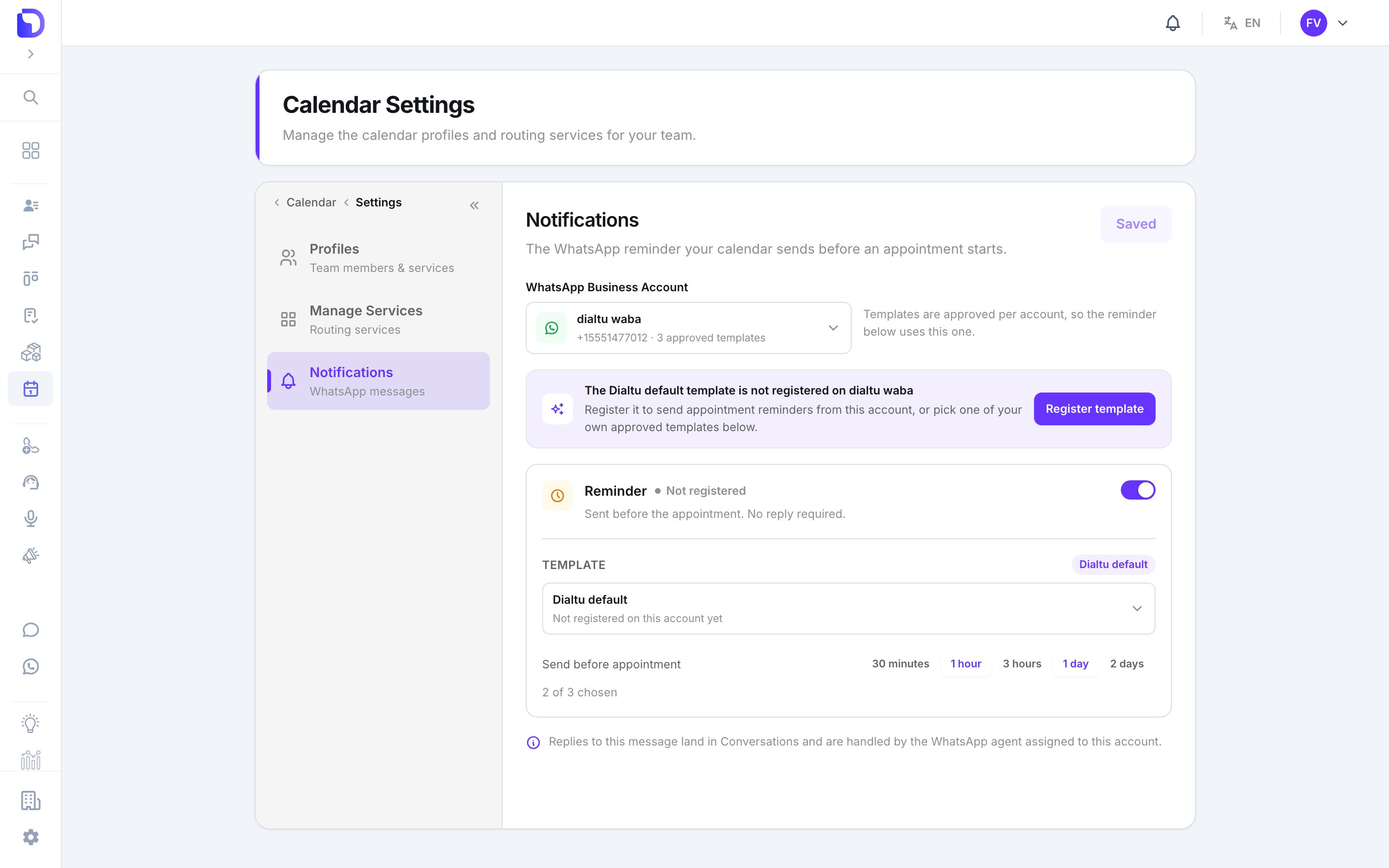
WhatsApp reminder settings for the calendar
Settings
Templates are approved per account, so changing the account changes which templates you can pick.
The Dialtu default template
A platform template, sent in the client’s language automatically. Its status reads Approved, Pending Meta review, Rejected by Meta or Not registered — press Register template (or Re-register) to submit it to Meta on this account.Your own template
Pick any approved Utility template. Then Fill in the placeholders: bind each{{n}} to an appointment field — client_first_name, client_full_name, professional, service, event_type, when — or to Fixed text. Add a Header image if the template has one. Preview shows the result.
How reminders behave
- Scheduled when the appointment is booked, for every chosen offset.
- A reminder whose time has already passed when you book is skipped, not sent late.
- Rescheduling reschedules them; cancelling cancels them.
- Sent as a WhatsApp template message on the account above; replies land in Conversations and are handled by the agent assigned to that account.
- Send WhatsApp reminder on a card’s right-click menu sends one now, by hand.
Changing these settings needs WhatsApp write permission; without it you can see the page but not edit it.
What doesn’t exist
- SMS or email reminders.
- Per-appointment send times — offsets are calendar-wide.
- A confirmation message at booking, or a reminder to the professional.
- A reminder log in the UI.
Next step
Google Calendar
Mirror bookings to a professional’s own calendar.