

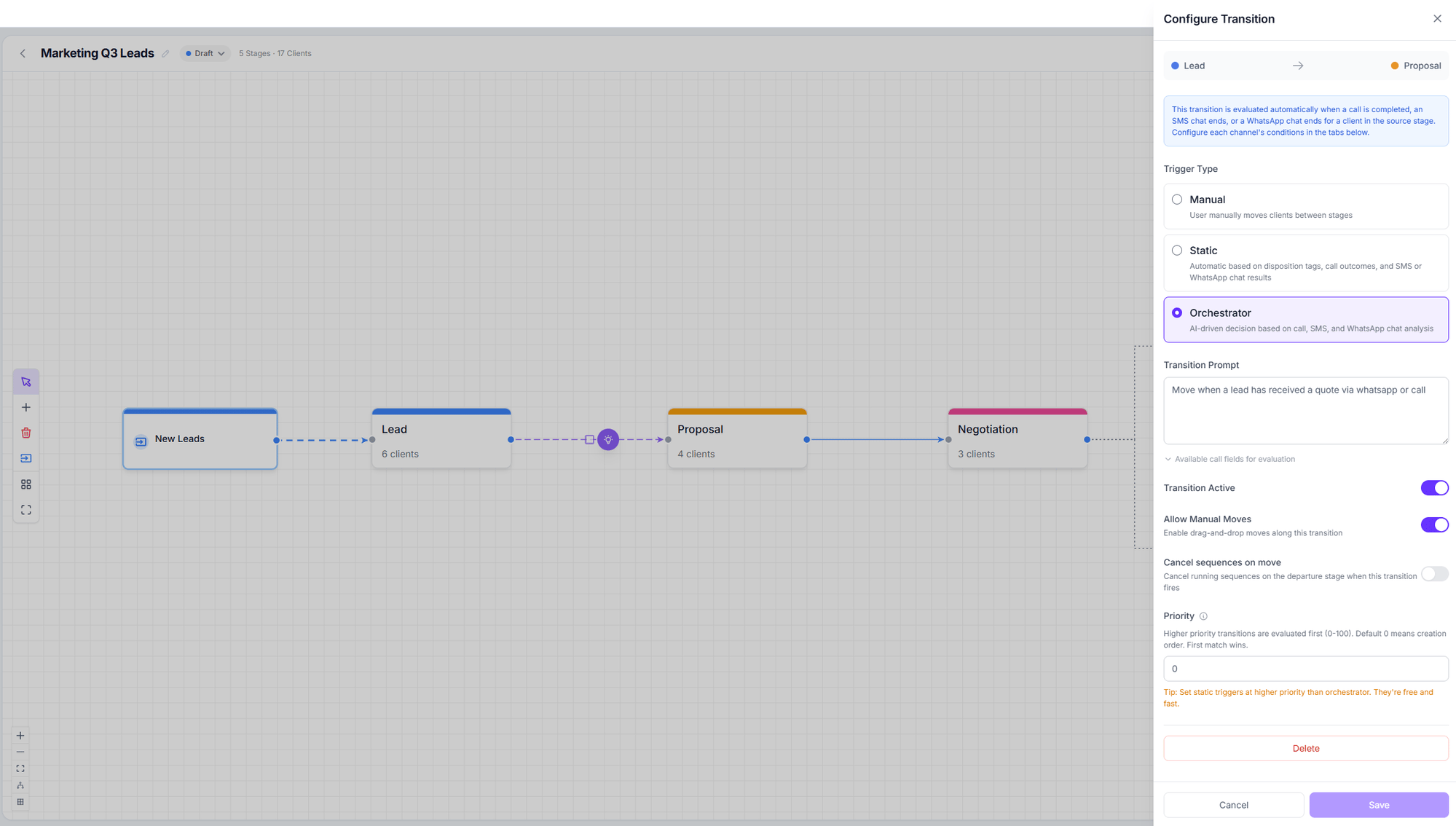
The three trigger types
The three trigger types
Manual
The user moves customers between stages by hand. Grey dotted line.
Static
Automatic, based on exact rules about the call or chat. Solid blue line. Free.
Orchestrator
The AI decides, based on a prompt you write. Animated purple line.
Static transitions
These are exact rules, no AI. They’re configured across three independent tabs — Calls, SMS Chat, and WhatsApp Chat — and a single transition can fire from any of the three channels. The Match mode decides how the filters combine:- All filters (AND) — every filter type must match.
- Any filter (OR) — one match is enough.
Call filters
Call filters
Disposition tags · Answered by (Human / Voicemail / Unknown / No answer) · Call status
(Completed / Failed / Cancelled) · Call duration (min–max in seconds) · Requires follow-up
· Call ended by (User / Assistant / Error / Transfer / Timeout) · Call direction · Is retry
· Retry count.
Chat filters (SMS and WhatsApp)
Chat filters (SMS and WhatsApp)
Filter by agent · Chat status · Sentiment · Disposition tags · Minimum messages · Has
summary · Match mode.
Orchestrator transitions
These are configured with a single field: the Transition prompt, in natural language.Priority and evaluation order
The Priority field (0–100) orders transitions: higher priority is evaluated first, and the first match stops evaluation. With priority 0, creation order is used.Common options
Strict mode
There’s a padlock in the top bar. When enabled, customers can only move between stages that have a defined transition.- Off (default) — anyone can drag a card anywhere. Transitions act purely as automation rules.
- On — when dragging, disallowed stages show a padlock and the message Move not allowed.
Rules when creating transitions
- You cannot create a transition from a final stage.
- You cannot create a transition from a stage to itself.
- There cannot be two transitions between the same pair of stages.
- From a Human only stage, the transition is forced to manual.
Waypoints
Waypoints exist so your arrows don’t cross each other. They appear when you select a line: drag the hollow dots to create one, the solid ones to move them, andDelete to remove them.
They are purely cosmetic and affect no decision.
Next step
The orchestrator
How the AI decides, how to configure confidence, and what it costs.