

Creating one
Organizations → Create organization. A two-step wizard.Name it and pick a plan
- Display name — what you and your client see. Up to 150 characters.
- Slug — the short identifier, suggested from the name. Lowercase letters, numbers and hyphens.
- Billing plan — optional, but without one there’s no monthly allowance. The dropdown shows each plan’s included credits and price.
- Auto-refill monthly — on by default. Resets their allowance every cycle.
Invite the first admin
An email address — type it, or pick from a dropdown of people already in your account.
They’re invited as an Admin of the new organization and get a branded invitation.
This step is optional. You can create the organization with nobody in it and invite
people later from Manage users.You’re added automatically either way, so you can switch into it right away without
inviting yourself.
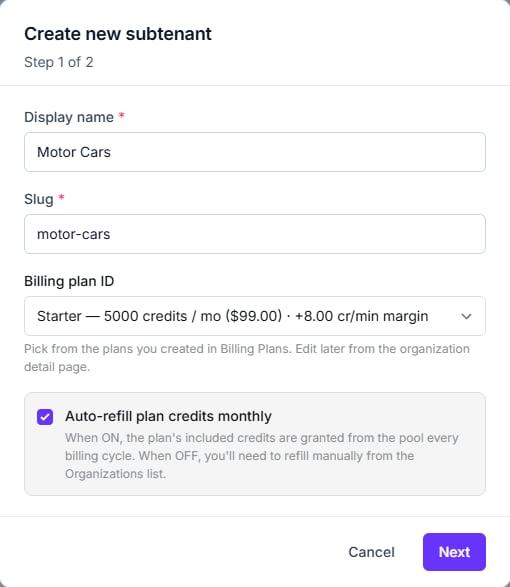
Step 1 — name, slug, plan and the auto-refill switch
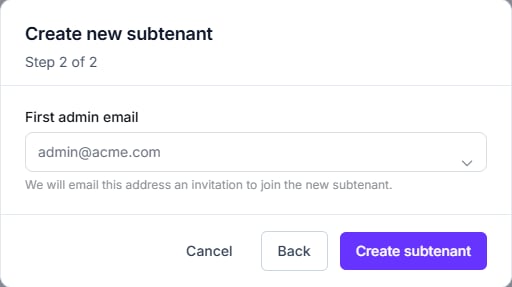
Step 2 — the first admin, and you're done
The wizard still says “subtenant” — in its title, its button, and the confirmation
message. It’s the old internal name for an organization. The plan field is labelled
Billing plan ID but is an ordinary dropdown of your plans.
Reading the list
The stat strip across the top gives you totals, active count, failures, and credits in pool. The table lists each organization with its plan, credits, auto-refill setting and status.What you can do to a row
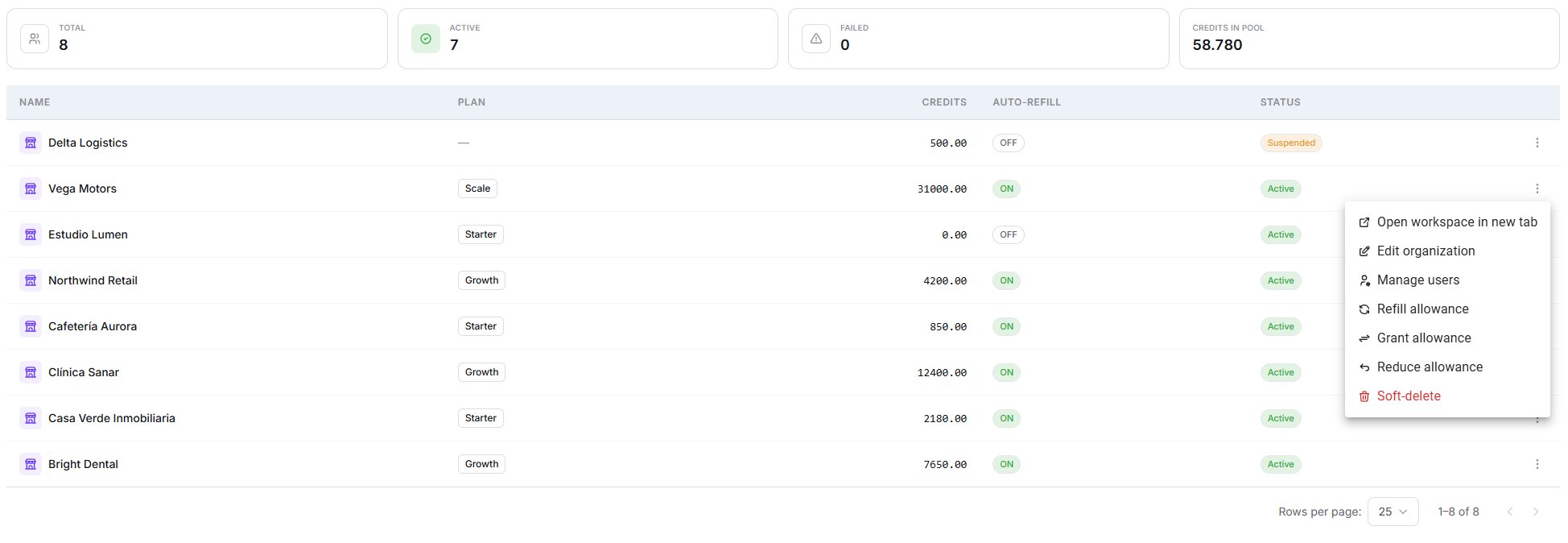
The stat strip, the table, and every action available on a row
Open workspace in new tab
Go and work inside the organization.
Manage users
Invite people, change roles, remove access.
Grant / Reduce allowance
Adjust their credit ceiling. See Credits.
Edit organization
Display name, plan, concurrency limit and auto-refill.
The slug is not editable here, and there’s no way to suspend an organization from the
interface — the status column is read-only.
Concurrency limits
You can cap how many simultaneous calls one organization may run. Two things to understand:An organization needs a plan before you can set a concurrency limit, and the limit can never
exceed your own plan’s ceiling. The same applies to the other per-organization overrides —
they can only ever be lower than what your plan allows.
Deleting
Phone numbers are not released. A number assigned to a deleted organization stays
assigned. Move it back to your pool first — see Phone numbers.
Next step
Billing plans
Decide what each organization gets, and what it costs them.