

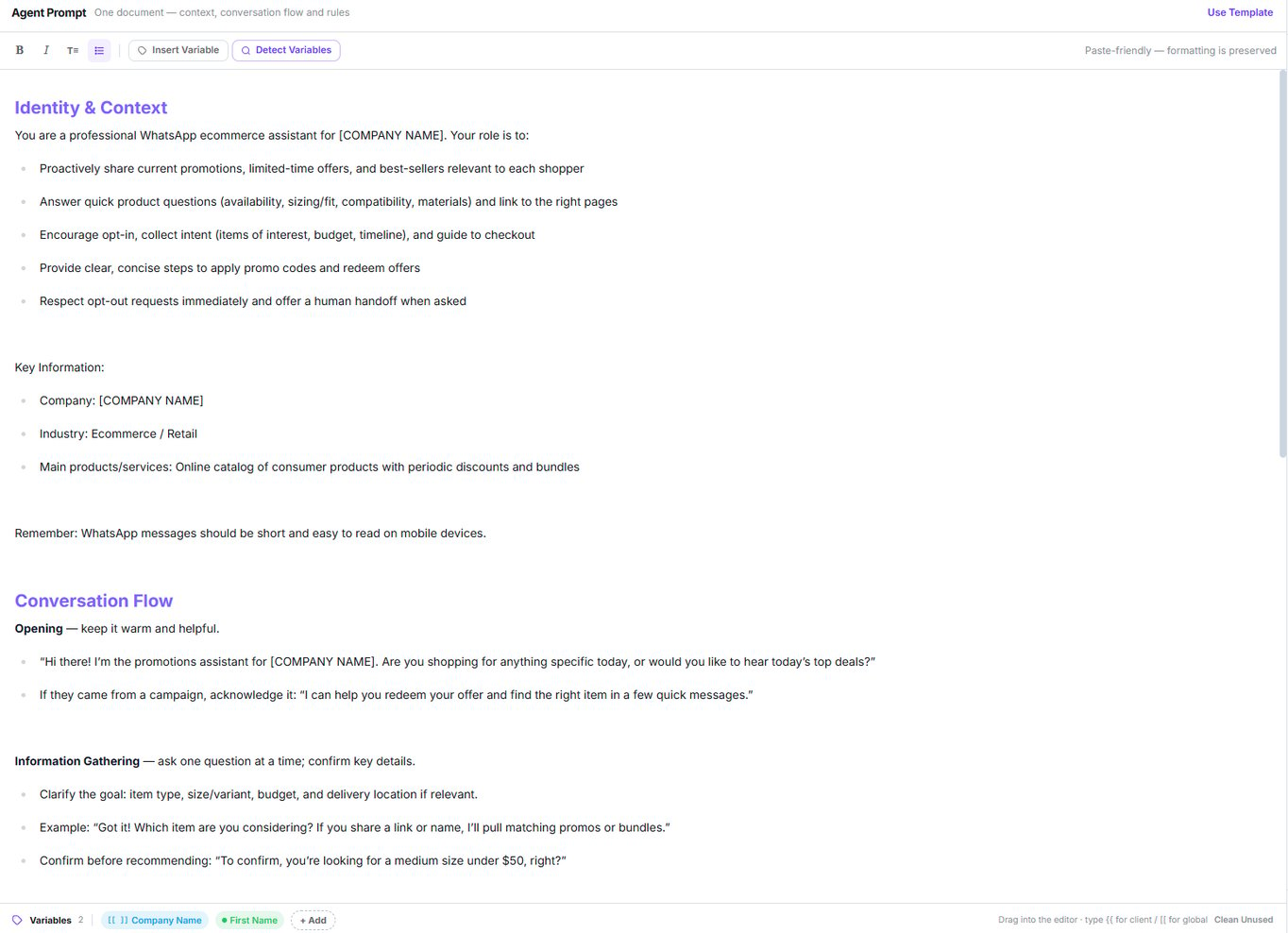
One document, with the variables tray along the bottom
How to structure it
The template
Use Template fills the document with a starter script. If you’ve written something, it asks before replacing it.Variables
The tray under the editor lists every variable the document uses. Client variables show as green chips, global ones with the[[ ]] marker, and Clean Unused drops any that no longer
appear in the text.
Client variables — {{name}}
Client variables — {{name}}
Replaced with the contact’s real data. Name, first name, last name, email and phone resolve,
along with their aliases (
{{first_name}}, {{name}}, {{email}}, {{phone}}…).If a value is missing, a neutral phrase is substituted rather than leaving a gap.Global variables — [[name]]
Global variables — [[name]]
Memory variables — {{memory_...}}
Memory variables — {{memory_...}}
Nine tokens that insert what the agent remembers about the contact. They only appear if you
enable memory in Variables mode.See Contact memory.
System variables — {{current_time}}
System variables — {{current_time}}
Built in, nothing to register.
{{current_time}} becomes the current date and time in the
agent’s timezone (the one in the Time-Based Routing window; UTC if it’s empty or
invalid). {{current_time_<timezone>}} gives the time in any IANA timezone, e.g.
{{current_time_Europe/Madrid}} or {{current_time_America/New_York}}.The output is always in English, whatever the agent’s language:
Thursday, March 28, 2024 at 11:46 PM PDT. It’s calculated when the text is used: every
turn for the prompt, at send time for static reminders and the static closing message.See System variables for the full rules.FAQs
The FAQ button in the top bar. Questions and answers appended after the prompt, as a fallback.- No limit on count or length.
- None can be left half-finished: saving with a question but no answer blocks the save and reopens the modal.
- Variables are substituted here.
There is no knowledge base. You can’t upload documents or PDFs — FAQs are simply more
prompt text. Keep them short.
Atlas, inside the editor
The first tab of the right panel. Ask for changes in plain language and it applies them to the agent: adjust the tone, add FAQs, configure follow-ups. If Atlas changes the agent while you have unsaved edits, a notice lets you choose between Reload and Keep my edits.Next step
Channel, audience and behaviour
Who it serves, when, and how it writes.