

Events are configured only from the Flow view: select a stage and click Events in the bottom bar. There’s no way to reach them from the Board — the column menu only offers Edit and Delete.
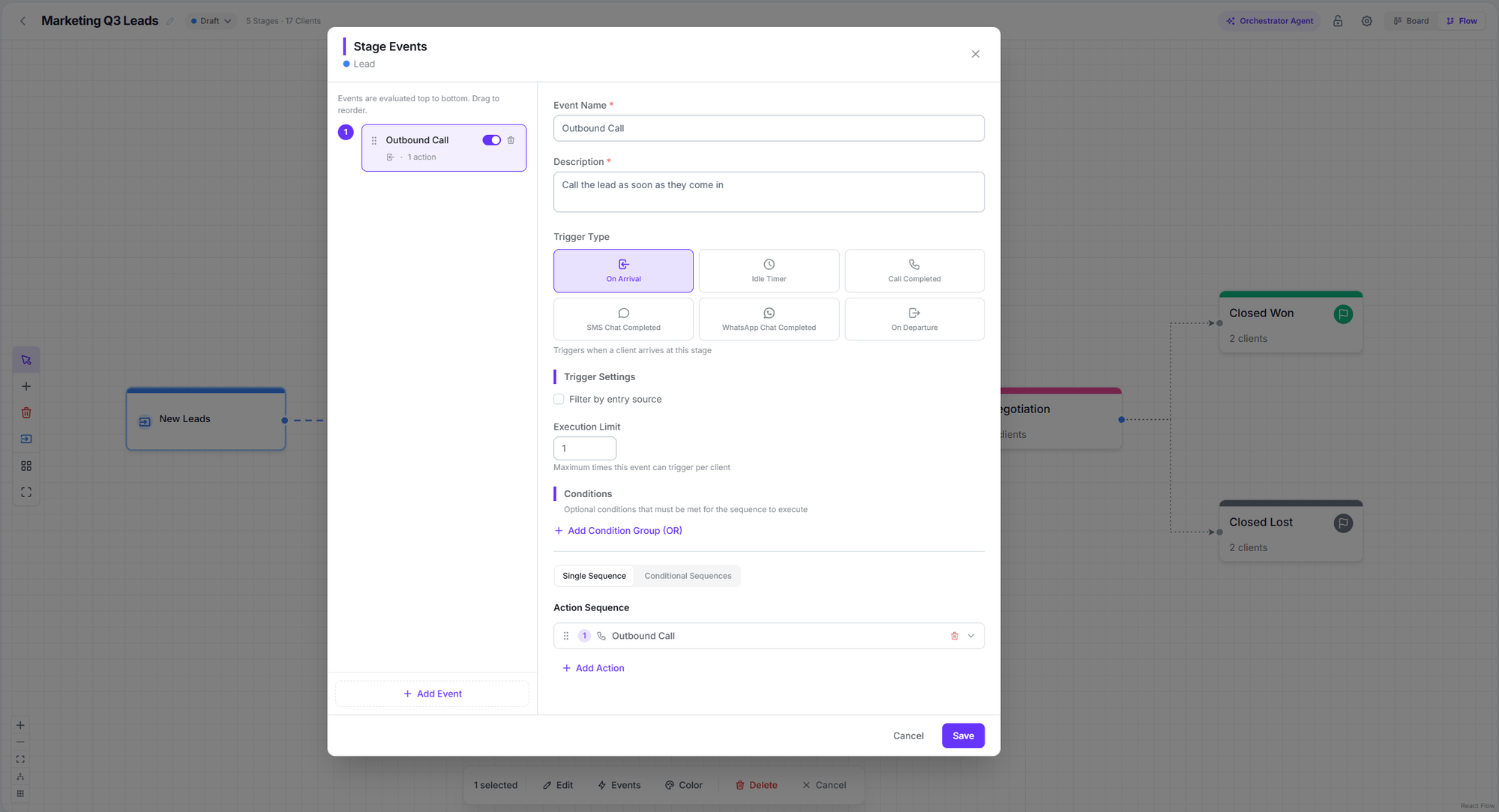
The stage events editor
The six triggers
Idle timer
It has two modes, and the difference matters:- Time in stage — counts from when the customer entered this stage. This is what you want for “has been in Proposal for 3 days without progress”.
- Stale after activity — counts from the last action, transition, or call. This is what you want for “nobody has done anything with this lead in a week”.
Conditions
Conditions are an extra filter evaluated before the sequence launches. They’re built as groups: within a group, conditions combine with AND, and groups with each other with OR. There are three types:- Time range — start and end time, days of the week, and timezone. Supports ranges crossing midnight.
- Client field — first name, last name, email, phone, company, or a custom field.
- Call field — disposition, answered by, status, duration, ended by, inbound, requires follow-up, retry count.
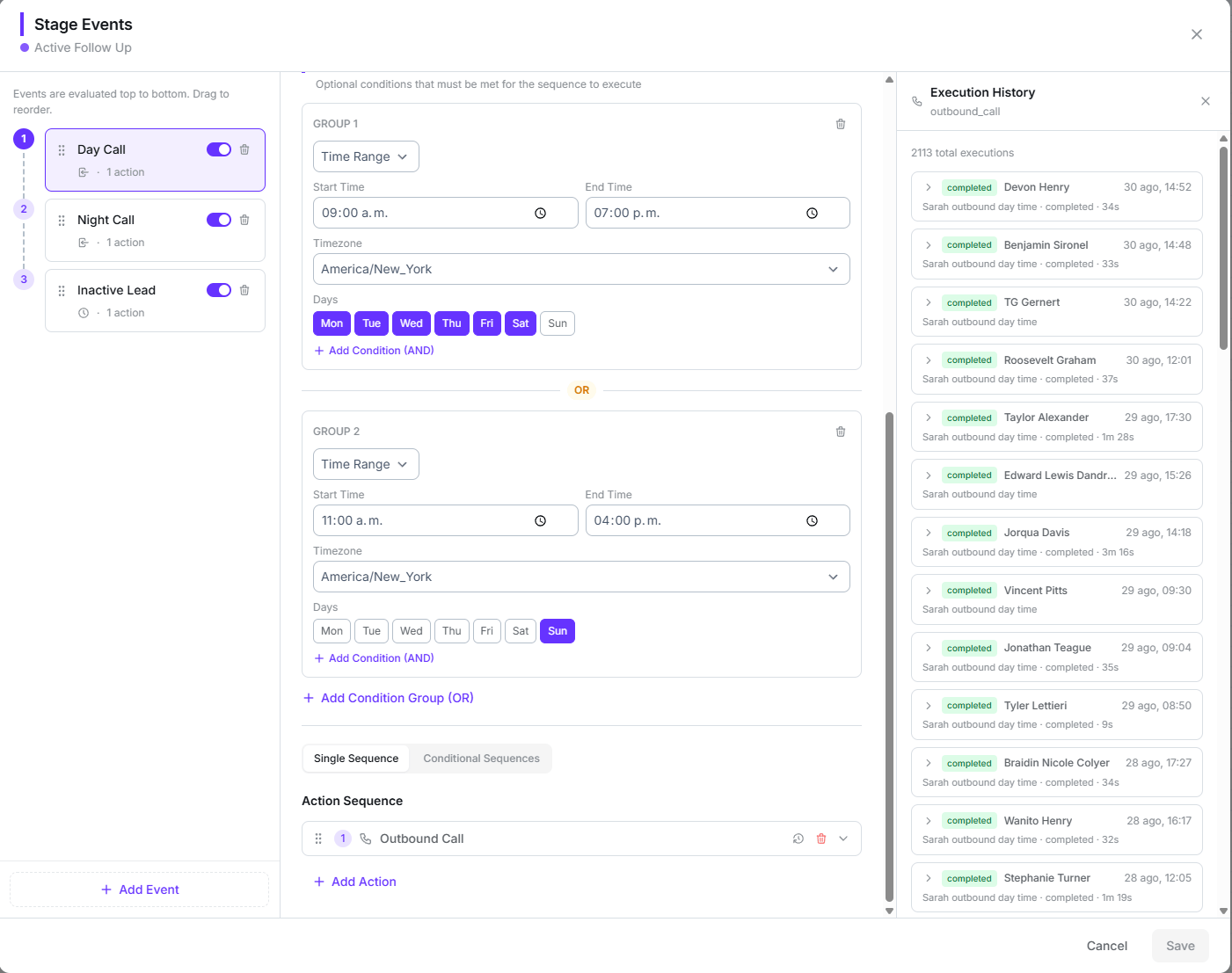
Two condition groups combined with OR, alongside the action's execution history
Single sequence or conditional sequences
- Single sequence — one list of actions, always the same.
- Conditional sequences — several branches with their own conditions. They’re evaluated top to bottom and the first one that matches runs. You can add a Default (Else) branch as a fallback.
How a sequence runs
Actions run in order. Immediate ones (tag, move, webhook, update) chain instantly; the ones that wait for something (call, SMS chat, Wait) park the sequence until they resolve.Limits and safeguards
Bulk moves do not trigger automations. If you select several cards and move them at once, no On departure or On arrival event runs. Dragging a single card does trigger them. It’s a real difference and easy to miss.
Variables
Any action configuration field accepts variables that reference the customer, the stage, the pipeline, the call that triggered the event, and the previous action in the sequence. Any action configuration field accepts variables like{'{{'}client.first_name{'}}'}. You can use data from the customer, the stage, the pipeline, the call that triggered the event, and the previous action in the sequence.
Next step
Action reference
The nine available actions, with their full configuration.