

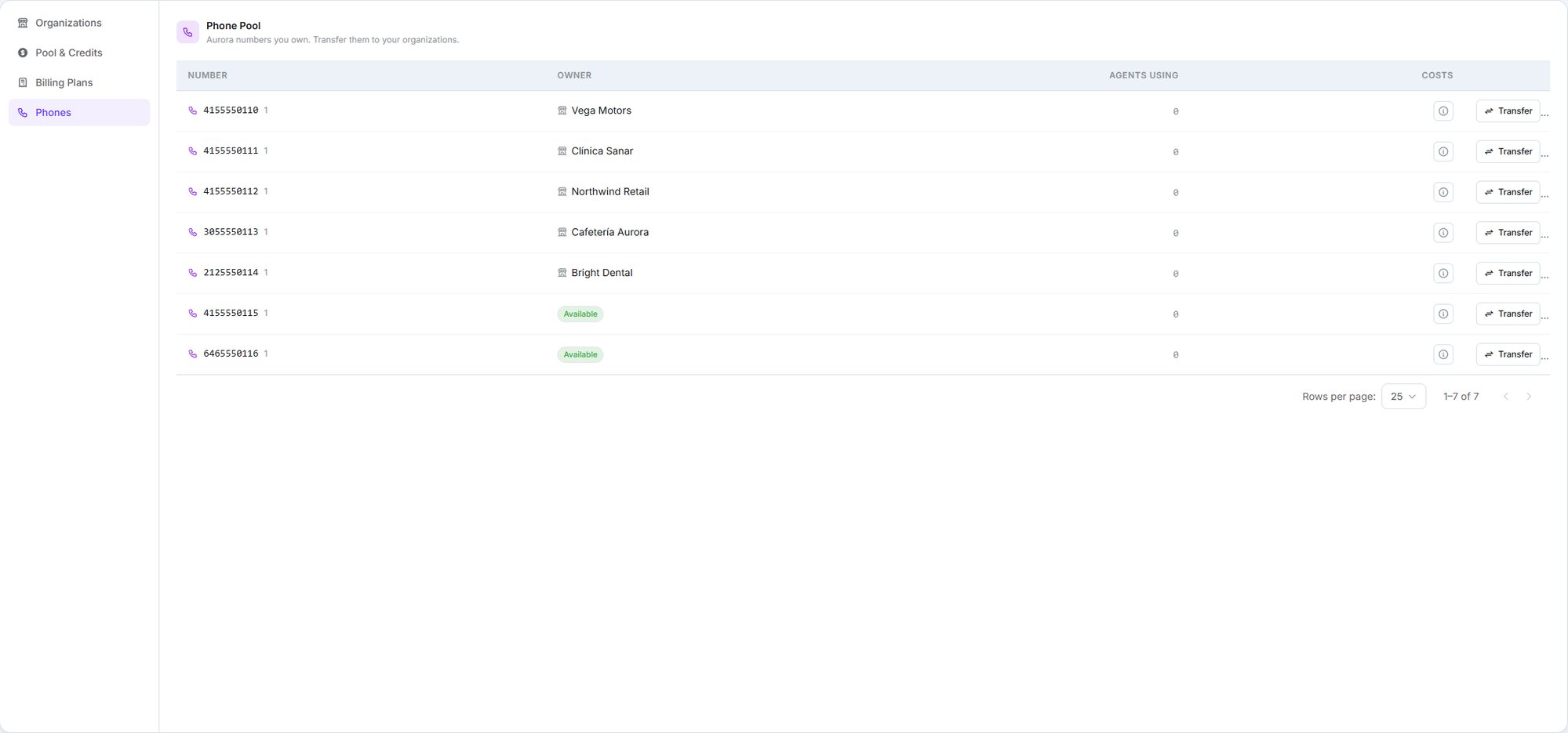
Every number you own, who holds it, and how many agents rely on it
Getting a number
Write to support@dialtu.com, or use the support channel your plan includes, with the country and area code, whether it’s for voice, SMS or both, and how many you need. The number appears in your Phones tab once it’s ready.You pay exactly what any Dialtu customer pays for that number. Being a partner doesn’t
change the price — there’s no wholesale rate on numbers and no markup you can apply. The
monthly fee, any one-off setup fee, and the per-minute and per-message carrier costs are the
standard rates for that country.
How phone numbers work
Countries, carriers, and the three costs a number carries.
Assigning and reclaiming
Organizations → Phones. Each number shows where it sits — Available if unassigned, or the organization holding it — plus how many agents are using it and a link to its rates. Transfer moves it to any of three destinations:Your own workspace
Keep it for yourself.
Pool (unassigned)
Hand it back. Only offered if it currently has an owner.
Another organization
Any active organization except its current one.
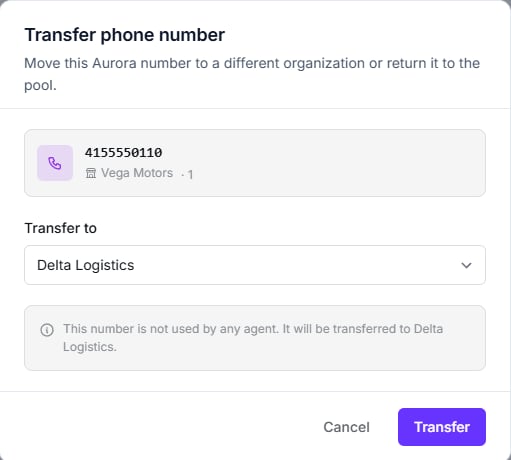
Pick a destination, and the dialog tells you what it will affect
The dialog tells you what will break. If any agents are using the number, it lists them by
name and organization before you confirm — that list is the whole reason to open it. When
nothing depends on the number, you get the quiet confirmation shown above instead.
You pay for numbers, not your clients
Monthly and setup fees for phone numbers are always billed to you, under your own
workspace — never to the organization holding the number.
Rates
Call and message rates for numbers are platform-managed and pass-through — you can view them, but unlike your billing plans you can’t mark them up inside the product.The rates modal states this directly: “Rates are managed by the platform and are not editable
here.”
Two things to watch
Deleting an organization doesn't release its number
Deleting an organization doesn't release its number
The number stays assigned to an organization that no longer appears in your list. Move it
back to your pool before you delete.
A number can only be in one place
A number can only be in one place
There’s no sharing a number between two organizations. If two clients need to be reachable,
they need a number each.
Next step
People and access
Who gets into which organization, and what they can do there.