

A conversation belongs to every agent that took part
After a transfer, the conversation counts for every AI agent that took part in it — the one that started it and each one it was transferred to. That’s why a transition or a stage event filtered by agent still matches after a transfer: a filter on the toll-tag agent keeps matching a conversation that the toll-tag agent handed to the tyres agent.The “Agent transferred” event
Static transitions can react to a transfer the instant it happens, instead of waiting for the conversation to end.Open the transition
In the Flow view, click the transition line between two stages, then the round button that appears on it, to open Configure Transition. Choose Static.
Pick the channel tab
WhatsApp Chat or SMS Chat.
Choose the event
In Event, select Agent transferred. As the field explains: “When set, this transition is evaluated only when the event happens (instantly).”
Optionally narrow it down
Two selectors appear: From agent and To agent. Leave both empty for any transfer.“Optional: only transfers from or to these AI agents. Leave empty for any agent.” On the SMS tab the hint adds “Only Lumina SMS agents can transfer.”
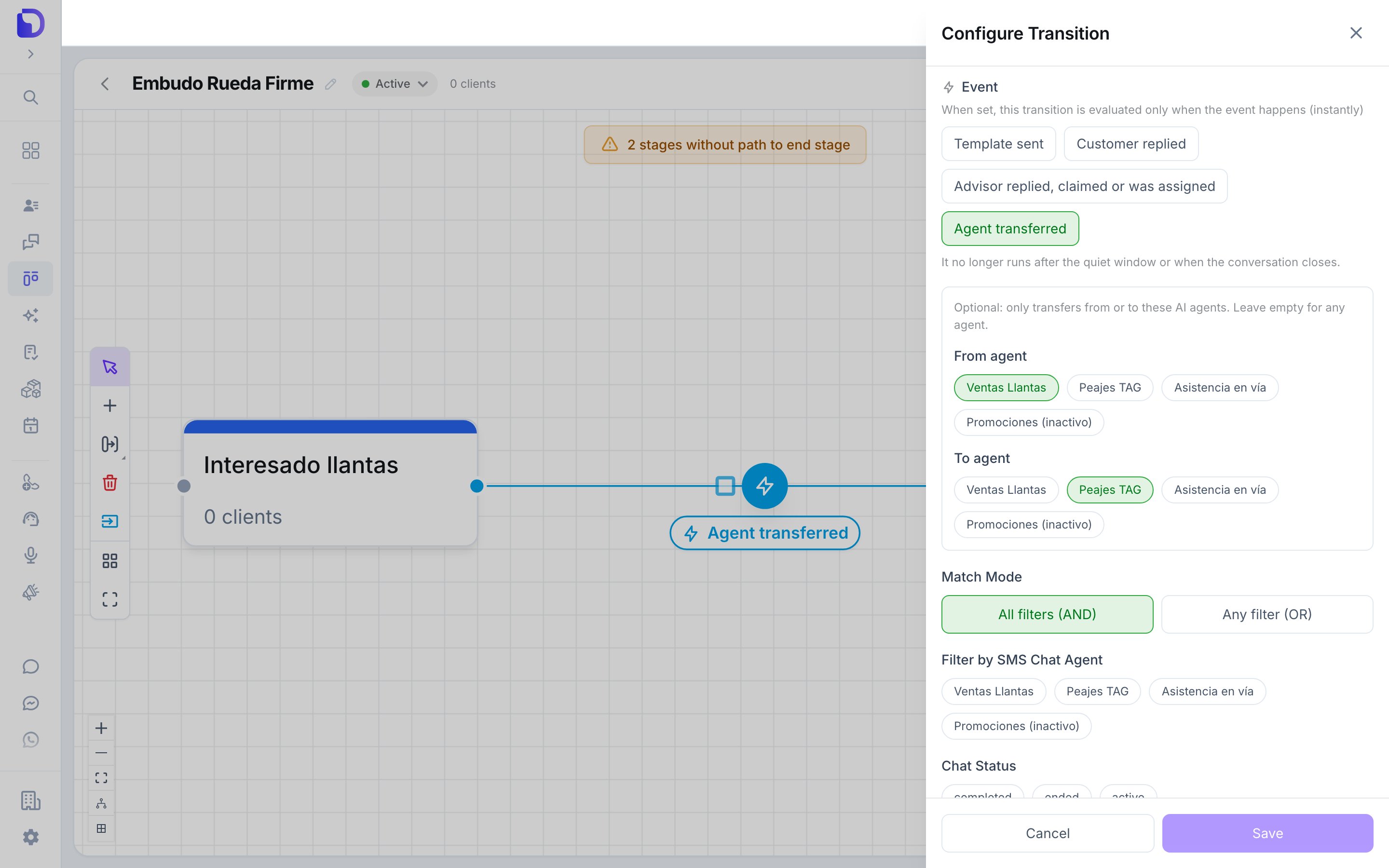
A static transition listening for Agent transferred, from one agent to another
The event goes in the Event field next to Template sent, Customer replied and Advisor replied, claimed or was assigned. Once an event is set, the transition no longer runs when the conversation closes.
The receiving agent’s entry points
A transfer also counts as a conversation start for the new agent. If the receiving agent feeds a pipeline through an entry point that triggers on conversation start, the customer enters that pipeline at the moment of the transfer — the same as if they had written to that agent directly.What doesn’t exist
- Salesflow on Messenger.
- An “Agent transferred” trigger for stage events — it’s a transition event only.
- A transfer event for failed or reverted attempts.
Next step
Troubleshooting
When a transfer doesn’t do what you expected.